Migration Checklist
This checklist is a project plan for moving data workflows to Mammoth from Alteryx, Excel, Python scripts, or other ETL tools. It is designed for migration leads, managers, and IT administrators. Migrate one workflow at a time and keep the old process running until the new one is validated.
The plan has seven phases, followed by challenges and checklists. The week ranges are a suggested sequence, not a guarantee; adjust them to your team's size and workload. For tool-specific comparisons, see the guides for Excel, Alteryx, Power Query, Tableau Prep, and Python and pandas.
Phase 1: Pre-migration assessment (week 1)
Current state analysis
Before changing any workflow, document what you have today. This baseline is what you measure the migration against.
Inventory your data workflows:
- List all data preparation processes (Excel files, Alteryx workflows, Python scripts)
- Document owners and stakeholders for each workflow
- Map data sources (databases, files, APIs) and destinations
- Record current time spent on data preparation (hours per week per person)
- Note pain points: manual steps, error-prone processes, bottlenecks
Common pain points:
- Specialist-tool licensing costs with limited user seats
- Excel crashes with large datasets, version control nightmares
- Technical complexity preventing business user adoption
- IT dependency for simple changes
- Manual processes prone to human error
- Lack of audit trails for compliance requirements
Documentation template:
Workflow: Monthly Sales Report
Owner: Sarah (Sales Operations)
Frequency: Monthly
Current Tool: Excel + manual PowerPoint
Time Required: 8 hours
Pain Points: Manual data entry, frequent errors, hard to update
Data Sources: Salesforce export, Excel budget file
Consumers: Executive team, regional managers
Team readiness assessment
Identify your champions
Look for team members who are:
- Frustrated with current tools
- Open to learning new approaches
- Influential with peers
- Available to participate in pilot
Evaluate technical skills
- Excel users: Get a visual interface and automation
- Alteryx users: Most data preparation steps have a Mammoth equivalent
- Python users: Can keep scripts for complex analytics, use Mammoth for data prep
- Non-technical users: A good fit for Mammoth's no-code visual interface
Check executive sponsorship
Confirm leadership commitment to:
- Resource allocation (time, training budget)
- Change management support
- Success metrics accountability
- Barrier removal when needed
Phase 2: Migration planning (week 2)
Three-phase migration strategy
Stage 1: Foundation (weeks 1-2)
- Platform setup and user onboarding
- Team training
- Pilot project selection and execution
- Early wins to build momentum
Stage 2: Core workflows (weeks 3-6)
- Migrate high-priority, high-visibility workflows
- Connect key data sources
- Set up Automations for scheduled refresh
- Run parallel operations for validation
Stage 3: Full adoption (weeks 7-12)
- Migrate remaining workflows
- Advanced feature adoption (AI transformations, dashboards)
- Decommission legacy tools
- Optimize and refine processes
Pilot project selection
Ideal pilot characteristics:
- High visibility: Executive or stakeholder reporting
- Moderate complexity: Not too simple (no value demo) or too complex (risk)
- Enthusiastic owner: Someone excited to try new approach
- Clear success metrics: Measurable time savings or quality improvement
- Quick turnaround: Short enough to show results soon
Example pilots:
- Monthly management dashboard (high visibility, clear timeline)
- Weekly operational report (frequent use, immediate impact)
- Quarterly compliance report (important, well-defined process)
- Customer analysis (business-critical, visible outcomes)
Tip: Pick a pilot with real manual effort
Choose a pilot that takes meaningful manual effort today, so the time savings are measurable and the scope stays manageable for first-time users.
Resource planning
Required team members:
- Project Lead: Overall coordination, stakeholder communication
- Technical Champion: Platform setup, data connections, power user training
- Workflow owners (varies): Subject matter expertise, testing, validation
- IT Support (as needed): Database connections, security approvals
- Executive Sponsor (oversight): Barrier removal, resource approval
Timeline buffers
Build contingency time into all estimates. Common delays:
- Data connection setup (IT approval cycles)
- Workflow owner availability for testing
- Unexpected validation discrepancies
- Training schedule conflicts
Phase 3: Technical setup (weeks 1-2)
Workspace configuration
Setup sequence:
- Create the workspace: Tied to your subscription and billing
- Establish projects: Organize by department, use case, or data domain
- Set naming conventions: Consistent project, dataset, and View naming
- Configure permissions: Workspace roles (Owner, Member) and project roles (Project Admin, Project Editor)
- Review the Activity Log: Mammoth records user actions and pipeline runs automatically; exporting it requires an Enterprise plan
Organizational structure example:
Workspace: Acme Corp
├── Project: Sales Operations
│   ├── Dataset: Salesforce Data
│   ├── Dataset: Marketing Leads
│   └── Dataset: Pipeline Reports
├── Project: Finance
│   ├── Dataset: Monthly Financials
│   └── Dataset: Budget vs Actual
└── Project: Operations
    ├── Dataset: Production Metrics
    └── Dataset: Quality Data
Connection priorities
Connection setup order (a suggestion; adjust to your sources):
- Primary databases: SQL Server, PostgreSQL, MySQL
- Cloud data warehouses: Snowflake, BigQuery, Redshift
- Business applications: Salesforce, HubSpot
- File sources: SharePoint, SFTP
- BI integrations: Tableau, Power BI (for hybrid workflows)
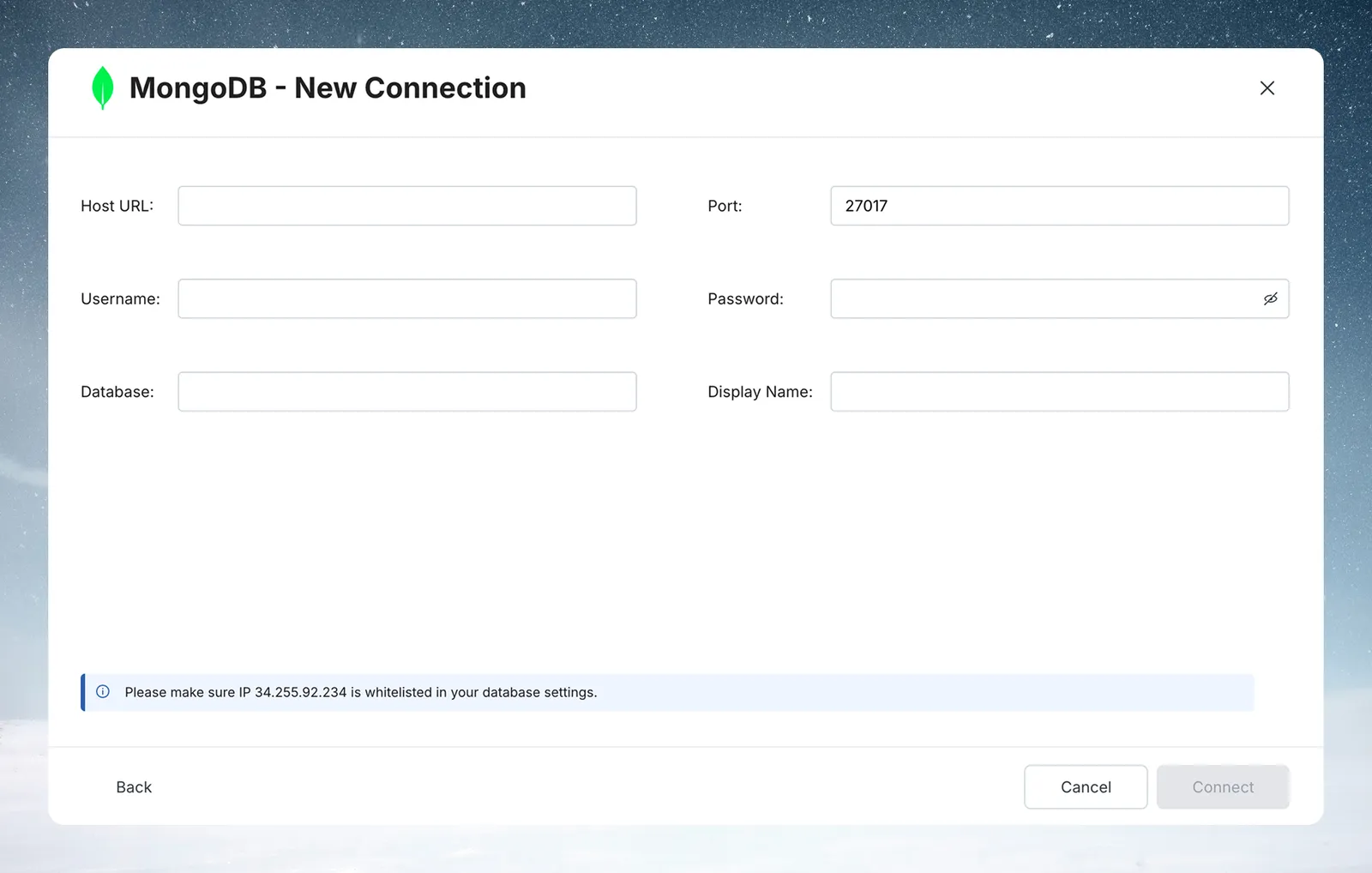
Check the connector list in your workspace and focus on your most frequently accessed sources first.
User management setup
Permission model:
- Workspace Owner: Full control of the workspace, including users and billing
- Workspace Member: Access to the projects they are added to
- Project Admin: Manages the project and its users
- Project Editor: Builds datasets, Views, and pipelines within the project
Security integration:
- Single sign-on (SSO) via SAML 2.0 (contact Mammoth to set it up)
- API tokens for programmatic access
- Role-based access control at project level
- Activity Log monitoring for compliance
Phase 4: Workflow migration (weeks 3-8)
Assessment and prioritization matrix
Evaluate each workflow:
| Criteria | Weight | Score (1-5) | Weighted score |
|---|---|---|---|
| Business criticality | 30% | X | X * 0.3 |
| Usage frequency | 25% | X | X * 0.25 |
| Technical complexity | 20% | X | X * 0.2 |
| Owner availability | 15% | X | X * 0.15 |
| Stakeholder visibility | 10% | X | X * 0.1 |
Migration order: Highest weighted scores first.
Tool-specific translation strategies
From Excel to Mammoth:
- Manual copy/paste → Connectors with scheduled refresh
- VLOOKUP formulas → Join/Lookup transformations
- Pivot tables → Group & Pivot transformations
- IF statements → Conditional Filter, Label & Insert Values, or AI SQL Query (
CASE WHEN) - VBA macros → Sequential transformation pipelines
- Formatting rules → Display Changes and number formatting
From Alteryx to Mammoth:
- Visual workflows → Visual pipelines
- Input tools → Connectors or file upload
- Filter tools → Conditional Filter transformations
- Join tools → Join transformations with preview
- Formula tools → Math function, AI SQL Query, and Add Column
- Output tools → Export destinations and Live Links
From Python and pandas to Mammoth:
- Data loading → Connectors (no more file path management)
- Basic transformations → Visual pipeline functions
- Complex analytics → Keep in Python OR use the AI SQL Query function
- Scheduling → Mammoth Automations
- Output generation → Export destinations
Tip: You do not have to migrate everything
You can use Mammoth for data preparation and keep Python or R for advanced analytics.
Parallel operation protocol
Validation process:
- Build Mammoth pipeline replicating existing logic
- Run both workflows on same source data
- Compare outputs:
- Row counts must match exactly
- Key totals match, or differ only within a tolerance you agreed on
- Sample detailed records for accuracy
- Document discrepancies and resolve systematically
- User sign-off before switching to production
Common validation issues:
- Rounding differences: Usually acceptable (document tolerance)
- Date formatting: Mammoth standardizes, may look different but be equivalent
- Null handling: Different tools handle blanks differently
- Sort order: May differ but not impact analysis
Pipeline documentation standards
Required documentation for each migrated workflow:
Pipeline: Monthly Sales Dashboard
Business Purpose: Executive visibility into sales performance
Owner: Sarah Johnson (Sales Operations)
Data Sources:
  - Salesforce (connector, daily refresh)
  - Excel budget file (manual upload monthly)
Transformation Logic:
  1. Filter for current fiscal year
  2. Join sales data with budget targets
  3. Calculate variance and percentage attainment
  4. Group by region and product line
Output Destinations:
  - PowerBI dashboard (auto-refresh)
  - Excel export for presentations
Schedule: Daily at 6 AM (Automation)
Known Limitations: Budget data requires manual update
Last Updated: [Date] by [Person]
Phase 5: Team enablement (weeks 2-6)
Training program structure
Run structured training in four sessions.
Session 1: Platform basics
- Interface navigation: Workspace → Project → Dataset → View
- Creating Views from files and connectors
- Explore Cards for data profiling and quality assessment
- Basic transformations: Filter, Find & replace, Math function
- Draft mode
Session 2: Building pipelines
- Transformation sequencing and dependencies
- Common patterns: clean → filter → join → aggregate
- Using AI-powered functions (Bulk Replace, AI SQL Query)
- Pipeline validation and testing
- Activity Log for auditing and troubleshooting
Session 3: Automation and sharing
- Automations for scheduled workflows
- Export destinations (databases, SFTP, Tableau, and others)
- Live Links for sharing a View as a CSV URL
- Dashboard creation (if applicable)
- Collaboration and sharing features
Session 4: Role-specific training
- Administrators: User management, permissions, security
- Power users: Advanced transformations, API integration, optimization
- Business users: Specific workflow deep dives, troubleshooting
Champion development strategy
Identify 2-3 power users per team:
- Provide advanced training and early access
- Establish regular office hours for peer support
- Create internal documentation and best practices
- Recognize achievements and share success stories
- Enable them to train others (peer-to-peer learning)
Support structure:
- Start: Frequent check-ins and hands-on support
- Next: Less frequent support, troubleshooting
- Later: Weekly reviews, advanced feature adoption
- Ongoing: Monthly optimization sessions, new use cases
Phase 6: Adoption and change management (weeks 1-12)
Example communication messages by stakeholder
Executive messaging:
- Return on investment: "Time savings and cost avoidance through automation"
- Risk reduction: "Eliminate manual errors, improve data quality, ensure audit compliance"
- Speed of insight: "Faster refresh means decisions use current data"
Manager messaging:
- Team efficiency: "Less time on data preparation frees analysts for strategic work"
- Quality improvement: "Automated workflows reduce manual errors and improve consistency"
- Visibility: "Dashboards and automated reports on fresh data improve decision-making speed"
User messaging:
- Easier workflows: "No code to learn, no more Excel crashes or manual copy-paste"
- Professional growth: "Focus on analysis and insights instead of data manipulation"
- Recognition: "Share your results with the team"
Adoption tracking metrics
Leading indicators (weekly tracking):
- Active users (sign-in frequency)
- Pipeline creation rate
- Automation setup
- Training completion percentage
- Champion engagement level
Lagging indicators (monthly tracking):
- Workflow migration completion rate
- Legacy tool usage decline
- User satisfaction surveys (quarterly)
- Support ticket volume (should decrease)
- ROI realization against targets
Resistance management
Common objections and responses:
"Our current tool works fine"
- Response: Demonstrate specific time savings on their actual workflows
- Show: A visual interface that needs no code
- Prove: Rebuild one of their own workflows as a pilot
"Too risky to change"
- Response: Parallel operation lets you validate before switching
- Prove: A phased approach allows gradual transition with fallback options
"Don't have time to learn something new"
- Response: The interface is visual and needs no code
- Show: Training time compared with the manual time saved
- Prove: Build a first automated workflow together
Tip: Start with enthusiastic adopters
Focus first on users who are keen to try the new tool, and use their results to show skeptics what is possible.
Phase 7: Success measurement (ongoing)
ROI tracking framework
Quantifiable benefits
Time savings:
- Baseline: Hours per week spent on data preparation (pre-migration)
- Target: Set your own goal from your measured baseline
- Calculation: (Baseline Hours - New Hours) × Hourly Rate × 52 weeks
- Example with made-up numbers: (20 hours - 5 hours) × 50 dollars per hour × 52 weeks = 39,000 dollars per person per year
Cost avoidance:
- Legacy tool licensing not renewed
- Reduced IT support burden
- Elimination of manual error costs
- Shorter time from question to answer
Quality improvements:
- Fewer manual data errors
- Audit compliance automation
- Consistent, repeatable processes
- Pipeline version history and the Activity Log
Suggested milestones
Use these as a planning aid and replace the timing with your own targets:
- Early: First automated workflow operational
- Next: Core workflows migrated and validated
- Then: Team self-sufficiency
- Later: Full adoption and legacy tool decommissioning
- Ongoing: Advanced feature adoption, optimization, and ROI review
Continuous improvement process
Monthly reviews:
- Pipeline performance analysis
- New use case identification
- User feedback incorporation
- Feature adoption tracking
- Optimization opportunities
Quarterly business reviews:
- ROI measurement and validation
- Success story documentation
- Additional workflow migration opportunities
- Advanced feature training needs
- Strategic alignment assessment
Common migration challenges and solutions
Challenge: Complex legacy workflows
Symptoms: 50+ step Alteryx workflows, intricate Excel models with VBA, custom Python analytics
Solutions:
- Break into components: Migrate data preparation separately from complex analytics
- Use hybrid approach: Mammoth for prep, existing tools for specialized analysis
- Use the AI SQL Query function: Handle complex calculations that don't fit standard transformations
- Document assumptions: Clearly note any logic simplifications made during migration
- Phase the complexity: Start with core logic, add edge cases in later phases
Challenge: Data source access issues
Symptoms: Firewall restrictions, credential access delays, VPN requirements
Prevention:
- Engage IT early: Include database administrators in planning from Week 1
- Test connections first: Validate access before migration day
- Document requirements: Network ports, IP ranges, authentication methods
- Have fallbacks: File upload options if connector setup is delayed
- Plan for approvals: Security reviews can add time in large organizations
Challenge: User resistance to change
Symptoms: Low training attendance, continued use of old tools, "temporary" usage claims
Solutions:
- Involve resisters in pilot selection: Give them voice in choosing workflows to migrate
- Celebrate wins visibly: Share time savings and quality improvements broadly
- Provide hands-on training: Avoid presentation-only sessions, require actual pipeline building
- Establish peer support: Champions help colleagues more effectively than management mandates
- Address concerns directly: Don't dismiss worries, investigate and resolve systematically
Tip: Let skeptics build the first pipeline
Have skeptics build their first automated pipeline themselves, so they see their own manual process run automatically.
Challenge: Validation discrepancies
Symptoms: Different row counts, totals that don't match, unexpected data variations
Systematic resolution:
- Start with row counts: Ensure same number of records processed
- Check key totals: Revenue, quantities, major aggregations
- Sample detailed records: Compare individual rows for logic differences
- Investigate systematically: Document every discrepancy, no matter how small
- Define acceptable variance: Agree it with the workflow owner; financial data usually needs a tighter tolerance than text processing
- Get user sign-off: Workflow owner must approve all differences before go-live
Challenge: Schedule slippage
Common delays:
- Data connection setup taking longer than expected
- Workflow owner availability conflicts (vacation, competing priorities)
- Validation revealing unexpected complexity requiring rework
- Training logistics (conference room booking, schedule coordination)
Mitigation strategies:
- Build a time buffer into all estimates
- Prioritize ruthlessly: Core workflows first, nice-to-haves later
- Communicate early: Alert stakeholders to delays immediately, don't wait
- Adjust scope: Move complex workflows to later phases if needed
- Celebrate milestones: Maintain momentum even when behind schedule
Migration checklists
Pre-migration assessment checklist
- Current workflow inventory completed (tool, owner, frequency, pain points)
- Baseline time measurements documented (hours per person per week)
- Team readiness assessment completed (champions identified, skills evaluated)
- Executive sponsorship confirmed (resources, timeline, success criteria)
- Pilot project selected (high visibility, moderate complexity, enthusiastic owner)
- Success criteria defined (time savings targets, quality improvements, ROI goals)
- Communication plan created (stakeholder messaging, update frequency)
Technical setup checklist
- Workspace created and configured (naming conventions, permissions model)
- Projects established (organizational structure, user assignments)
- Data connection requirements documented (systems, credentials, security approvals)
- IT engagement initiated (database access, firewall rules, VPN requirements)
- User accounts provisioned (SSO configuration, role assignments)
- Activity Log reviewed (audit trail, compliance requirements)
- API tokens generated (programmatic access, integration requirements)
Training completion checklist
- Session 1: Platform basics completed by all users
- Session 2: Building pipelines completed by workflow owners
- Session 3: Automation and sharing completed by power users
- Session 4: Role-specific training completed by administrators
- Champions identified and provided advanced training
- Internal documentation created (best practices, common patterns)
- Support structure established (office hours, escalation paths)
Workflow migration checklist
For each workflow:
- Business purpose and success criteria documented
- Current state workflow mapped (inputs, transformations, outputs)
- Mammoth pipeline developed and tested
- Parallel operation initiated (old and new workflows running)
- Output validation completed (row counts, totals, sample records)
- Discrepancies investigated and resolved
- User sign-off obtained (acceptable variance documented)
- Documentation updated (pipeline logic, known limitations)
- Production cutover scheduled and executed
- Legacy workflow decommissioned
Go-live readiness checklist
- All critical workflows migrated and validated
- Team training completed and competency verified
- Support structure operational (champions, escalation paths)
- Monitoring dashboard configured (adoption metrics, usage tracking)
- Legacy tool decommissioning plan finalized
- Success celebration planned (recognize achievements, build momentum)
- Continuous improvement process established (monthly reviews, optimization)
- ROI tracking initiated (baseline vs actual measurements)
Next steps after reading this checklist
Immediate actions (this week)
- Complete the pre-migration assessment: Use the documentation template above to document current state
- Identify a pilot project: Select high-visibility workflow with enthusiastic owner
- Engage key stakeholders: Confirm executive sponsorship and IT support
- Schedule initial training: Book platform basics session for core team
- Begin connection planning: Identify primary data sources and access requirements
Implementation support
For migration planning help, contact your Mammoth account manager or support.
Success metrics to track
Track your migration progress with key metrics:
- Workflow migration: X of Y workflows completed
- User adoption: X% of users actively creating pipelines
- Time savings: X hours per week freed up
- Cost avoidance: $X in licensing and IT support savings
- Quality improvement: X% reduction in data errors
- ROI realization: X% return on investment
A migration needs planning, phased execution, user adoption, and continuous measurement. Each element depends on the others.