Mammoth’s new UI: Streamlined and Powerful
We are excited to introduce UI upgrades to Mammoth, with a more intuitive and responsive interface. The changes are now live on our beta site at beta.mammoth.io
Updated · 3 min read
We are excited to introduce UI upgrades to Mammoth, improving user experience, with a more intuitive, flexible, and responsive interface.
The changes are now live in Mammoth at app.mammoth.io, where you can experience the improvements firsthand. Here’s a quick rundown of the major changes you’ll notice.
Pipeline Changes: More Control, Flexibility, and Simplicity
Sync Options:
Sync options are now clearly visible under the new Sync Options menu in the pipeline, no longer buried under dataflow settings.
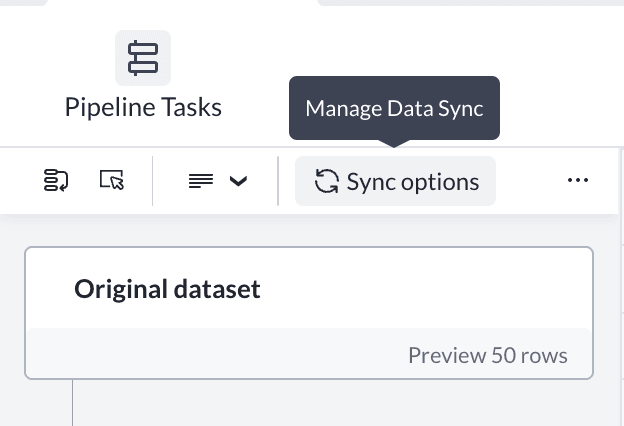
Data sync options
Multi-Select & Bulk Actions:
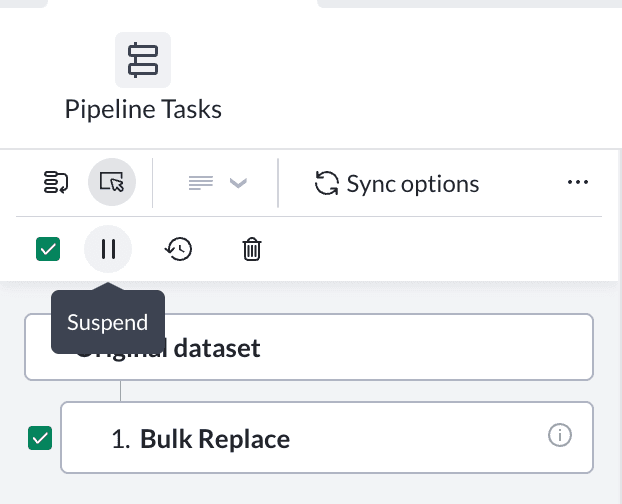
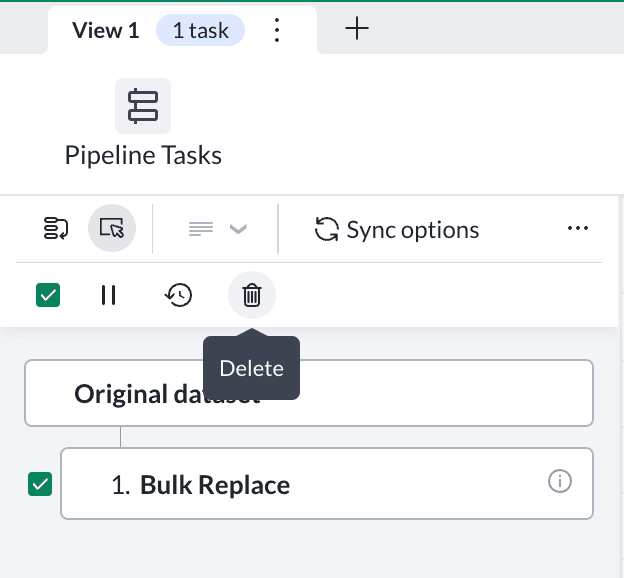
We’ve added multi-select capabilities in the pipeline, allowing you to perform actions on multiple tasks at once. This includes:
- Bulk Suspend and Restore: Bulk suspend and restore multiple tasks at once.
- Bulk Delete: Easily remove multiple tasks at once.
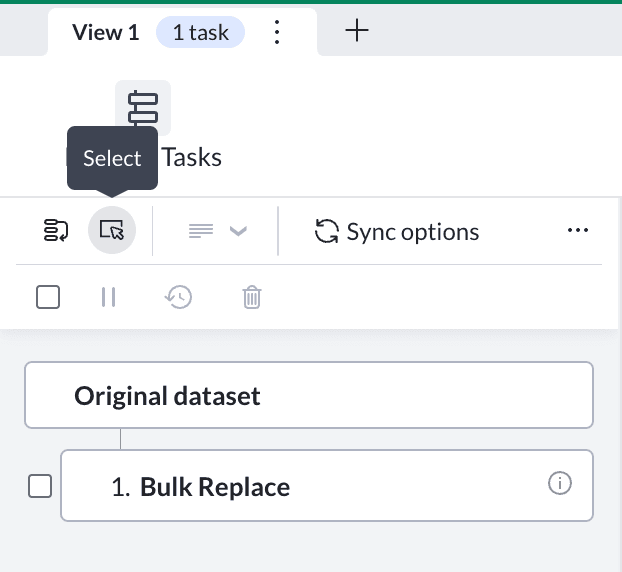
Bulk actions mode
Reorder Mode:
Accidentally added a task in the wrong position? Activate Reorder Mode to drag and move tasks around in the pipeline. Once you’re happy with the order, simply save the changes. Note: Export tasks pinned to the end cannot be reordered.
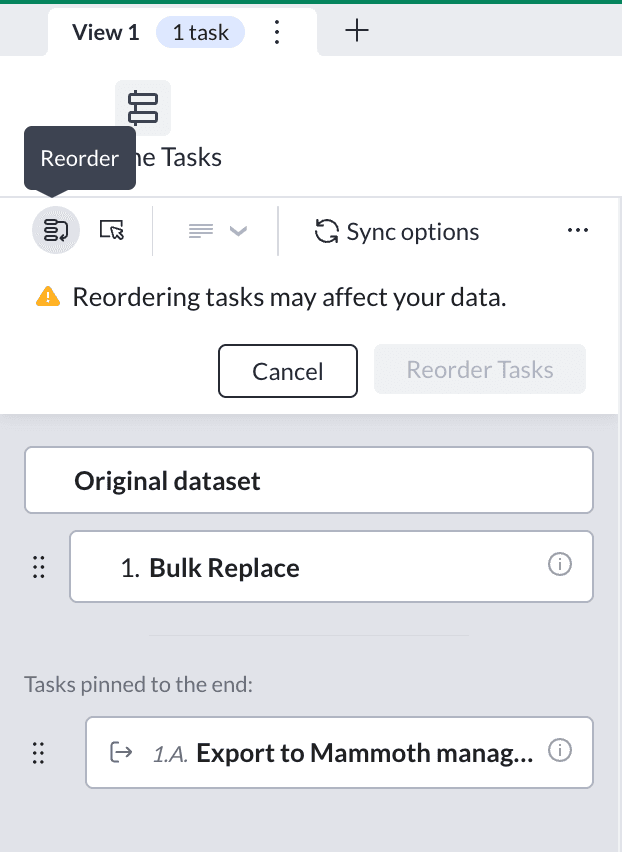
Reorder tasks interface
Run pipeline now/later:
Whether you prefer to run tasks immediately or batch them and run the pipeline later, you now have these options easily accessible under the three dots menu in the pipeline. You can also make this decision directly from the function interface when creating tasks (as described below). Additionally, you can also review all changes in the pipeline before executing, ensuring everything is in order before running.
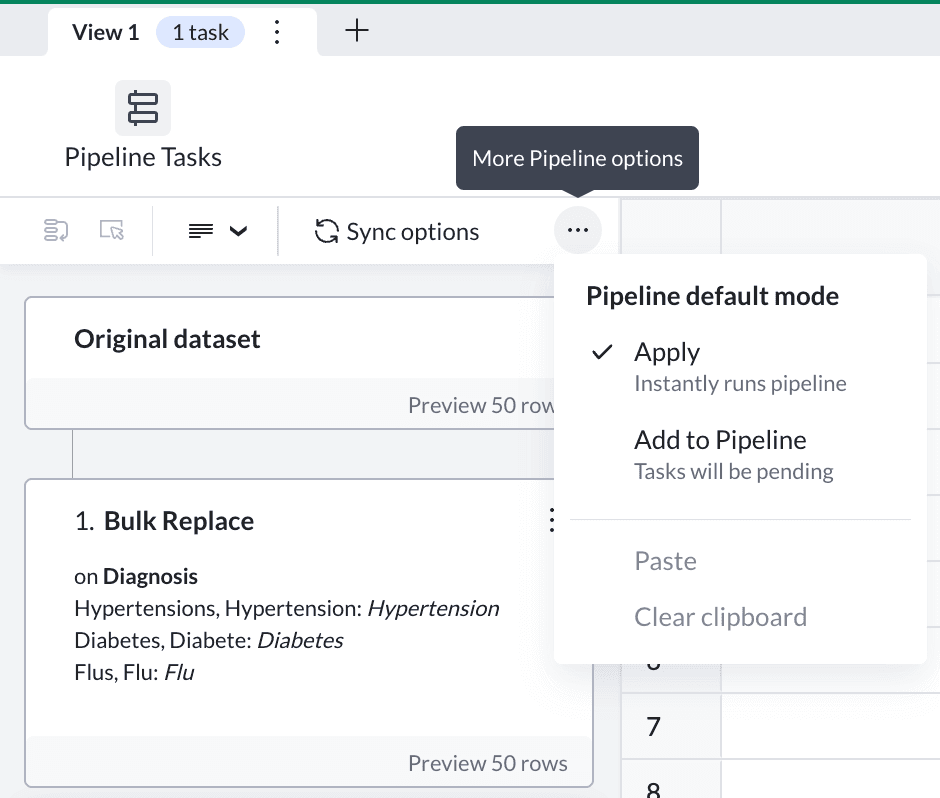
Run pipeline options – now or later
Card Density Customisation:
You now have the option to choose between different card densities. Toggle to show or hide details on cards depending on the level of information you need at a glance.
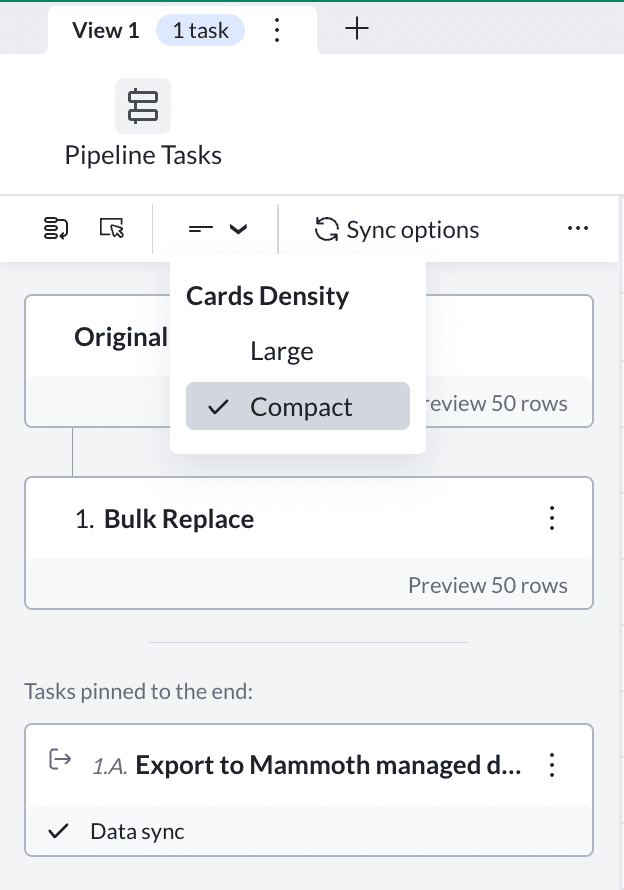
Card information density options
Functions UI: Enhanced Usability and Bulk Operations
Bulk Replace:
You can now review group suggestions and add them one by one. The group name represents the value that all items in the group will be replaced with.

Bulk replace – Group suggestions interface
Branchout options simplified:
The options for branching out to a project or dataset have been merged. Now, you’ll simply see the Branchout option. Select a folder or project from the destination list.
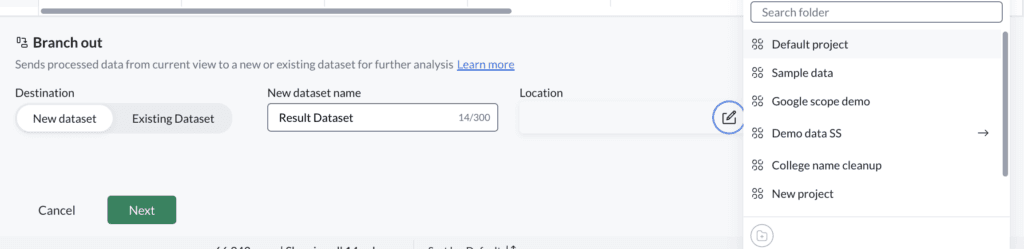
Enhanced Branchout UI
Task Execution Flexibility:
Just like in the pipeline interface, you can now decide when to run tasks (immediately or later) from within the function interface with a split button option. This provides a streamlined experience for planning your workflows.
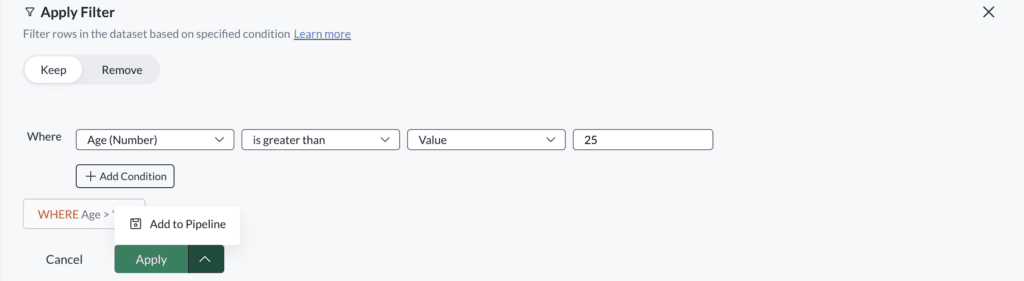
Task execution options – now or later
Explore the New UI on Beta
These changes are now live on our beta site at app.mammoth.io, where you can experience the improvements firsthand. As always, we welcome your feedback and encourage you to share your thoughts to help us further refine your experience.
You can reach out to us via live chat in the bottom right corner on the Mammoth platform or write to us at support@mammoth.io. Happy exploring!
If you are new here and would like to give Mammoth a try, sign-up for a 100% free trial here.