AI report generator
An AI report generator that computes the numbers instead of writing them.
A real report
A trading report, generated from one request
Made from a table of sales for a fictional coffee chain. The same report reads on the web, prints on A4 pages, or fits on one poster.
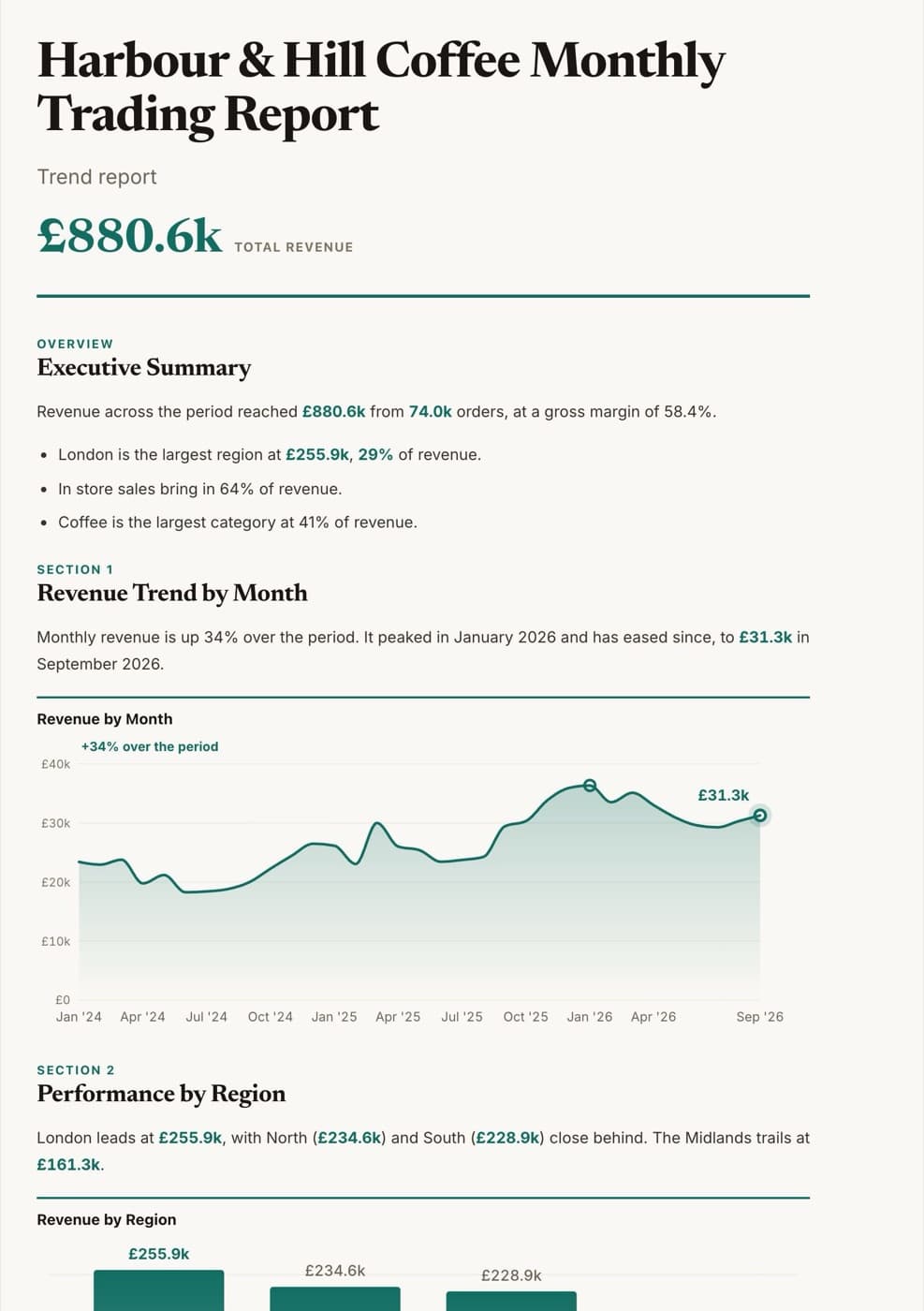
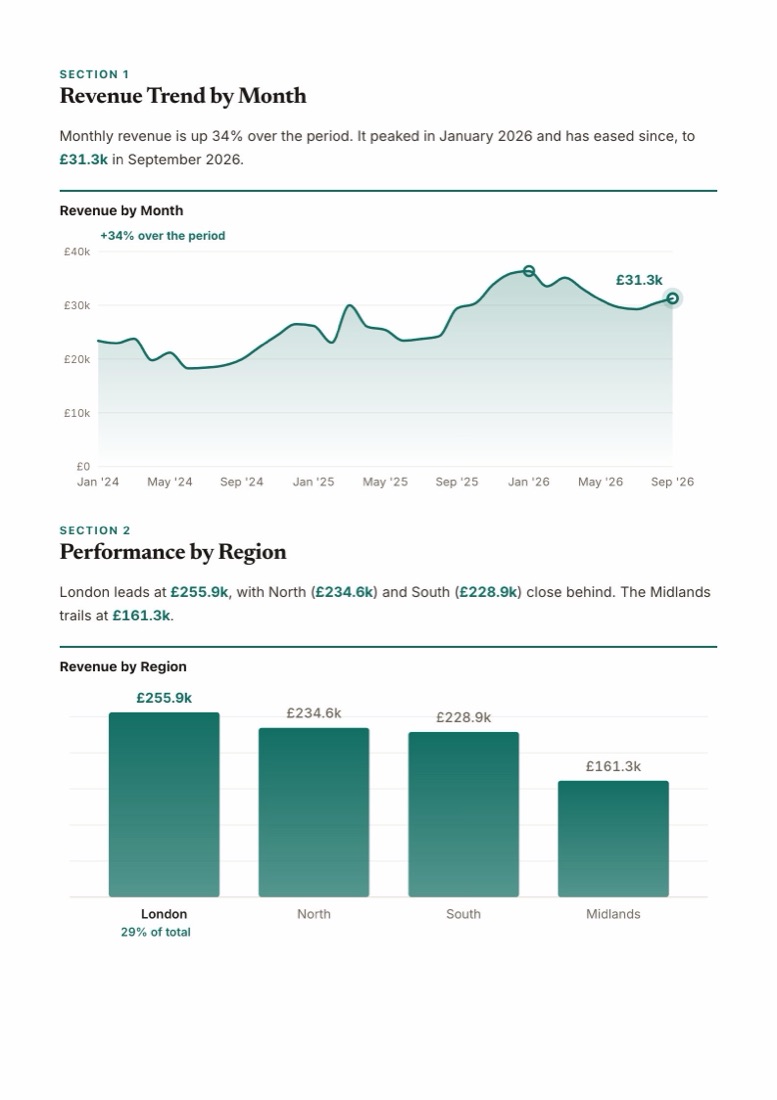
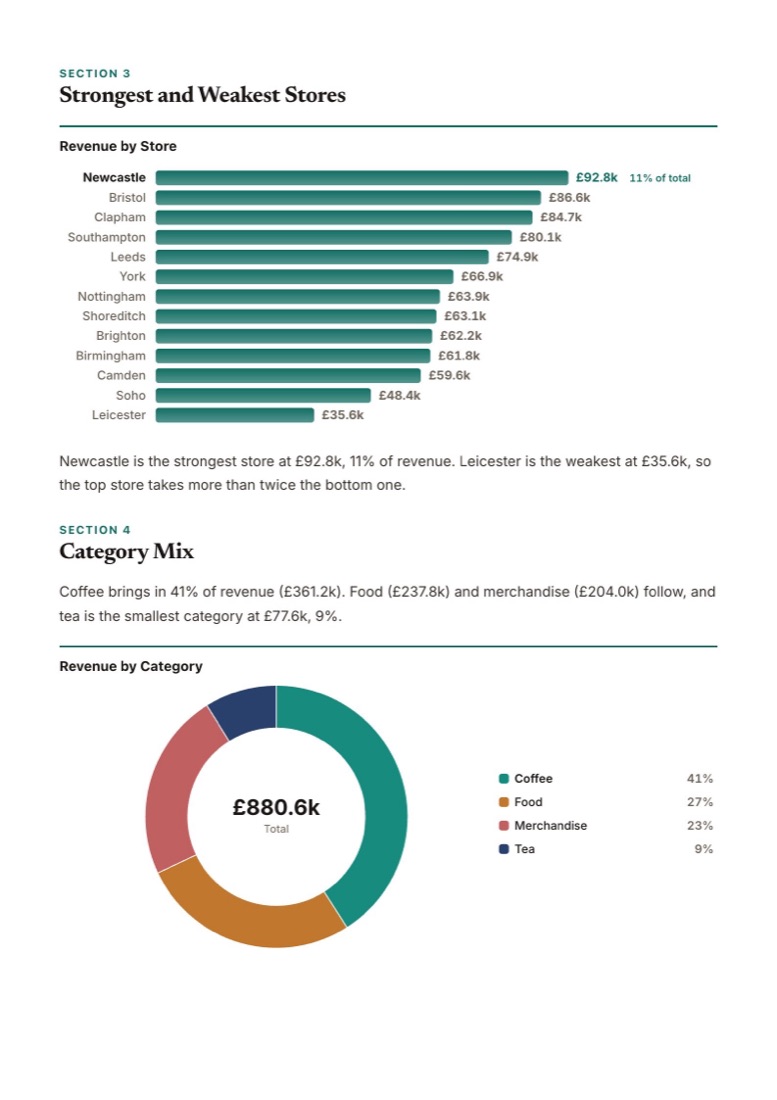
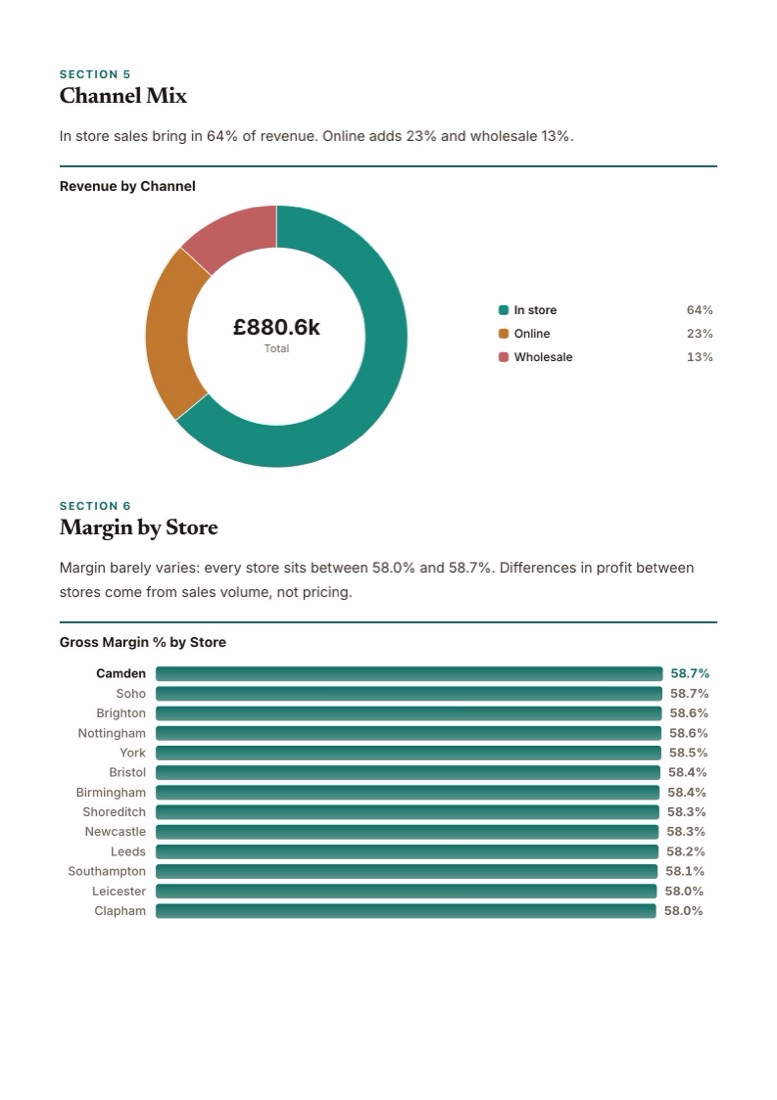
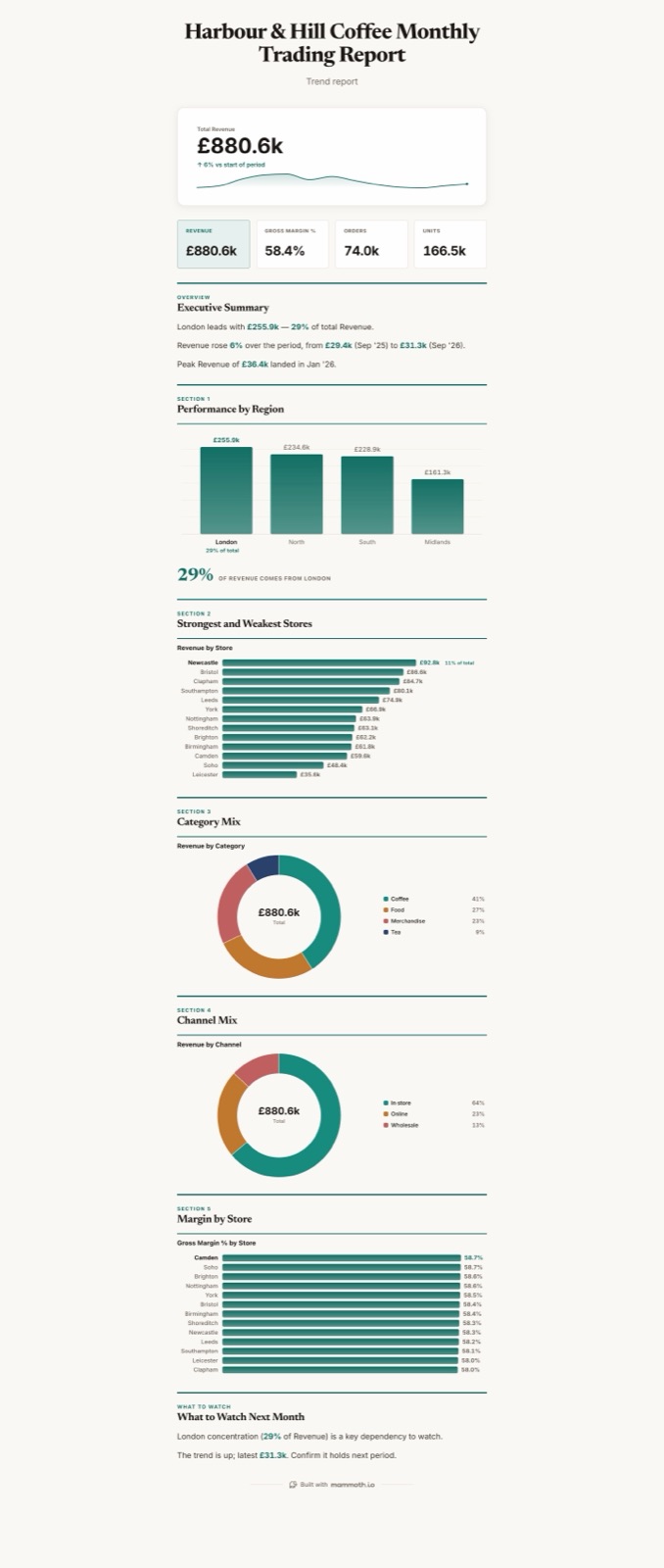
Or one poster. The same report on a single long page, with its own short summary, for a wall or a channel.
Asked for as “a written monthly trading report for the board”, in the Editorial style. Charts and figures are as Mammoth computed them; the commentary is ours, edited in the report.
Open the live reportWhat you get
A report someone will read
Ask for a report, get a report
Ask for a document instead of a dashboard and Mammoth writes one: headed sections, charts, and a sentence or two of commentary under each.
Brief, standard or full
Pick the length, lay it out for the screen or for A4 or US Letter pages, or squeeze it onto one poster.
A cover that looks finished
Reports open on a cover with the title, styled to match the rest of the document.
Room for your own words
Add notes, caveats and methodology beside the generated text. Mammoth can draft them for you to edit.
Why the numbers hold
Generated words. Computed figures.
A language model that writes the figures can get them wrong. Mammoth doesn't let it.
Figures come from queries
Every number in the report is the result of a query on your data. The AI chooses what to report and how to say it.
Sentences are checked against the data
Before a line of commentary appears, any figure it cites is checked against the computed facts. A line that cites a number the data doesn't contain is dropped.
Every chart shows its working
Open a chart's receipt to see the columns, calculation and filters behind it.
Next month too
Run the same report again on new data
It updates with your data
The report sits on your data, so when the data refreshes, the report's numbers do too. Publish, or turn on auto-publish, and readers get the new version.
In your brand
Give Mammoth your website address or logo and the report takes your colours and fonts.
PDF, or a live link
Download the report as a PDF with every page, or share it by link so readers always see the published version.
Limits
Limits worth knowing
Better to know before you choose than after.
- Read the commentary before it goes out
- The check confirms that a figure a sentence cites exists in the computed results, not that the sentence attaches it to the right thing, so read generated commentary before it goes out. Text blocks carry no data, so they can never hold a computed figure.
- Readers see new data when you publish
- The board's draft updates when the data does; readers see it when you publish, or straight away with auto-publish on. How often data refreshes depends on the plan. A schema change pauses the sync.
- Not every chart has a receipt yet
- Shown on added charts and most generated base charts; some combined base charts have none. SQL is editor-only and hidden while previewing as another viewer. It does not report row counts used or dropped.
- The standard PDF has no sample-data label
- The standard PDF carries no sample-data label.
- It reports on data, not on documents
- Mammoth writes reports about tables of data. It is not a tool for summarising PDFs, meeting notes or research papers.
Checked against the product on 2026-10-23. Every dashboard capability, with its plans and limits, is also published as machine-readable JSON.
Questions people ask first
What is an AI report generator?
Can the AI make up numbers in the report?
Can I get it as a PDF?
Does it work on Excel and CSV files?





Generate your first report from your own data.
Start free, upload a file, and ask for a report.
- ✓ 14-day Pro trial
- ✓ No credit card
- ✓ Viewers always free