Google Sheets dashboard template
14-day Pro trial · No credit card · Viewers are always free

The template: paste this into Mammoth
Sales tracker from a Google Sheet: revenue, units sold, deals, average deal size, new account deals and reorder deals as KPIs, revenue by month, revenue by sales rep, and revenue by region

In production at














What is a Google Sheets dashboard template?
A Google Sheets dashboard template is a ready-made dashboard for data you keep in a sheet, with the numbers and charts already chosen. This one reads a sales tracker: connect the sheet and it fills in with revenue, units, deals and deal size, by month, rep and region. When someone adds a row to the sheet, the dashboard picks it up on the next refresh.
What's on it
What's in the Google Sheets dashboard template
Six numbers at the top and three charts below them.
Six numbers at the top
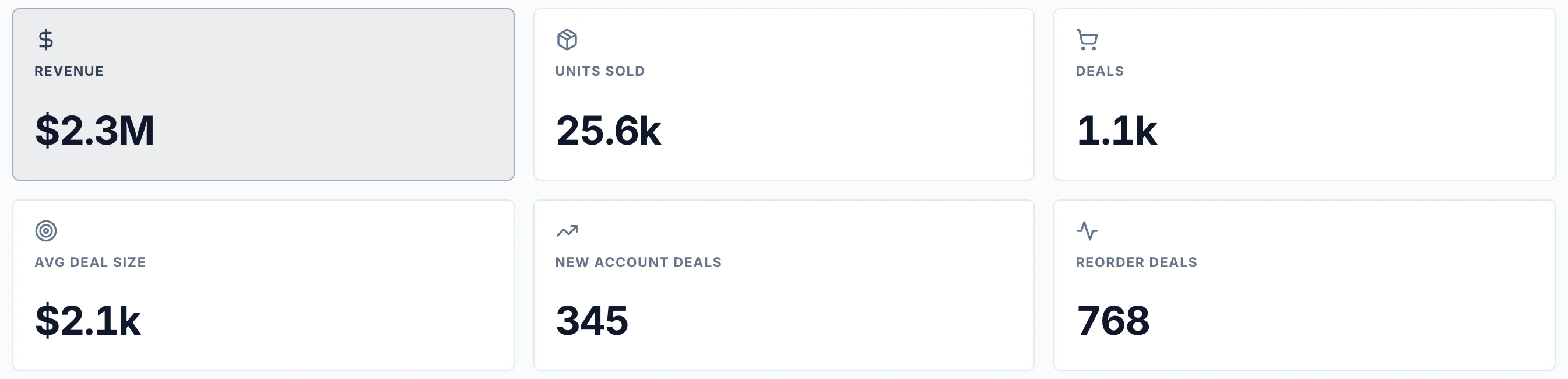
- Revenue
- The total of the Revenue column.
- Units sold
- The total of the Units column.
- Deals
- How many rows the sheet has: one per deal.
- Average deal size
- Revenue ÷ deals.
- New account deals
- Deals with a new customer.
- Reorder deals
- Deals with a customer who bought before.
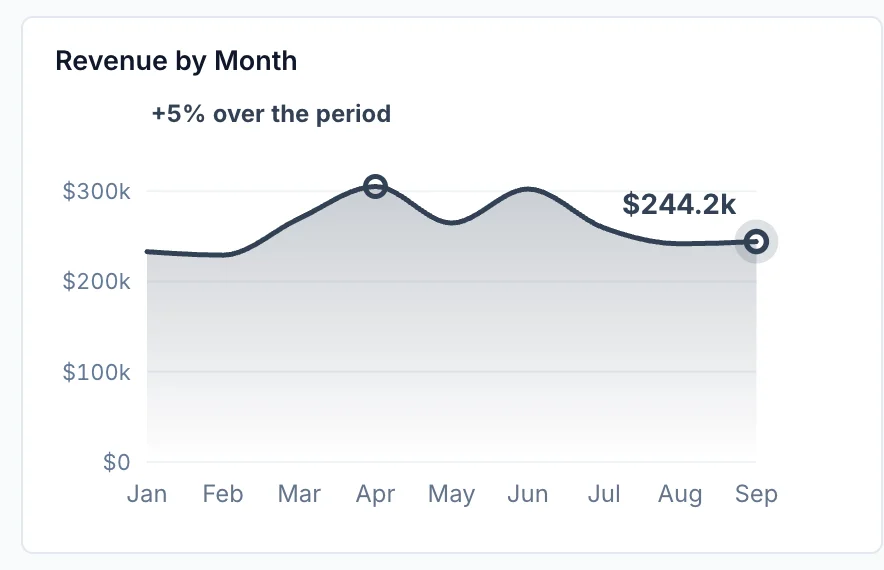
Revenue by month
Revenue for each month, as a trend.
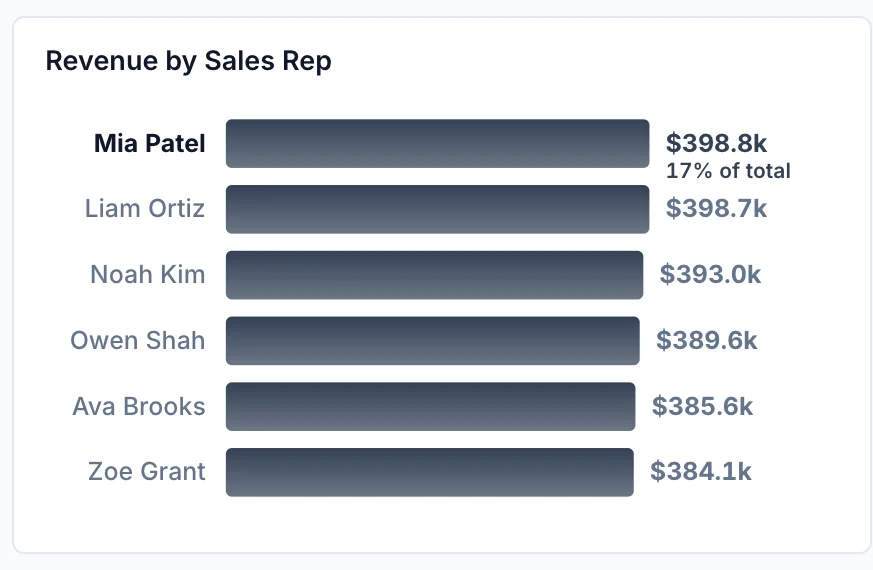
Revenue by sales rep
Revenue from each sales rep, highest first.
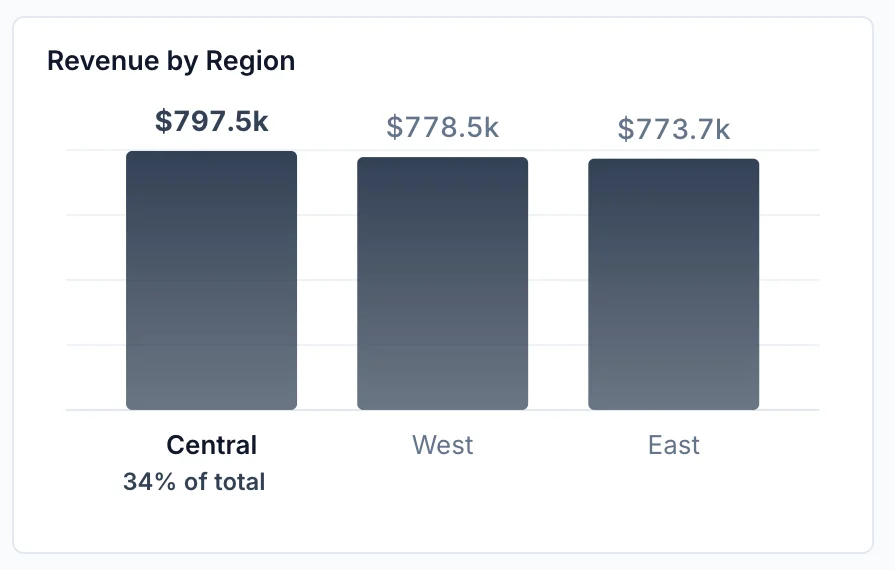
Revenue by region
Revenue from each region.
How it works
How to use this Google Sheets dashboard template
- Step 1
Connect Google Sheets
Connect your Google Sheets account in Mammoth, or upload a report export.
- Step 2
Paste the template
Copy the sentence at the top of this page into Mammoth. It builds the same dashboard from your data.
- Step 3
Share or schedule it
Share a link, or have it emailed every week. Viewers are free.


Compare
Google Sheets dashboard templates compared
This template in Mammoth, charts built inside Google Sheets, and a Data Studio template. Data Studio is Google's free report builder, called Looker Studio until recently.
Mammoth template
For a dashboard from your sheet that also takes in your CRM, ads or store data.
- ✓Ready-made template
- ~FreeFree plan for uploaded files
- ✓Data from other tools in the same dashboard
- ✓Emailed on a schedule
- ✓Change it by asking in plain words
Charts in Google Sheets
For a few charts next to the data, inside the sheet.
- ✕Ready-made template
- ✓Free
- ~Data from other tools in the same dashboardPasted or imported by hand
- ✕Emailed on a schedule
- ✕Change it by asking in plain words

Data Studio template
For a free report when most of your data is Google's.
- ✓Ready-made template
- ✓Free
- ~Data from other tools in the same dashboardGoogle's own sources free, others need a partner connector
- ✓Emailed on a schedule
- ✕Change it by asking in plain words
Google Sheets dashboard template questions
Can I make a dashboard in Google Sheets itself?
What columns does my sheet need?
How do I use this Google Sheets dashboard template?
Is the template free?
Can I change the template?
Can Mammoth connect to Google Sheets directly?
How often does the dashboard update?
Can I combine Google Sheets with other sources?
Can I share it with clients?
Is the data on this page real?





Use this Google Sheets dashboard template
Connect Google Sheets, paste the template, and share the dashboard with a link.
- ✓ 14-day Pro trial
- ✓ No credit card
- ✓ Viewers always free
More free dashboard templates
Real Mammoth dashboards like this one, each with the sentence that builds it.
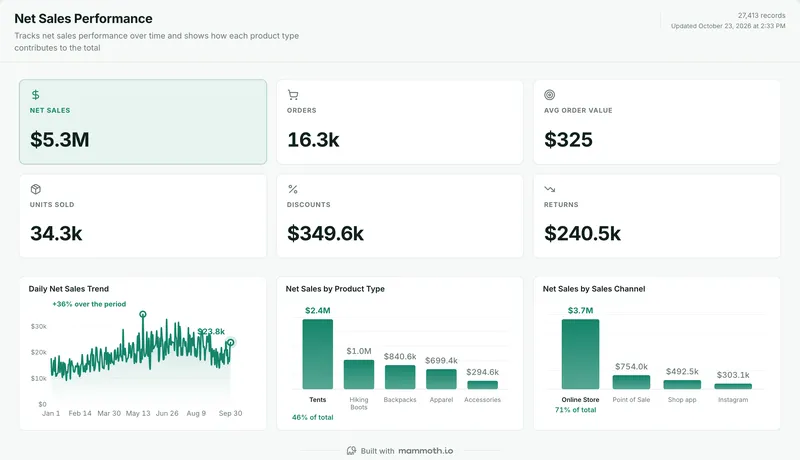 Shopify dashboard templateNet sales, orders and AOV by product type and channel.Free templateUse it
 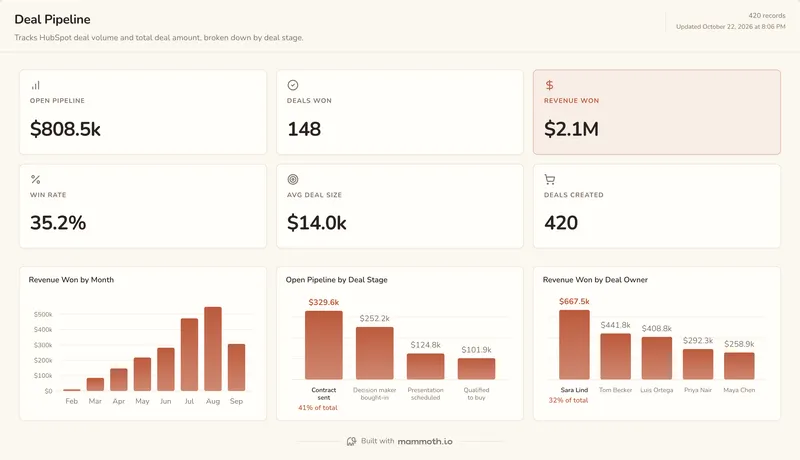 HubSpot dashboard templatePipeline, revenue won and win rate by stage and owner.Free templateUse it
 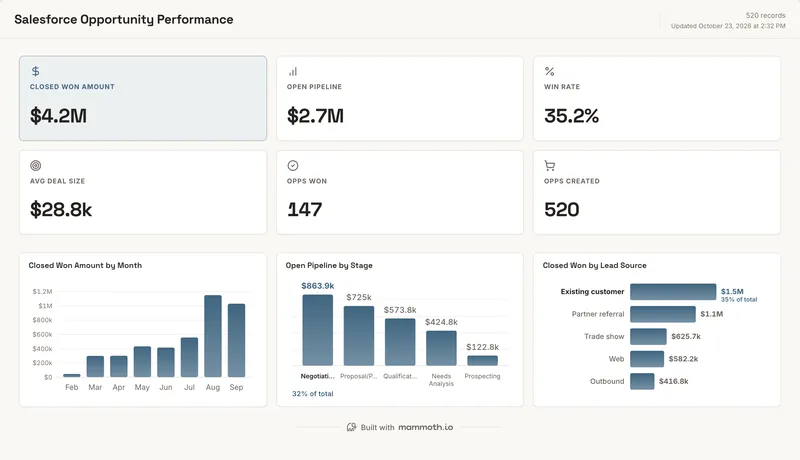 Salesforce dashboard templateClosed won, pipeline and win rate by stage and lead source.Free templateUse it
