Shopify dashboard template
14-day Pro trial · No credit card · Viewers are always free

The template: paste this into Mammoth
Shopify sales: net sales, orders, average order value, units sold, discounts and returns as KPIs, a daily net sales trend, net sales by product type, and net sales by sales channel

In production at














What is a Shopify dashboard template?
A Shopify dashboard template is a ready-made dashboard for your store with the numbers and charts already chosen. You connect Shopify and it fills in with net sales, orders, average order value, units, discounts and returns, by day, product type and channel. It updates from Shopify, so nobody has to export sales each week.
What's on it
What's in the Shopify dashboard template
Six numbers at the top and three charts below them.
Six numbers at the top
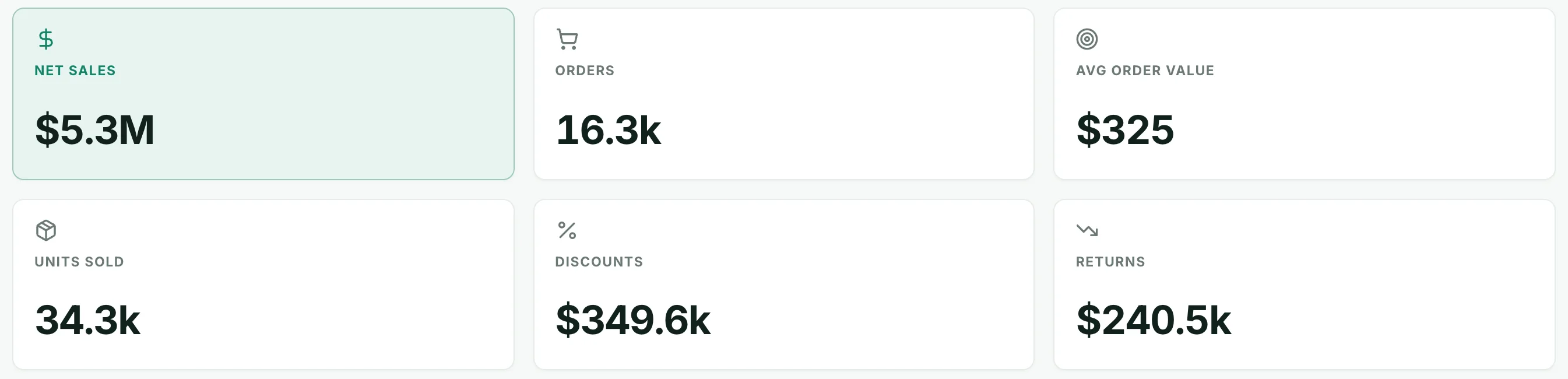
- Net sales
- Gross sales minus discounts and returns.
- Orders
- How many orders were placed.
- Average order value
- Net sales ÷ orders.
- Units sold
- How many items were sold, net of returns.
- Discounts
- The value of discount codes and markdowns.
- Returns
- The value of items sent back.
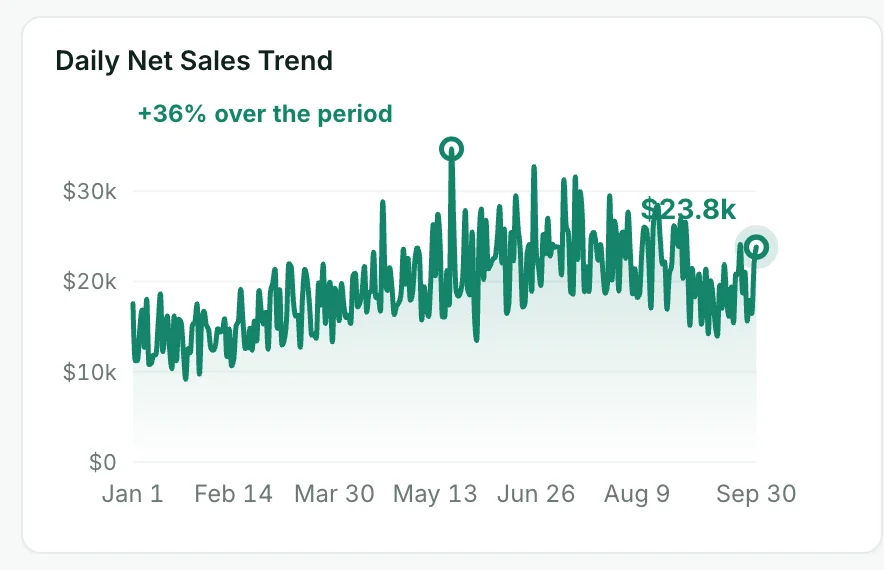
Daily net sales
Net sales for every day in the period.
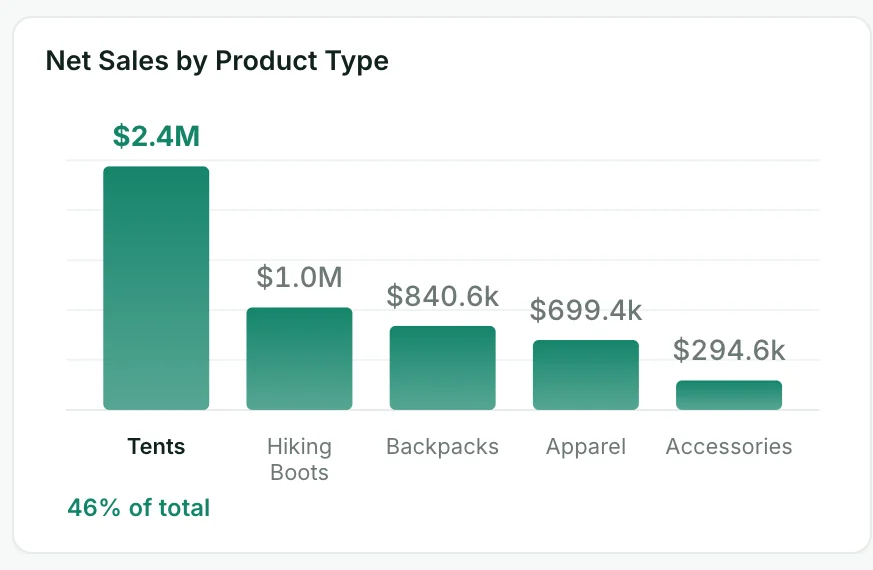
Net sales by product type
Net sales from each product type, largest first.
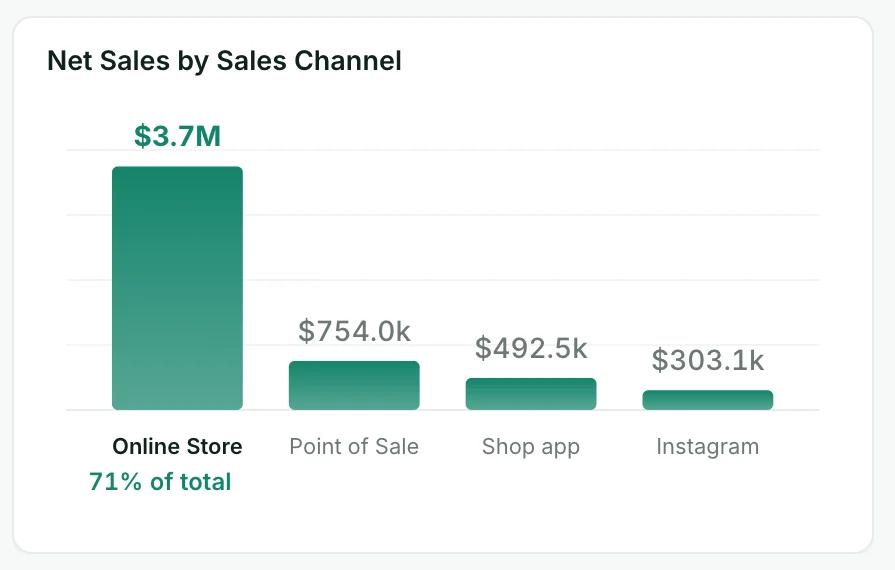
Net sales by sales channel
Net sales from each channel: online store, point of sale, Shop app and social.
How it works
How to use this Shopify dashboard template
- Step 1
Connect Shopify
Connect your Shopify account in Mammoth, or upload a report export.
- Step 2
Paste the template
Copy the sentence at the top of this page into Mammoth. It builds the same dashboard from your data.
- Step 3
Share or schedule it
Share a link, or have it emailed every week. Viewers are free.


Compare
Shopify dashboard templates compared
This template in Mammoth, Shopify's own analytics, and a Data Studio template. Data Studio is Google's free report builder, called Looker Studio until recently.
Mammoth template
For store reporting with your ad spend and email data, shared with anyone.
- ✓Ready-made template
- ~FreeFree plan for uploaded files
- ✓Ad spend or email data in the same dashboard
- ✓Share a link anyone can open
Shopify analytics
For checking sales inside Shopify admin.
- ~Ready-made templateBuilt-in reports
- ~FreeIncluded; more reports on higher plans
- ✕Ad spend or email data in the same dashboard
- ✕Share a link anyone can open

Data Studio template
For a free report when most of your data is Google's.
- ✓Ready-made template
- ~FreeShopify needs a paid partner connector
- ~Ad spend or email data in the same dashboardNeeds a paid partner connector
- ✓Share a link anyone can open
Shopify dashboard template questions
What should a Shopify dashboard include?
What is the difference between gross sales and net sales?
How do I use this Shopify dashboard template?
Is the template free?
Can I change the template?
Can Mammoth connect to Shopify directly?
How often does the dashboard update?
Can I combine Shopify with other sources?
Can I share it with clients?
Is the data on this page real?





Use this Shopify dashboard template
Connect Shopify, paste the template, and share the dashboard with a link.
- ✓ 14-day Pro trial
- ✓ No credit card
- ✓ Viewers always free
More free dashboard templates
Real Mammoth dashboards like this one, each with the sentence that builds it.
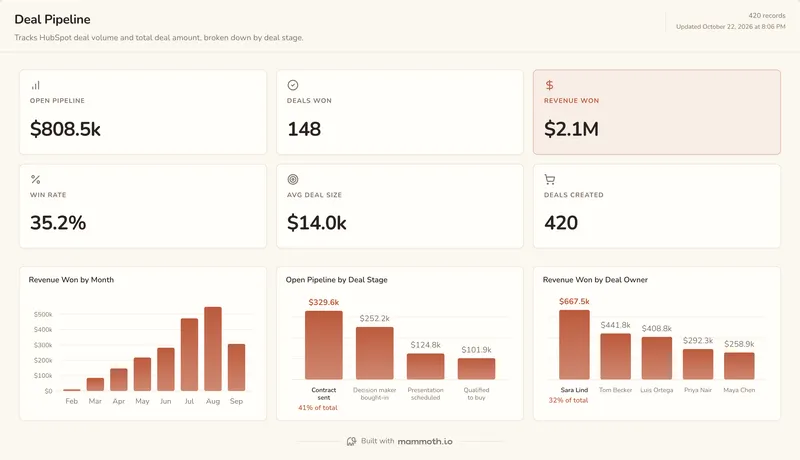 HubSpot dashboard templatePipeline, revenue won and win rate by stage and owner.Free templateUse it
 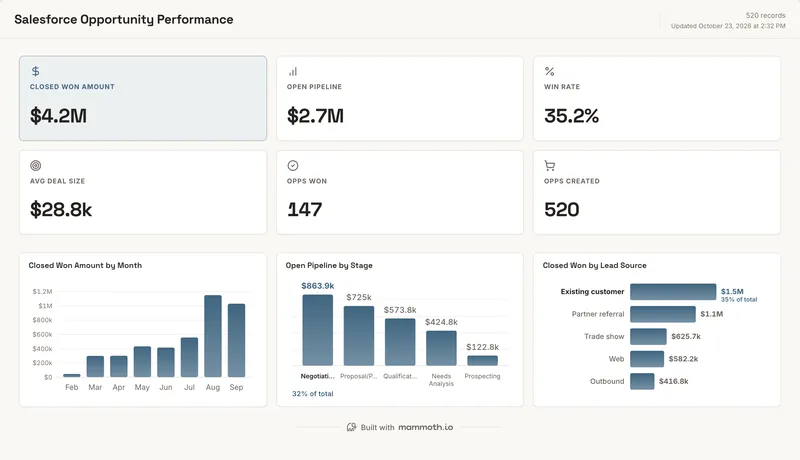 Salesforce dashboard templateClosed won, pipeline and win rate by stage and lead source.Free templateUse it
 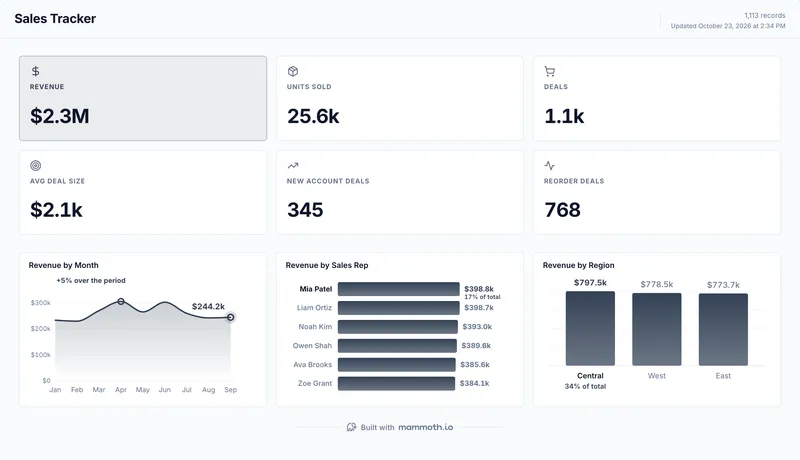 Google Sheets dashboard templateA sales tracker sheet as revenue by month, rep and region.Free templateUse it