Pipedrive dashboard template
14-day Pro trial · No credit card · Viewers are always free

The template: paste this into Mammoth
Pipedrive sales dashboard: won deal value, open pipeline, win rate (won deals over won plus lost), average won deal, deals won and deals created as KPIs, won deal value by month, open pipeline by stage, and won deal value by owner

In production at














What is a Pipedrive dashboard template?
A Pipedrive dashboard template is a ready-made sales dashboard for your Pipedrive deals, with the numbers and charts already chosen. This one reads a deals export: upload it and it fills in with won deal value, open pipeline, win rate and deal size, by month, stage and owner.
What's on it
What's in the Pipedrive dashboard template
Six numbers at the top and three charts below them.
Six numbers at the top
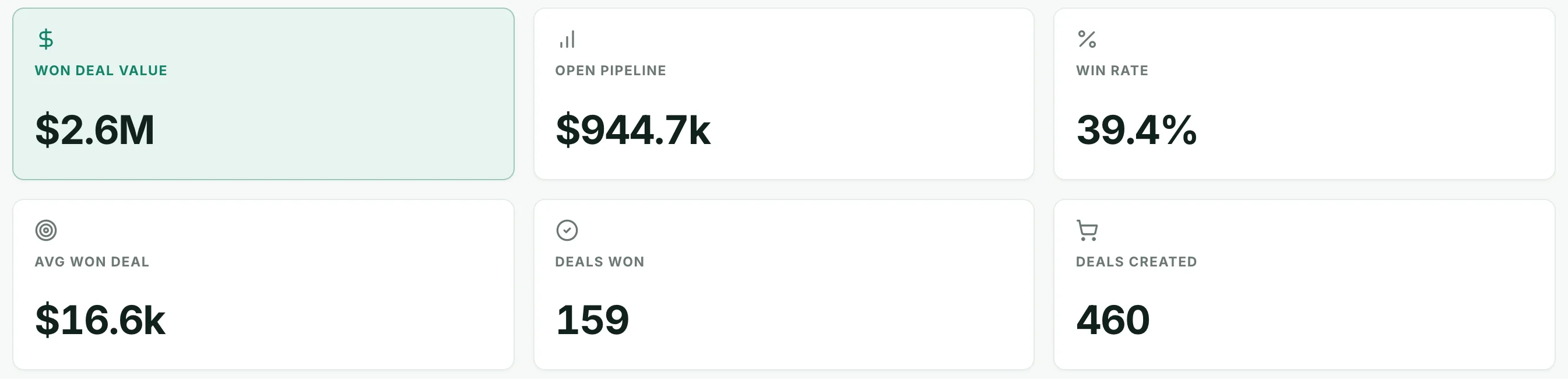
- Won deal value
- The value of deals marked won.
- Open pipeline
- The value of every deal not yet won or lost.
- Win rate
- Deals won ÷ deals won or lost.
- Average won deal
- The average value of a won deal.
- Deals won
- How many deals were won.
- Deals created
- How many deals were added in the period.
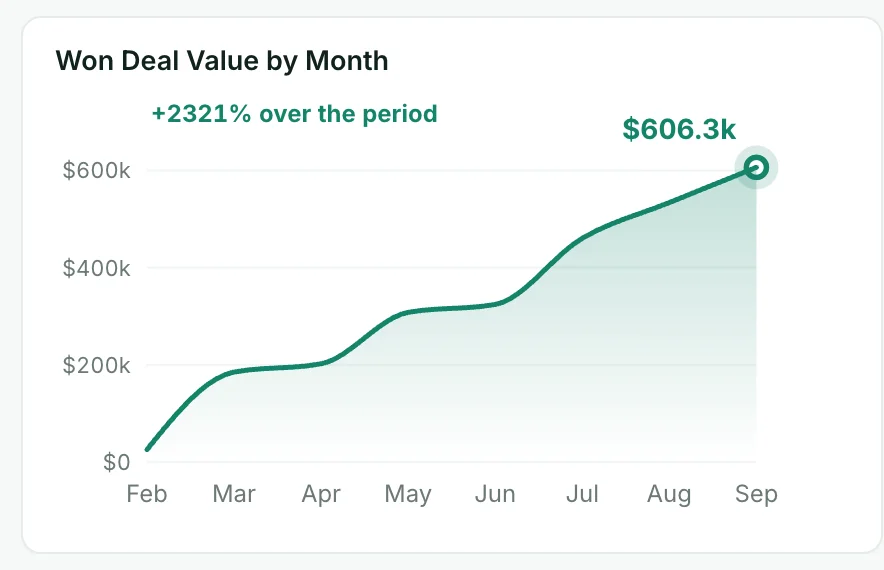
Won deal value by month
The value won each month.
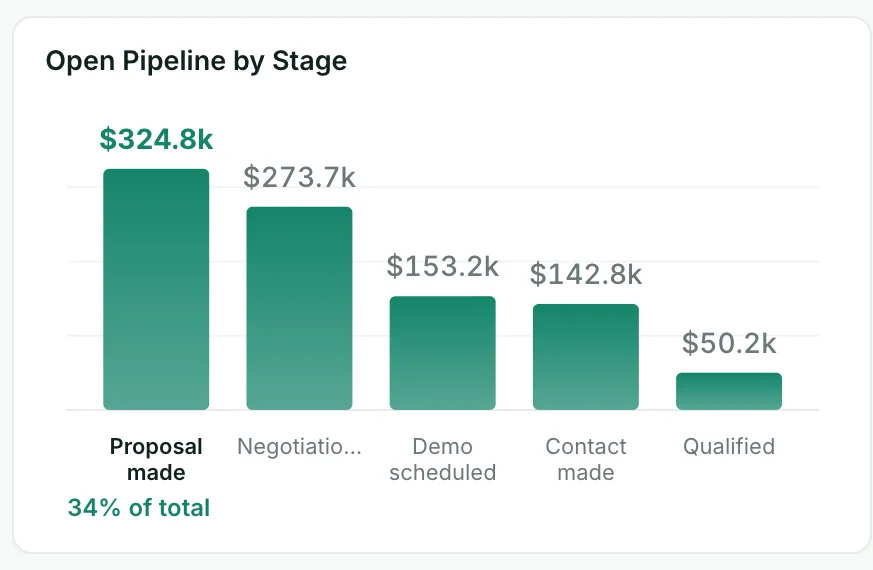
Open pipeline by stage
The value of open deals at each stage, largest first.
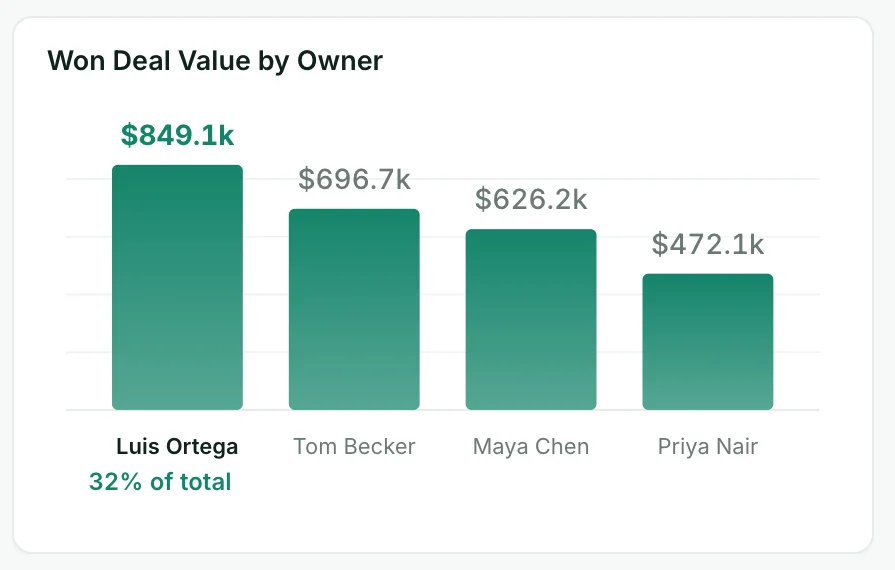
Won deal value by owner
The value each owner won, highest first.
How it works
How to use this Pipedrive dashboard template
- Step 1
Export from Pipedrive
Export your data from Pipedrive as a CSV or Excel file and upload it to Mammoth.
- Step 2
Paste the template
Copy the sentence at the top of this page into Mammoth. It builds the same dashboard from your data.
- Step 3
Share or schedule it
Share a link, or have it emailed every week. Viewers are free.


Compare
Pipedrive Dashboard templates compared
This template in Mammoth, Pipedrive Insights, and a report built by hand in a spreadsheet from an export.
Mammoth template
For a Pipedrive dashboard next to your other data, sent to clients or your team.
- ✓Ready-made template
- ~FreeFree plan for uploaded files
- ✓Ad spend or finance data in the same dashboard
- ~Updates itselfUpload a new export
Pipedrive Insights
For sales reporting inside Pipedrive.
- ~Ready-made templateBuilt-in reports
- ~FreeIncluded; more on higher plans
- ✕Ad spend or finance data in the same dashboard
- ✓Updates itself

Spreadsheet from an export
For a one-off look at the numbers.
- ✕Ready-made template
- ✓Free
- ~Ad spend or finance data in the same dashboardPasted in by hand
- ✕Updates itself
Pipedrive dashboard template questions
What should a Pipedrive sales dashboard include?
How do I export deals from Pipedrive?
How do I use this Pipedrive dashboard template?
Is the template free?
Can I change the template?
Can Mammoth connect to Pipedrive directly?
Can I combine Pipedrive with other sources?
Can I share it with clients?
Is the data on this page real?





Use this Pipedrive dashboard template
Upload your Pipedrive deals export, paste the template, and share the dashboard with a link.
- ✓ 14-day Pro trial
- ✓ No credit card
- ✓ Viewers always free
More free dashboard templates
Real Mammoth dashboards like this one, each with the sentence that builds it.
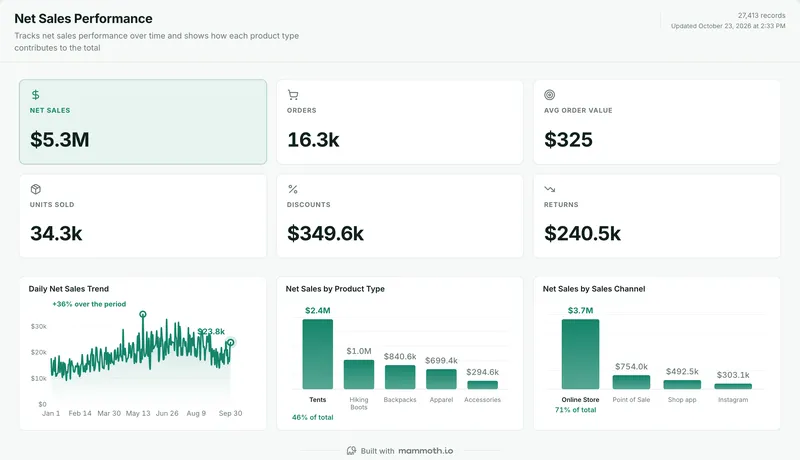 Shopify dashboard templateNet sales, orders and AOV by product type and channel.Free templateUse it
 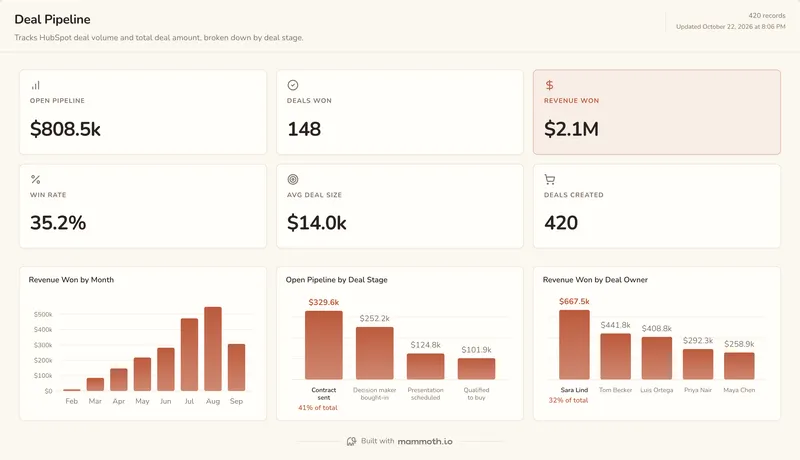 HubSpot dashboard templatePipeline, revenue won and win rate by stage and owner.Free templateUse it
 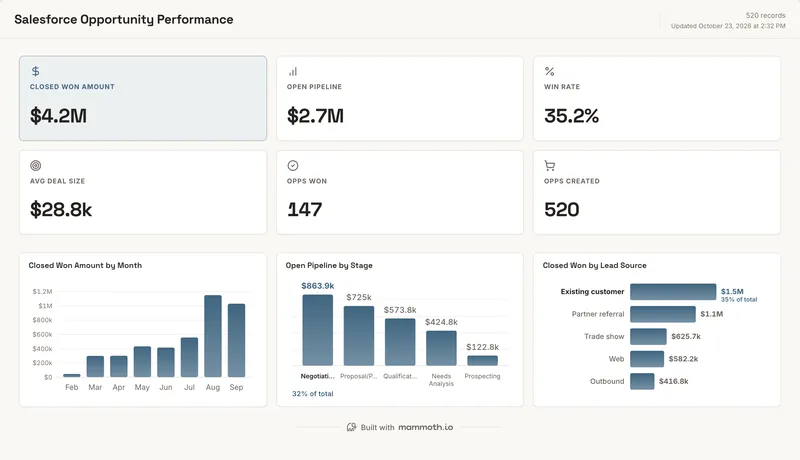 Salesforce dashboard templateClosed won, pipeline and win rate by stage and lead source.Free templateUse it
