6 Best Automated Reporting Tools for 2026 (Sorted by Job)
The best automated reporting tools are Mammoth, Power BI, Tableau, Looker Studio, Excel with Power Query and Alteryx, sorted by which part of a recurring report each one automates.

Updated · 10 min read
The short answer
The best automated reporting tools are Mammoth for reports built from many files, since it combines them, builds the dashboard and emails the result on a schedule; Power BI for Microsoft shops; Tableau for teams already on it; Looker Studio, which is free, for Google data; Excel with Power Query when the report has to stay a spreadsheet; and Alteryx for heavy data prep.
Table of contents
- The six automated reporting tools at a glance
- What automated reporting is
- 1. Mammoth Analytics: best for reports built from many files
- 2. Power BI: best for Microsoft shops
- 3. Tableau: best for teams already on Tableau
- 4. Looker Studio: best free tool for Google data
- 5. Excel and Power Query: best when the report stays in Excel
- 6. Alteryx: best for heavy data prep
- Which automated reporting tool to choose
- How to automate a recurring report
- Frequently Asked Questions
Automated reporting tools build a recurring report for you. They pull in the latest data, update the charts and send the result to the people who read it, on a schedule, so nobody rebuilds the same report by hand every week.
The catch is that "automated" means something different in each one. So I sorted six of them by which part of the job they automate, and checked every price and feature on the vendor's own pages. Full disclosure: Mammoth is our product, and it's on the list.
The six automated reporting tools at a glance
| Tool | Best for | Starts at |
|---|---|---|
| Mammoth | Reports built from many files | Free |
| Power BI | Microsoft shops | $14 a user a month |
| Tableau | Teams already on Tableau | $15 a user a month |
| Looker Studio | Google data | Free |
| Excel and Power Query | Reports that stay in Excel | Included in Excel |
| Alteryx | Heavy data prep | $250 a user a month |
What automated reporting is
Automated reporting is a report that updates and delivers itself on a schedule. The data refreshes, the charts redraw, and the people who need it get an email or a link.
Every recurring report has three steps: combine the data, build the report, and send it. Most automated reporting tools are BI tools, and they're very good at the last two. They assume the first one has already happened, that the data turns up clean, on time, with the columns in last month's order.
If your Monday starts with someone pasting twelve country spreadsheets together, that first step is where the hours go. Here's how the six tools cover all three:
So the real split is step one. Mammoth is the only tool here that automates all three, which is why it goes first.
1. Mammoth Analytics: best for reports built from many files
Best for: reports that start with combining files or exports that never arrive in quite the same shape.
Mammoth Analytics connects to your files, databases and apps, cleans and combines the data, builds dashboards on the result and emails it out. The Data Engine and the dashboards are one product, so all three steps happen in one place.
- 1. Combine the dataAutomatic
- 2. Build the reportAutomatic
- 3. Send itAutomatic
Here's what that looks like on a monthly sales report:
- The files arrive. Each country manager drops theirs into a shared Google Drive folder, or emails it to an inbox Mammoth watches. Dropbox, OneDrive and SFTP work too.
- Mammoth picks them up. It collects the new files on a schedule, adds them to the dataset and re-runs your cleaning steps.
- A bad file gets stopped. When Germany's file arrives with the revenue column empty, a data check halts the run, so the gap never reaches the CFO.
- The report goes out. The dashboard updates, and an email export sends the data as an Excel file to up to 50 teammates, daily, weekly, monthly or every time it updates.
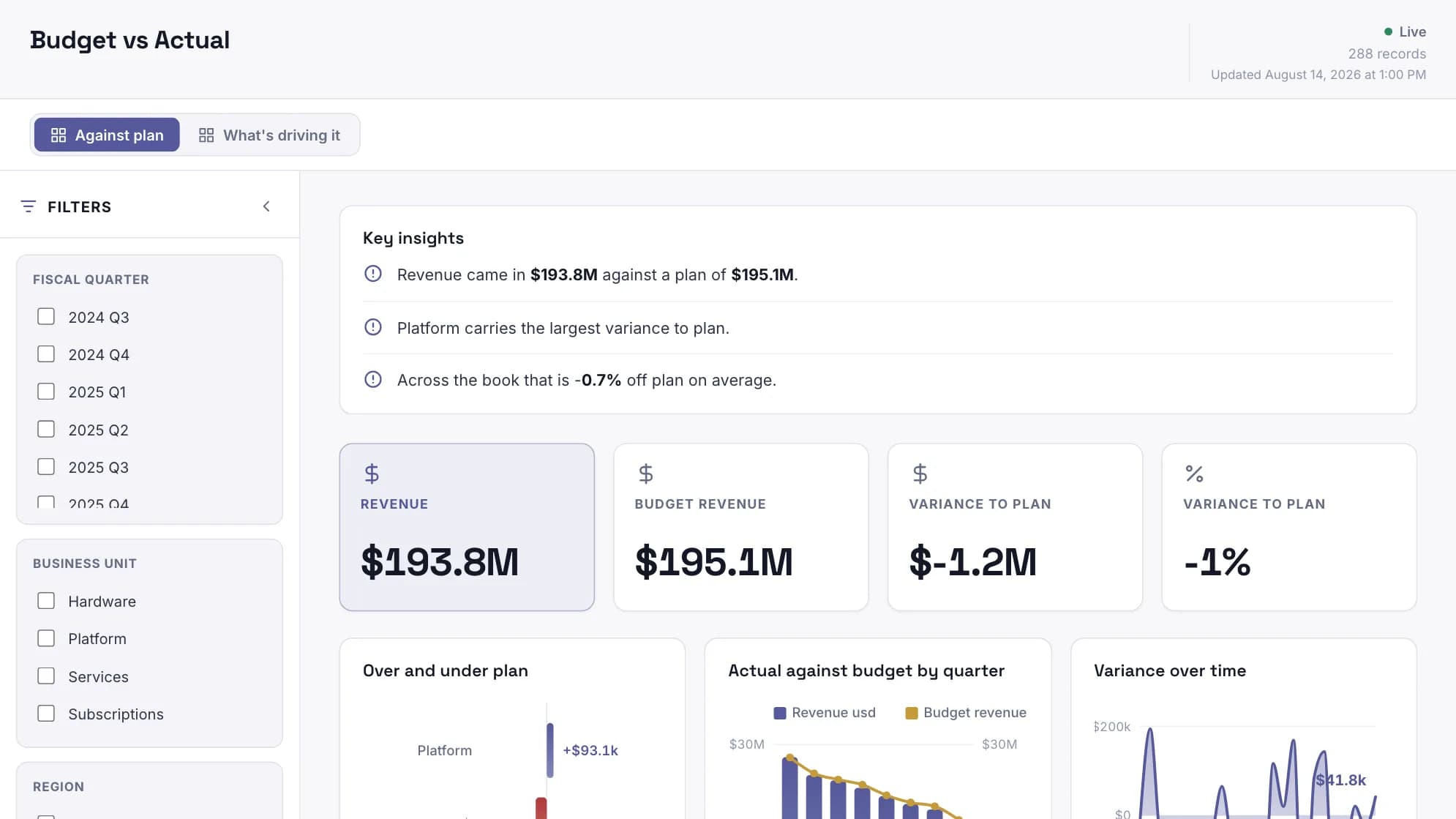
Price: free to start, then $39/month billed annually. Team is $1,788/year for five builders, plus the storage size you pick. The data refreshes weekly on Starter, daily on Team and every three hours on Pro, and dashboard viewers are free on every plan.
Where it stops
The emailed Excel file holds up to 50,000 rows and goes to people in your Mammoth workspace. If your data already sits clean in one warehouse and your company runs on Microsoft, Power BI may be all you need.
That's the case for starting with Mammoth when the files are the problem. If they aren't, the BI tools below are very good at the other two steps.
Automate the report that starts with a folder of files.
2. Power BI: best for Microsoft shops
Best for: companies on Microsoft 365 whose data sits in one or two well-kept sources.
Power BI is Microsoft's business intelligence tool. You build reports in Power BI Desktop and publish them to the Power BI service, which refreshes and shares them.
- 1. Combine the dataPartly
- 2. Build the reportAutomatic
- 3. Send itAutomatic
- Refresh
- up to eight times a day on Pro, or 48 on Premium Per User or a Premium capacity.
- Sending
- email subscriptions go out hourly, daily, weekly, monthly or after each refresh, with a snapshot and a link.
- Attachments
- on Premium Per User or Premium capacity, the email can carry the full report as a PDF or PowerPoint file.
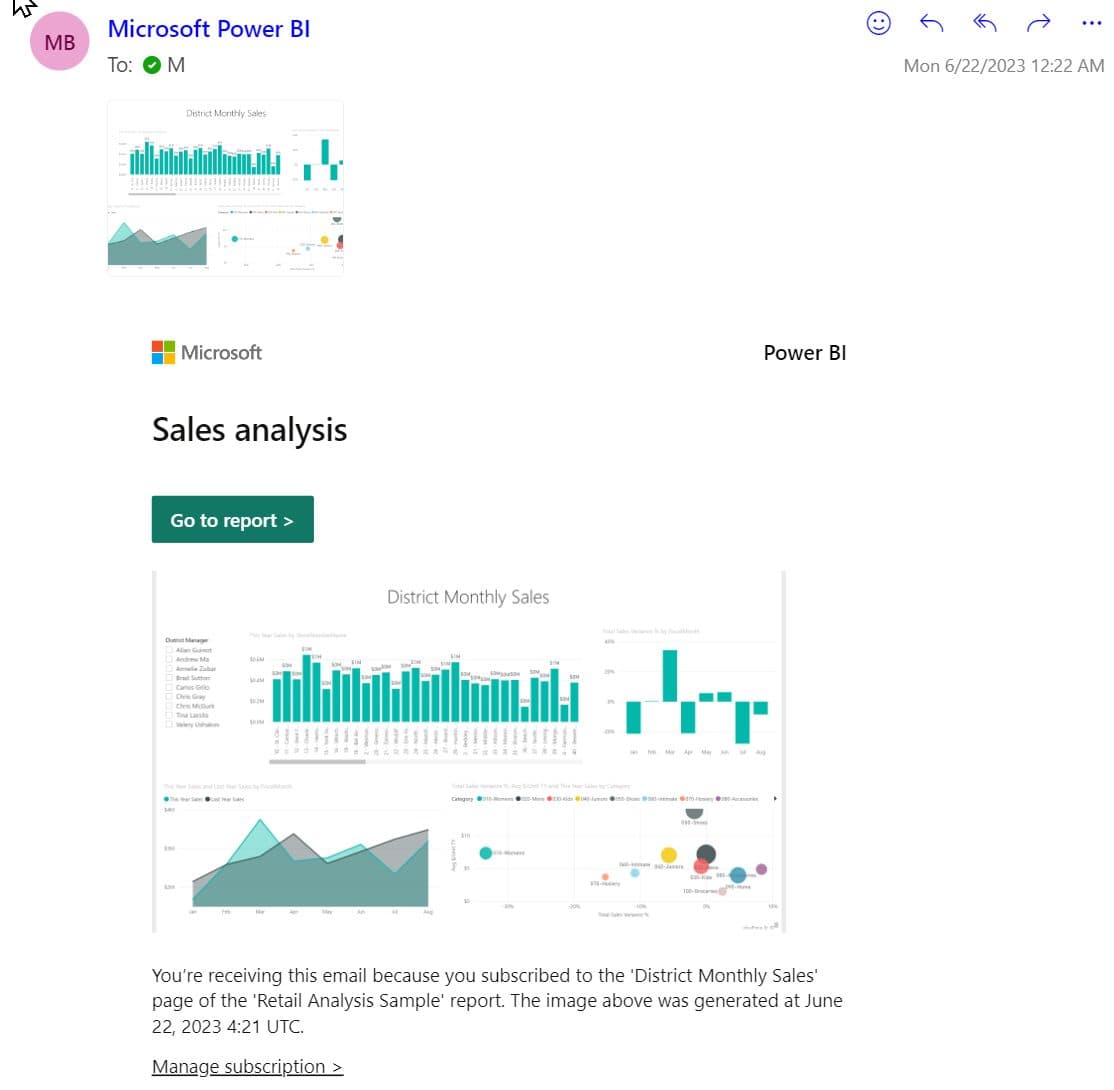
Price: Pro is $14 a user a month and Premium Per User is $24, both paid yearly. My Power BI pricing guide covers the licences.
Where it stops
- Subscribing other people needs a Pro or Premium Per User licence.
- Emailing anyone outside your company needs a paid Premium capacity, and Premium Per User doesn't count.
- Subscriptions end a year after you create them unless you move the end date. Power BI sends a reminder first, so make sure it lands somewhere you'll see it.
Tableau does the same two steps well, so the choice between them usually comes down to which one your company already pays for.
3. Tableau: best for teams already on Tableau
Best for: companies that already pay for Tableau and want the report delivered from it.
Tableau is Salesforce's analytics tool, known for interactive dashboards. Tableau Cloud runs the automation: extracts refresh on a schedule, and subscriptions email an image or PDF of a view, on a schedule or whenever the data refreshes.
- 1. Combine the dataPartly
- 2. Build the reportAutomatic
- 3. Send itAutomatic
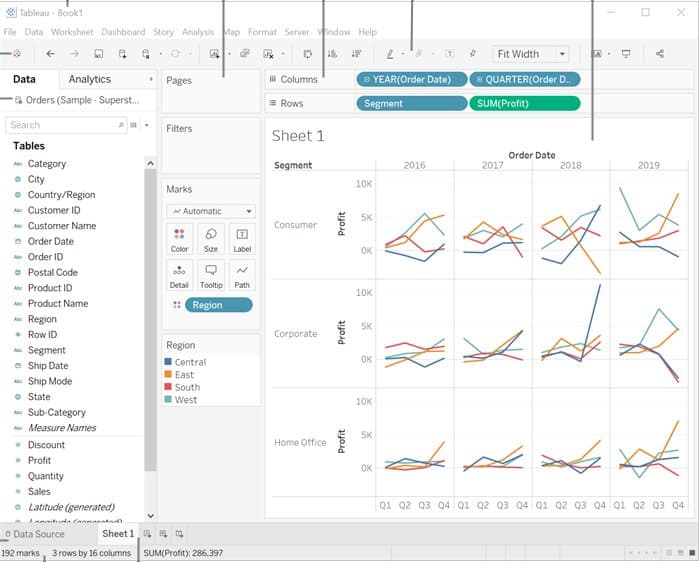
Price: Tableau Cloud starts at $15 a user a month on Standard and $35 on Enterprise, billed annually. My Tableau pricing guide has the role prices.
Where it stops
- Every deployment needs at least one Creator, and Tableau no longer lists what a Creator costs. The $15 is the floor, not the bill.
- Filters you apply to a view aren't included in its subscription. Filter to EMEA, subscribe the regional director, and they get every region.
Both of those cost money per user. If your report runs on Google data, there's a free option.
4. Looker Studio: best free tool for Google data
Best for: marketing and small teams reporting on Google Analytics, Google Ads and Google Sheets.
Looker Studio is Google's free reporting tool, which Google has renamed Data Studio. It connects to Google's own products with no setup, which is why it's in so many marketing reports.
- 1. Combine the dataPartly
- 2. Build the reportAutomatic
- 3. Send itAutomatic
Scheduled email delivery sends a PDF of the report with a link to the live version.
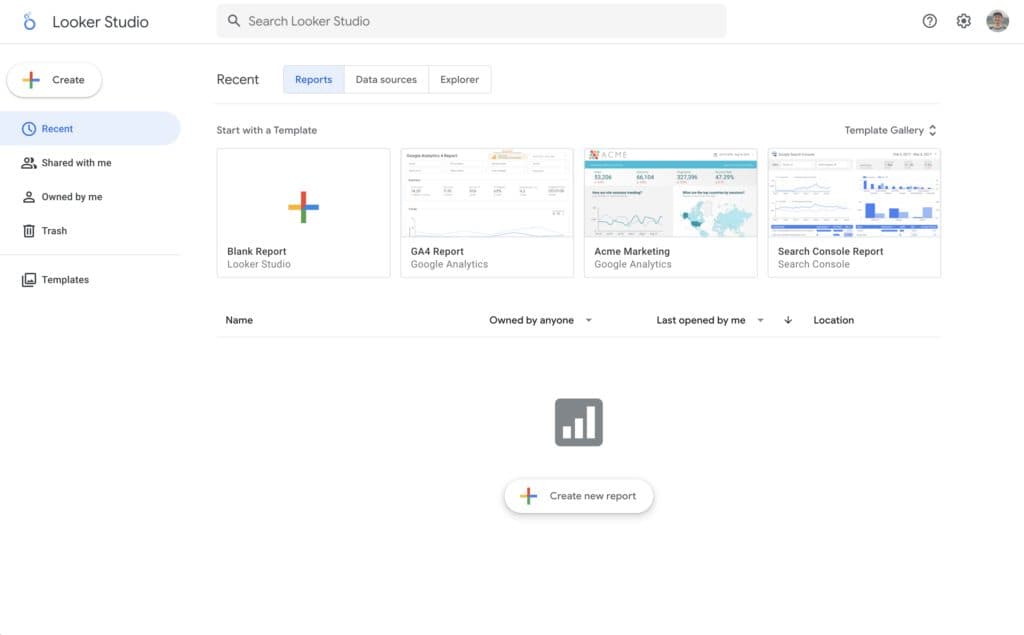
Price: free. Pro is a paid upgrade, and my Looker Studio pricing guide covers what it costs.
Where it stops
- The free version allows one schedule per report, sent at most once a day, to up to 50 addresses. That's fine for a weekly report and tight for one version per client.
- Pro adds hourly delivery, up to 200 schedules per report, and delivery to Slack and Google Chat.
- Data from outside Google usually arrives through paid third-party connectors.
All three BI tools want the report to live in a browser. If yours has to stay a spreadsheet, Excel can automate more of it than most people expect.
5. Excel and Power Query: best when the report stays in Excel
Best for: one analyst, one workbook, and readers who want the spreadsheet.
Power Query is the data preparation engine built into Excel. It saves your cleaning steps as a query, so next month's report is one click instead of an afternoon. Excel can refresh it when the file opens, or every few minutes while it's open.
- 1. Combine the dataAutomatic
- 2. Build the reportAutomatic
- 3. Send itNot covered
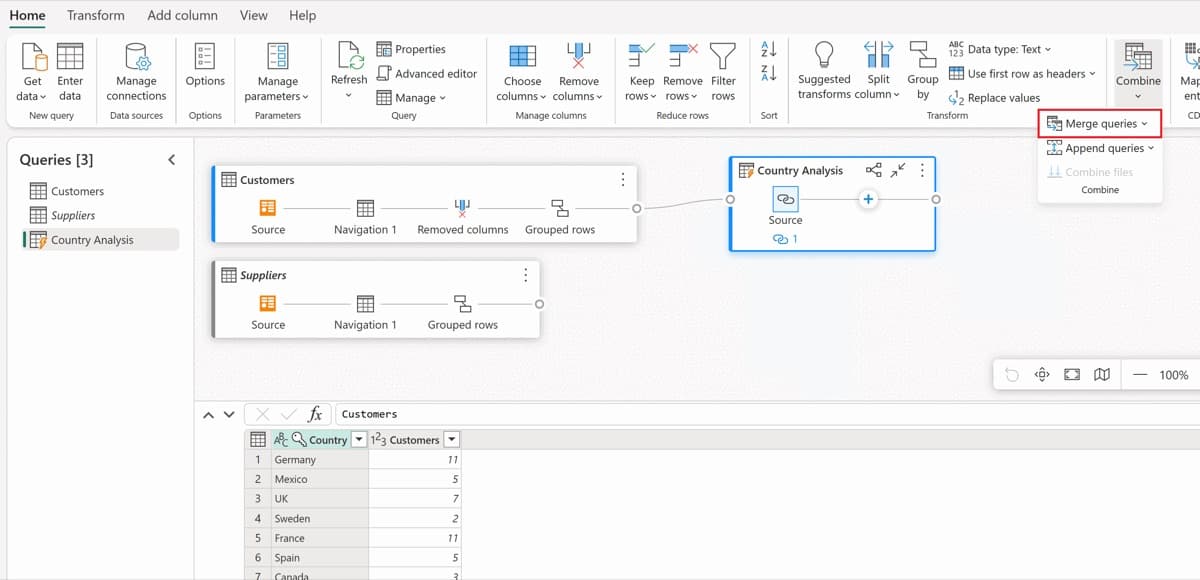
Price: included if you already have Excel.
Where it stops
- Someone still has to open the file and send it.
- Running it unattended needs another tool, such as Power Automate, from $15 a user a month on Premium, or a script.
My guide to how to automate Excel reports covers Power Query, macros and Office Scripts step by step. For heavier preparation than Power Query handles, analysts tend to reach for the last tool on this list.
6. Alteryx: best for heavy data prep
Best for: analysts who build complex data preparation workflows and hand the result to a BI tool.
Alteryx is a data preparation and analytics platform, and on preparation it goes deeper than anything else here. Analysts build workflows on a canvas that clean, join and reshape data, and from the Professional edition up those workflows run on a schedule.
- 1. Combine the dataAutomatic
- 2. Build the reportNot covered
- 3. Send itPartly
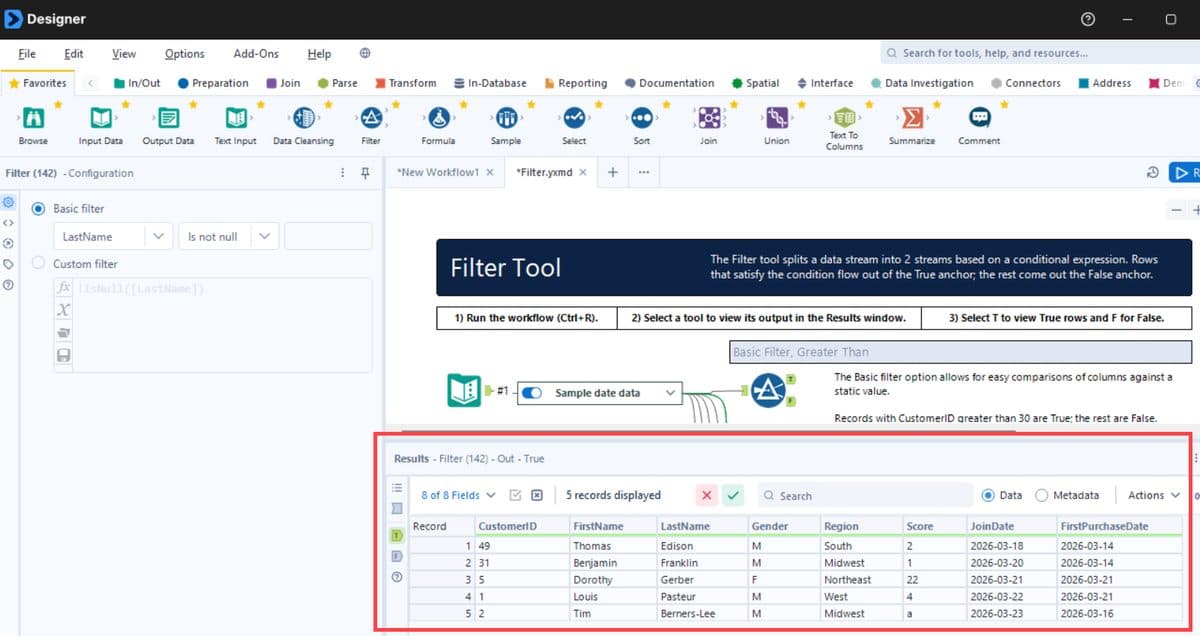
Price: Alteryx One Starter is $250 a user a month, billed annually. Professional and Enterprise are priced by sales, and my Alteryx pricing guide breaks down the editions.
Where it stops
- Starter is cloud only, connects to flat files such as CSV, Excel and JSON, and has no scheduling. A reporting workflow that can't run on a schedule still needs someone to press Run.
- It doesn't build the report. The output goes to a file or a BI tool, which means a second product and a second licence.
Which automated reporting tool to choose
Start from the step that costs you the most time, then check who receives the report. Some tools charge for every reader, and some won't email anyone outside your company without a higher tier.
- If
Your report starts with combining files or exports from several places.
- If
Your company runs on Microsoft and the data is already clean.
Use Power BI
- If
You already pay for Tableau.
Use Tableau
- If
Your data is mostly Google Analytics, Ads and Sheets.
Use Looker Studio
- If
The readers want the spreadsheet itself.
Use Excel and Power Query
- If
Trained analysts build heavy prep and hand it to a BI tool.
Use Alteryx
How to automate a recurring report
- Pick one report that's rebuilt by hand on a fixed day. The one everyone waits for is the right first candidate.
- Write down every step, including where each file comes from and who sends it. The steps people forget to mention are usually the ones that break.
- Rebuild it with last month's real files. Sample data hides the awkward cases.
- Run old and new side by side for one cycle and compare the totals.
- Switch the readers over once the numbers match, then set the schedule.
Frequently Asked Questions
What are automated reporting tools?
Automated reporting tools refresh a report's data, update its charts and deliver it on a schedule, so nobody rebuilds it by hand. Most are business intelligence tools, such as Power BI, Tableau and Looker Studio.
What is the best free automated reporting tool?
Looker Studio is free and can email a PDF of a report once a day, which suits Google Analytics and Google Ads data. Mammoth has a free plan with one builder and three dashboards, refreshed by hand.
Can you automate reports in Excel?
Partly. Power Query saves your cleaning steps and refreshes them in one click or when the file opens, but sending the report on a schedule needs another tool, such as Power Automate.
Can an automated report be sent as an Excel file?
Yes. Mammoth's email export sends the data as an Excel file on a schedule, and Power BI can attach a full report as a PDF or PowerPoint file on Premium Per User or a Premium capacity.
How often can an automated report refresh?
It depends on the tool and the plan. Power BI Pro allows eight scheduled refreshes a day, while Mammoth refreshes weekly on Starter, daily on Team and every three hours on Pro.
Can an automated report be emailed to people outside the company?
Check the tier first. Power BI only sends subscriptions to external recipients from a paid Premium capacity. In Mammoth, outside readers open a shared dashboard, and viewers are free on every plan.


