The 9 Best Sales Dashboard Software Tools in 2026
Sales dashboard software puts your pipeline, deals and team performance on one screen. Your CRM probably has one already. Nine tools compared, and when the built-in dashboard stops being enough.

· 9 min read
The short answer
Start with the dashboard in your CRM. Salesforce, HubSpot and Pipedrive all include reports and dashboards, so a pipeline view costs nothing extra. You need separate software when a sales number depends on data outside the CRM, such as revenue from billing or quotas kept in a spreadsheet, or when you want it on an office screen. For screens, Geckoboard starts at $79 a month. For targets on a sales floor, Plecto starts at $24 per tracked user. For CRM data that has to be combined with other systems first, Mammoth.
AI dashboards built from your own data.




Table of contents
- The best sales dashboard software
- When your CRM's dashboard is enough
- Sales dashboard software compared
- 1. Mammoth: best for sales numbers that need data from outside the CRM
- 2. Salesforce: best built-in dashboards for large sales teams
- 3. HubSpot: best built-in dashboards for small teams
- 4. Pipedrive: best for a simple pipeline view
- 5. Geckoboard: best for sales numbers on an office screen
- 6. Plecto: best for targets and competitions on a sales floor
- 7. Databox: best for goals across several sources
- 8. Power BI: best for Microsoft teams
- 9. Looker Studio: best free option
- What a sales dashboard costs for a team of ten
- Which sales dashboard software should you choose?
- Frequently asked questions
Sales dashboard software shows your pipeline, deals and team performance on one screen that updates itself, so nobody rebuilds the Monday sales report by hand.
Most CRMs already include one. I compared nine tools, including the dashboards inside Salesforce, HubSpot and Pipedrive, and this post covers when the built-in dashboard is enough and when it isn't. Every price below came off the vendor's own pricing page on 8 October 2026.
The best sales dashboard software
- 1. Mammoth: best for sales numbers that need data from outside the CRM
- 2. Salesforce: best built-in dashboards for large sales teams
- 3. HubSpot: best built-in dashboards for small teams
- 4. Pipedrive: best for a simple pipeline view
- 5. Geckoboard: best for sales numbers on an office screen
- 6. Plecto: best for targets and competitions on a sales floor
- 7. Databox: best for goals across several sources
- 8. Power BI: best for Microsoft teams
- 9. Looker Studio: best free option
When your CRM's dashboard is enough
Your CRM's dashboard is enough when every number on it comes from the CRM. Pipeline value, deals won, deals by stage, activity by rep: the CRM already holds all of it, so its built-in reports draw the chart without any extra tool.
It stops being enough in three common cases:
- The number needs data the CRM doesn't have. Revenue sits in billing or the accounting system, quotas sit in a spreadsheet, and ad spend sits in the ad platforms. Win rate against quota needs two of those at once.
- People outside sales need to see it. In Salesforce, everyone who opens a dashboard needs a licence, including a finance lead or founder who only reads the numbers.
- It has to be on a screen in the room. CRM dashboards are built for a laptop. A leaderboard on a wall screen is a different job.
If none of those apply, stay in your CRM. If one does, the separate tools below are built for it.
Sales dashboard software compared
| Tool | Best for | Starts at |
|---|---|---|
| Mammoth | Sales numbers that need data from outside the CRM | Free plan, paid from $39/month |
| Salesforce | Built-in dashboards for large sales teams | Free Suite, then $25 per user a month |
| HubSpot | Built-in dashboards for small teams | Free for up to 2 users |
| Pipedrive | A simple pipeline view | €14 per seat a month |
| Geckoboard | Sales numbers on an office screen | $79 a month |
| Plecto | Targets and competitions on a sales floor | $24 per tracked user a month |
| Databox | Goals across several sources | Free plan, then $71 a month |
| Power BI | Microsoft teams | $14 per user a month |
| Looker Studio | Best free option | Free |
Prices are the annual-billing rates on each vendor's pricing page, read on 8 October 2026. Pipedrive shows euros from where I checked.
1. Mammoth: best for sales numbers that need data from outside the CRM
Mammoth Analytics is our product, so weigh this entry with that in mind.
Mammoth is a data platform that connects to your sources, cleans and joins the data, and builds dashboards from it with an AI dashboard generator. For sales, Salesforce, HubSpot, Pipedrive, Zoho CRM, Microsoft Dynamics 365 and Close connect directly, along with billing and accounting tools such as Stripe, QuickBooks, Xero and NetSuite.
That's the reason it's first. Say you want revenue per rep against quota. The deals are in the CRM, the invoices are in Stripe and the quotas are in a spreadsheet. Mammoth joins the three on the rep's name, keeps those steps running each time the data refreshes, and the dashboard shows one number per rep.
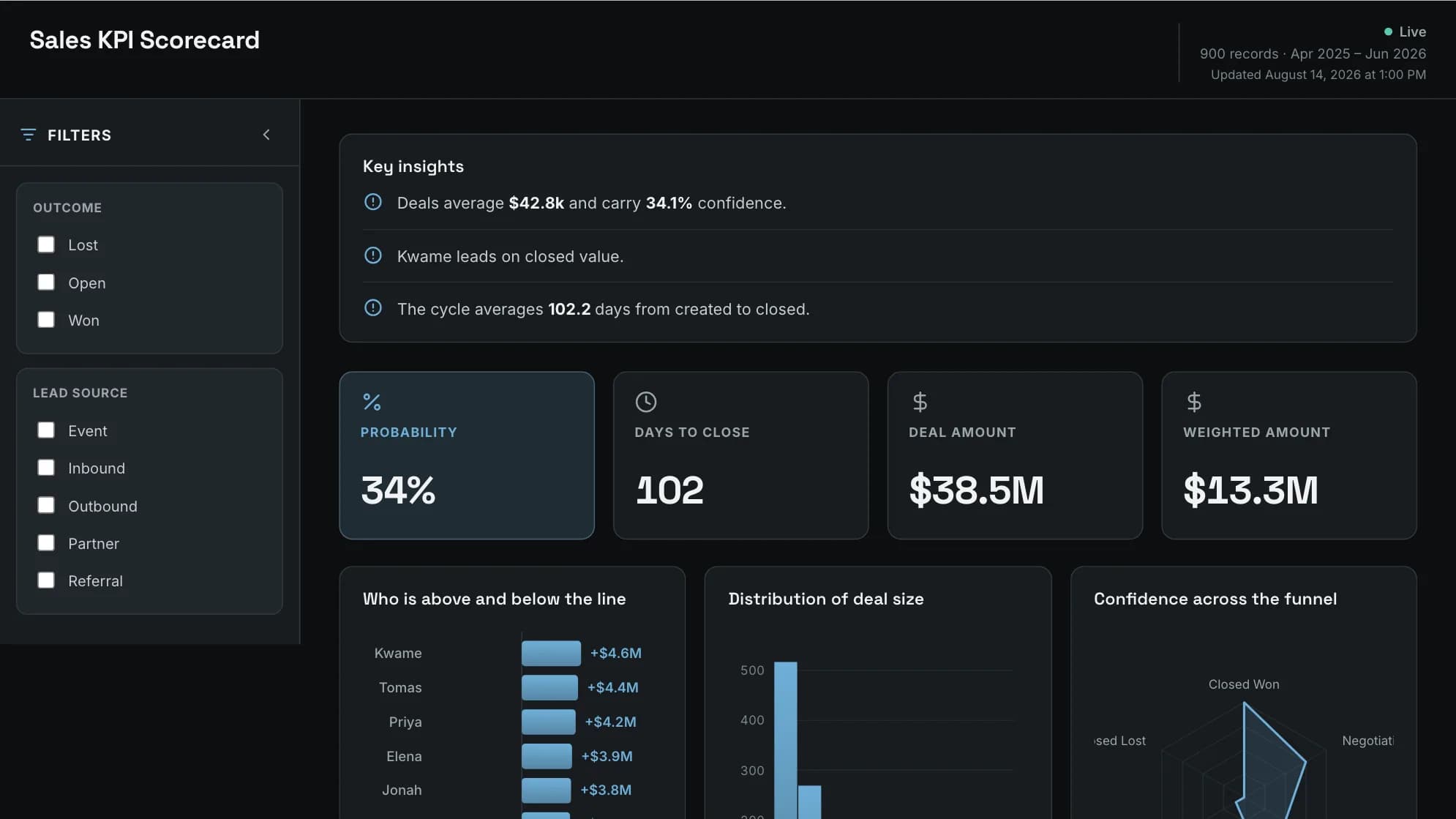
Dashboard viewers are free and unlimited on every plan, so finance, founders and the whole sales floor can open a board without a seat. On Pro, Row-Level Security lets one dashboard serve every rep, with each rep seeing only their own rows.
Where it falls down: if every number you need is already in your CRM, the CRM's own dashboard does the job for less. And the free plan reads files and databases only, so CRM connectors start on Starter, which refreshes weekly. Daily refresh starts on Team. Finished boards are in our sales dashboard examples.
| Plan | Per month, billed annually | Billed monthly | Builders |
|---|---|---|---|
| Free | $0 | $0 | 1 builder |
| Starter | $39/month | $49/month | 2 builders |
| Team | $149/month | $189/month | 5 builders |
| Pro | $499/month | $629/month | 15 builders |
| Enterprise | From $5,000/month | Annual only | Unlimited |
Viewers are free and unlimited on every plan, because only builders count. Storage is a separate axis: every paid plan includes 10 GB, and more costs the same on any plan (+$100/month for 50 GB, +$300/month for 250 GB, +$800/month for 1 TB, billed annually). Free holds 1 GB. Every account starts with 14 days of Pro, no credit card.
Join CRM, billing and quota data into one sales dashboard. Viewers are free on every plan.
2. Salesforce: best built-in dashboards for large sales teams
Salesforce is the largest CRM, and its reports and dashboards come with it. Its edition comparison lists customizable reports and dashboards.
There's a Free Suite at $0. Starter Suite is $25 per user a month and Pro Suite is $100, billed annually. The Sales Cloud editions for larger teams start at $195 per user a month, and the top edition is $550.
Where it falls down: every person who opens a dashboard needs a Salesforce licence, and data from outside Salesforce has to be brought in before a dashboard can show it.
Pricing: Free Suite, then from $25 per user a month.
3. HubSpot: best built-in dashboards for small teams
HubSpot is a CRM aimed at small and mid-sized businesses, with sales dashboards built in.
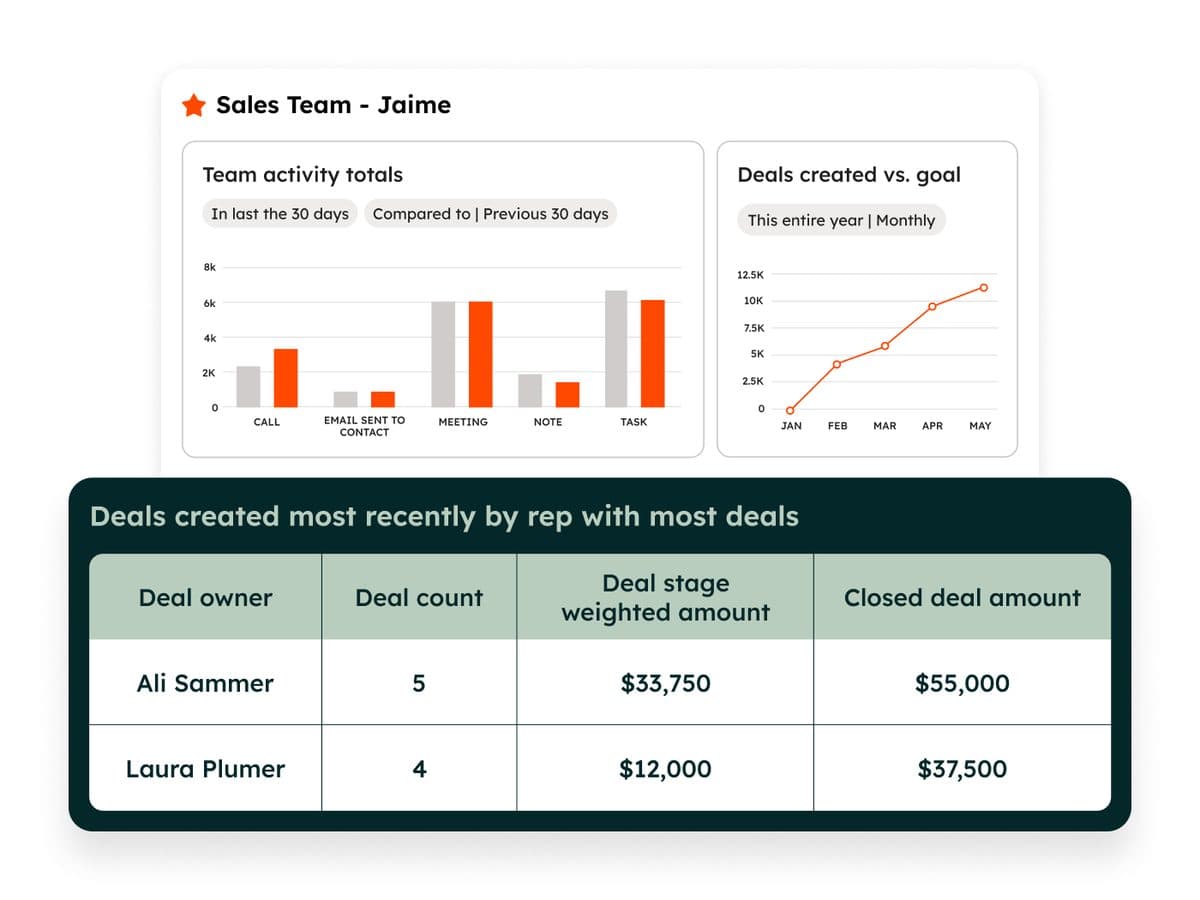
The free CRM covers up to two users. Paid plans are priced per seat on HubSpot's pricing page, which showed a limited-time discount on Starter when I checked, so look at the price after the offer ends before you budget.
Where it falls down: HubSpot's prices vary by plan, region and current offer more than most here, and the deeper reporting features sit on the higher plans.
Pricing: Free for up to 2 users, then per seat.
4. Pipedrive: best for a simple pipeline view
Pipedrive is a CRM built around a visual pipeline, with deals laid out by stage. Its reports can be built from a text prompt.
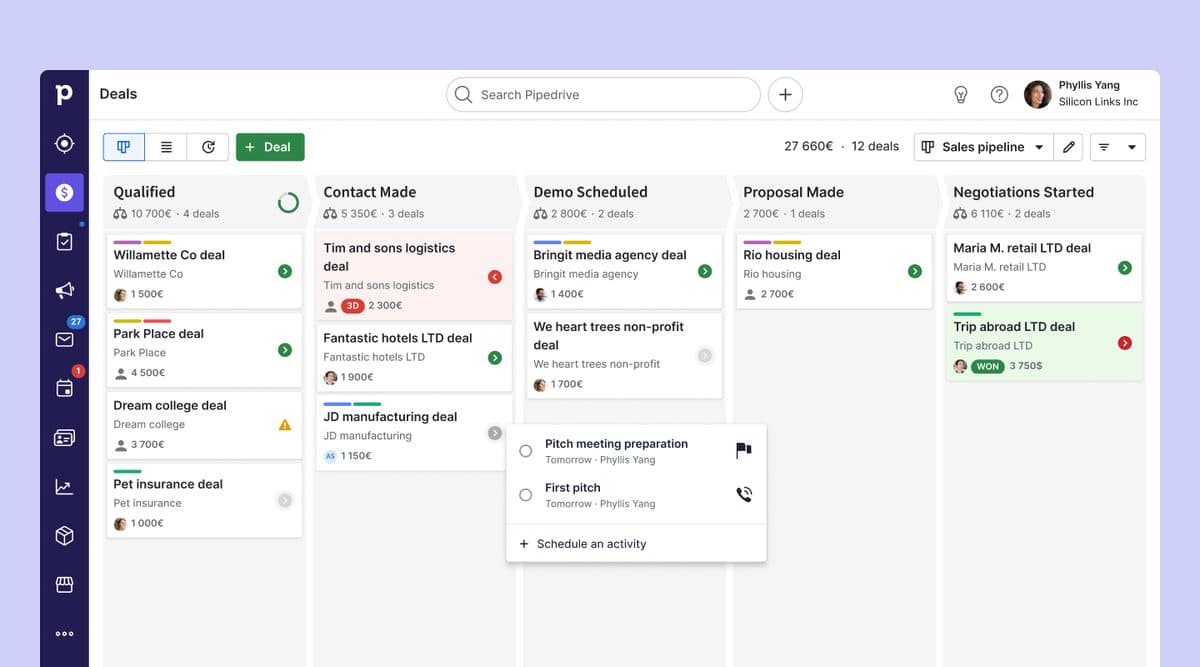
Lite is €14 per seat a month, Growth €39, Premium €59 and Ultimate €79, all billed annually.
Where it falls down: it's built for small and mid-sized sales teams, and like any CRM it reports on what's in the CRM.
Pricing: From €14 per seat a month, billed annually.
5. Geckoboard: best for sales numbers on an office screen
Geckoboard is a dashboard tool built to be read from across a room. It's the common choice for a sales leaderboard on a wall screen.
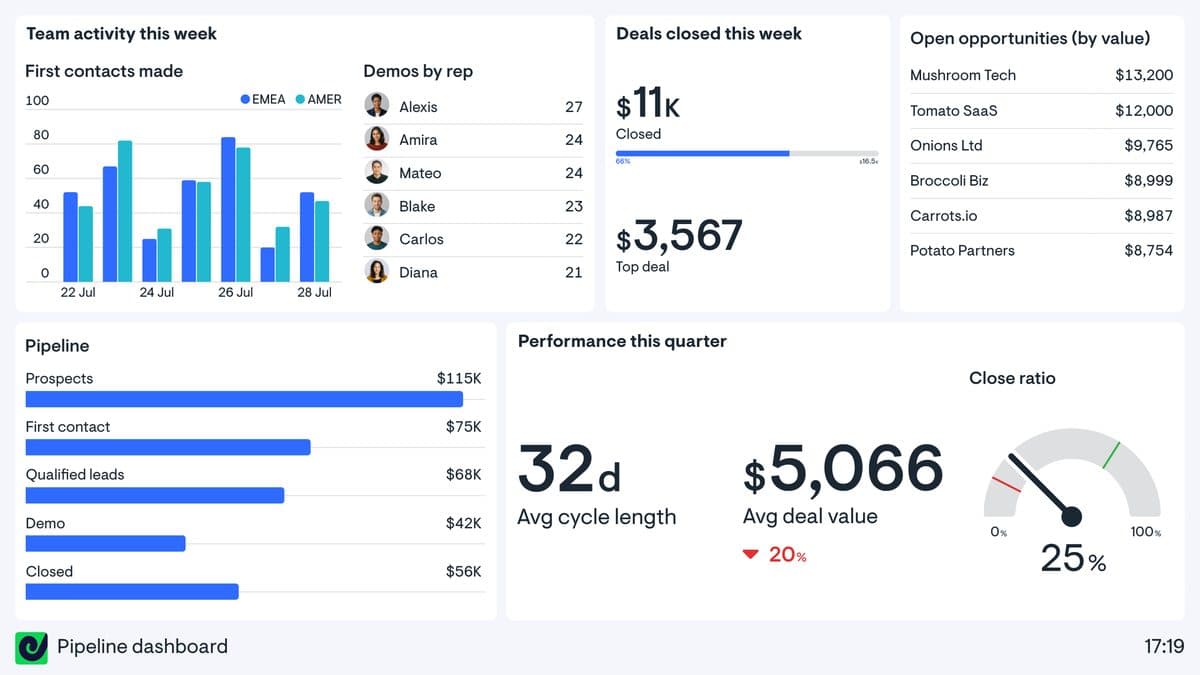
Essentials is $79 a month for two dashboards, one editor and one screen, with unlimited viewers. Extra dashboards are $24 each. Performance is $319 a month for 20 dashboards, three editors and five screens.
Where it falls down: it displays numbers rather than combining them, so the data has to arrive ready to show.
Pricing: From $79 a month, billed annually.
6. Plecto: best for targets and competitions on a sales floor
Plecto is built for sales floors. It shows each rep's numbers against targets and sends notifications when a deal closes, and its Large plan adds contests.
It charges per tracked user, meaning each person whose performance it tracks. Medium is $24 per tracked user a month and Large is $37.20, billed annually, with a minimum of ten users.
Where it falls down: the ten-user minimum puts the entry price at $240 a month, which is a lot for a team of four.
Pricing: From $24 per tracked user a month, minimum ten.
7. Databox: best for goals across several sources
Databox is a dashboard tool for small and mid-sized teams. It connects to CRMs and other sources and is strongest at tracking numbers against goals.
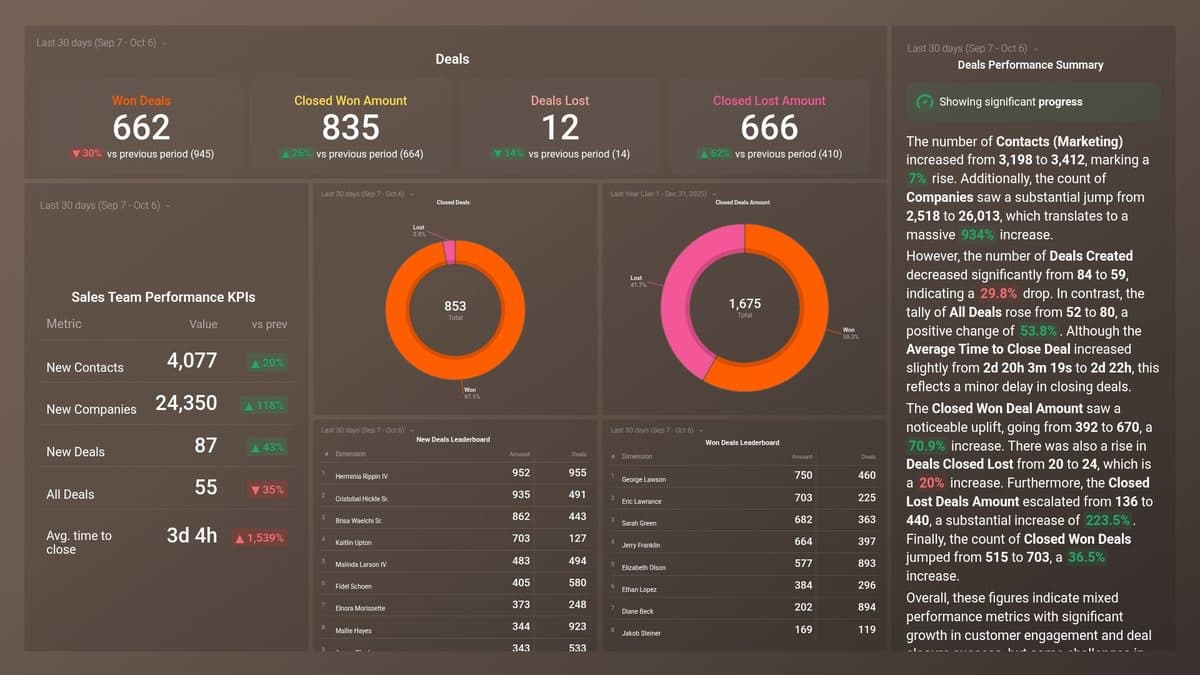
There's a free plan for one user and three data sources. Analyst is $71 a month for one user and five sources, and Team is $199 for three users and ten sources, billed annually.
Where it falls down: data sources are capped on every plan, so a sales stack that spans CRM, billing and spreadsheets climbs the tiers quickly.
Pricing: Free plan, then from $71 a month, billed annually.
8. Power BI: best for Microsoft teams
Power BI is Microsoft's business intelligence tool. It can build any sales report, but it's a general BI platform and takes more setup than the sales tools here.
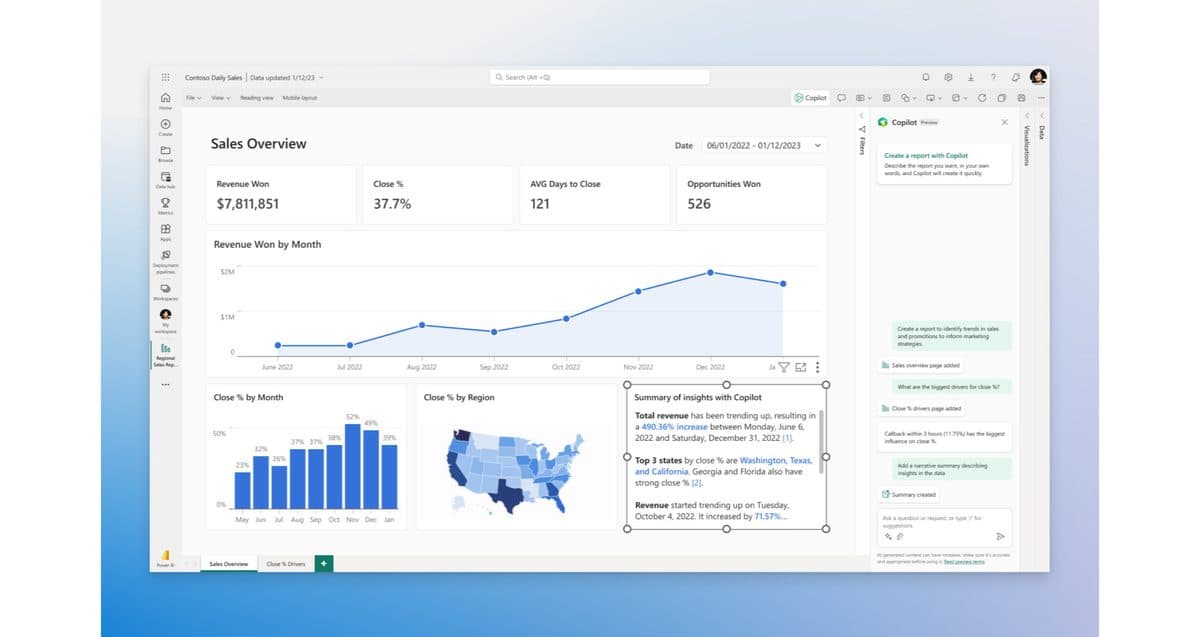
Power BI Pro is $14 per user per month and Premium Per User is $24, both paid yearly. Outside Microsoft's larger capacity plans, everyone who views a shared report needs a licence.
Where it falls down: the per-viewer licence adds up when the whole sales team needs to see the numbers.
Pricing: From $14 per user a month, paid yearly.
9. Looker Studio: best free option
Looker Studio is Google's free report builder, now renamed Data Studio again.
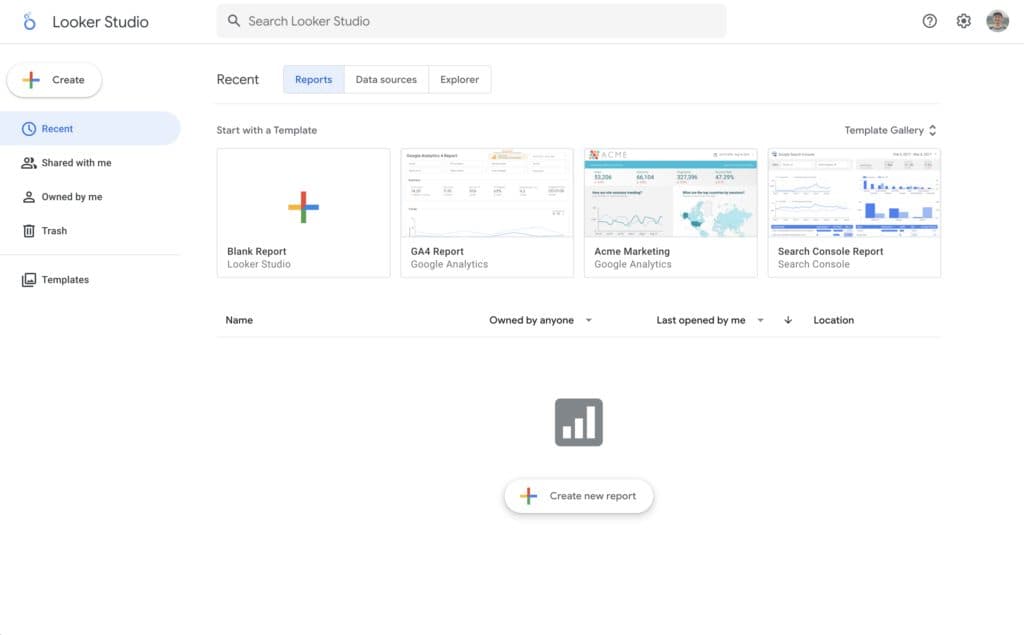
Building and viewing reports costs nothing, and Data Studio Pro is $9 per user per project per month. Google's own connectors cover Google's products. For a CRM such as Salesforce or HubSpot you'll usually need a partner connector, and those are mostly paid.
Where it falls down: the connector cost, and the setup it takes to get CRM data in cleanly.
Pricing: Free, with Pro at $9 per user per project a month.
What a sales dashboard costs for a team of ten
Here's one setup: ten reps and two managers who all need to see the numbers on a dashboard outside the CRM, billed annually.
| Tool | What it takes | Monthly cost |
|---|---|---|
| Geckoboard | Essentials, viewers unlimited | $79 |
| Power BI | Pro for 12 people | $168 |
| Plecto | Medium, 10 tracked reps | $240 |
| Mammoth | Starter, viewers unlimited | $39/month |
The Power BI line is 12 licences at $14. The Plecto line tracks the ten reps; the managers watch the dashboard. Geckoboard's two dashboards are the limit, and each extra one is $24 a month.
Which sales dashboard software should you choose?
- Every number is in your CRM: use your CRM's dashboard.
- You want a leaderboard on a wall screen: Geckoboard.
- You run a sales floor with targets and competitions: Plecto.
- Your team runs on Microsoft: Power BI.
- The number needs CRM data joined with billing, quotas or other systems: Mammoth.
Frequently asked questions
What is sales dashboard software?
Sales dashboard software shows sales numbers such as pipeline value, deals won and rep performance on one screen that updates itself. It can be built into a CRM or be a separate tool that connects to one.
Do I need sales dashboard software if my CRM has dashboards?
Not if every number you need lives in the CRM. You need a separate tool when a number depends on data outside the CRM, when people without CRM seats need to see it, or when it has to be on an office screen.
How much does sales dashboard software cost?
CRM dashboards come with the CRM. Separate tools start at $79 a month for Geckoboard, $71 for Databox's paid plans and $24 per tracked user for Plecto. Power BI is $14 per user.
What should a sales dashboard show?
It should show pipeline value by stage, deals won against target, average deal size and how long deals take to close, plus activity by rep. Our sales dashboard examples show finished boards built on sample data.















