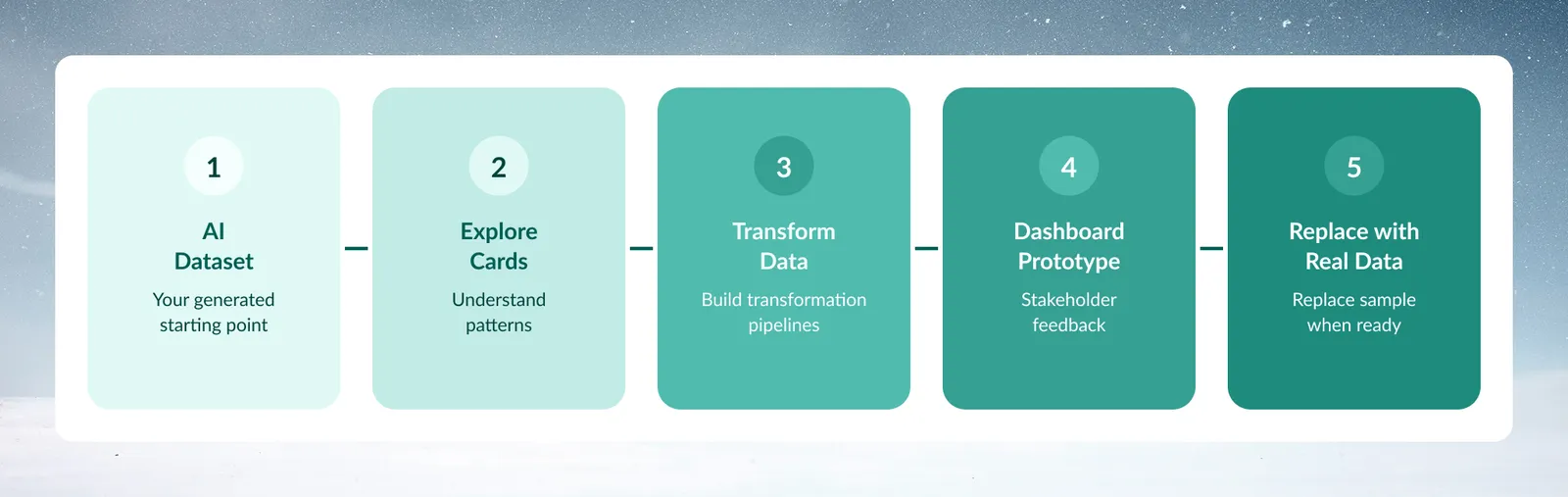
Generate Dataset with AI
Generate with AI creates a dataset from a plain-language description. Use it when you need test data and do not have a real source yet. Describe the data you need and preview the result in the same window. The Generate with AI option appears in the New Dataset dialog only when the feature is enabled for your workspace.
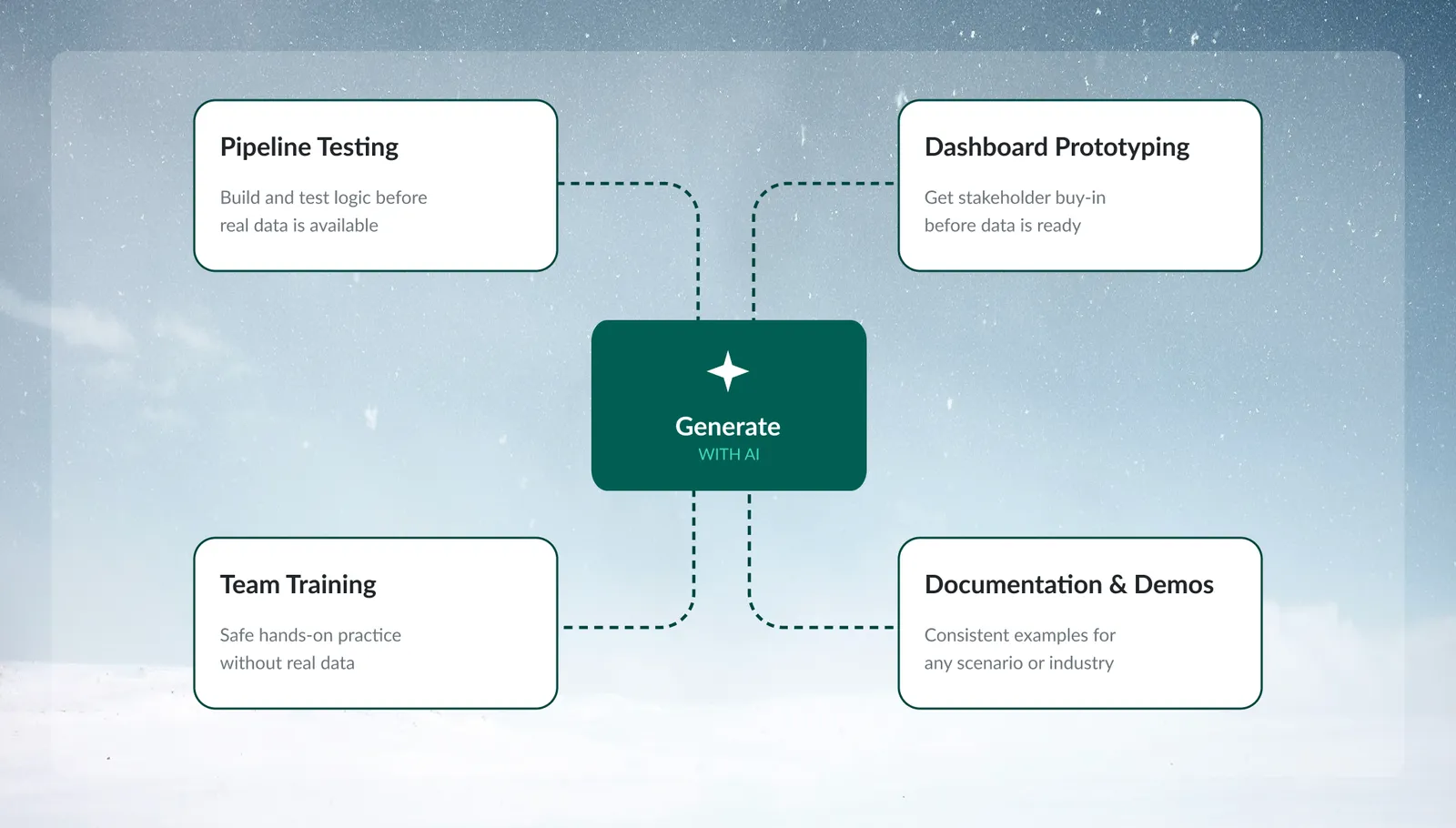
Use it for testing transformation pipelines, prototyping dashboards, training team members, and creating documentation examples without exposing sensitive data.
When to use Generate with AI
Pipeline testing
Build and test your transformation logic before real data becomes available. Create sample data that matches your expected schema, then develop your entire pipeline workflow.
Scenario: Your IT team is still working on database access, but you need to start building monthly sales reports.
Solution: Generate sales data with the columns you expect, build your pipeline, then swap in real data when ready.
Dashboard prototyping
Create visualization layouts and get stakeholder approval without waiting for data access or dealing with compliance concerns.
Scenario: Board presentation in 2 weeks, but data warehouse project won't complete for a month.
Solution: Generate executive metrics data, build the dashboard layout, get approval on design and KPIs.
Team training
Practice using Mammoth's features with realistic data that won't trigger compliance or privacy concerns.
Scenario: New analysts need to learn the platform but can't access customer data during training.
Solution: Generate customer transaction data for hands-on practice with all platform features.
Documentation and demos
Create consistent examples for tutorials, user guides, and sales demonstrations.
Scenario: Building training materials that need to work across different customer scenarios.
Solution: Generate industry-specific datasets that showcase relevant use cases.
How Generate with AI works
Steps to generate a dataset
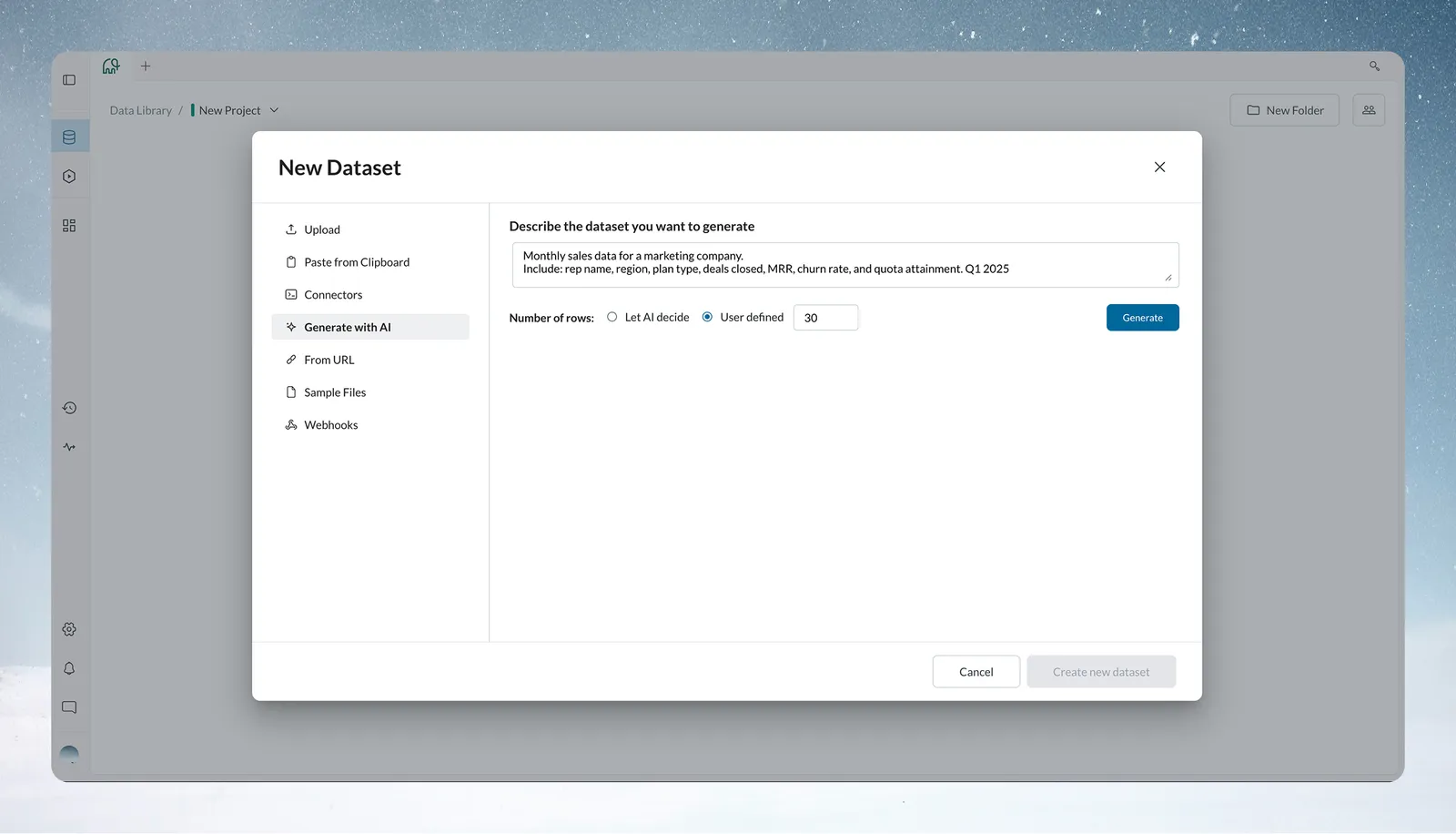
- Start Creation: Click + New Dataset → Generate with AI
- Write Prompt: Describe your desired dataset in natural language
- Set Row Count: User defined is selected by default with 30 rows. Enter an exact number of rows (1 to 500), or choose Let AI decide
- Generate Dataset: Click Generate and wait for the preview to load.
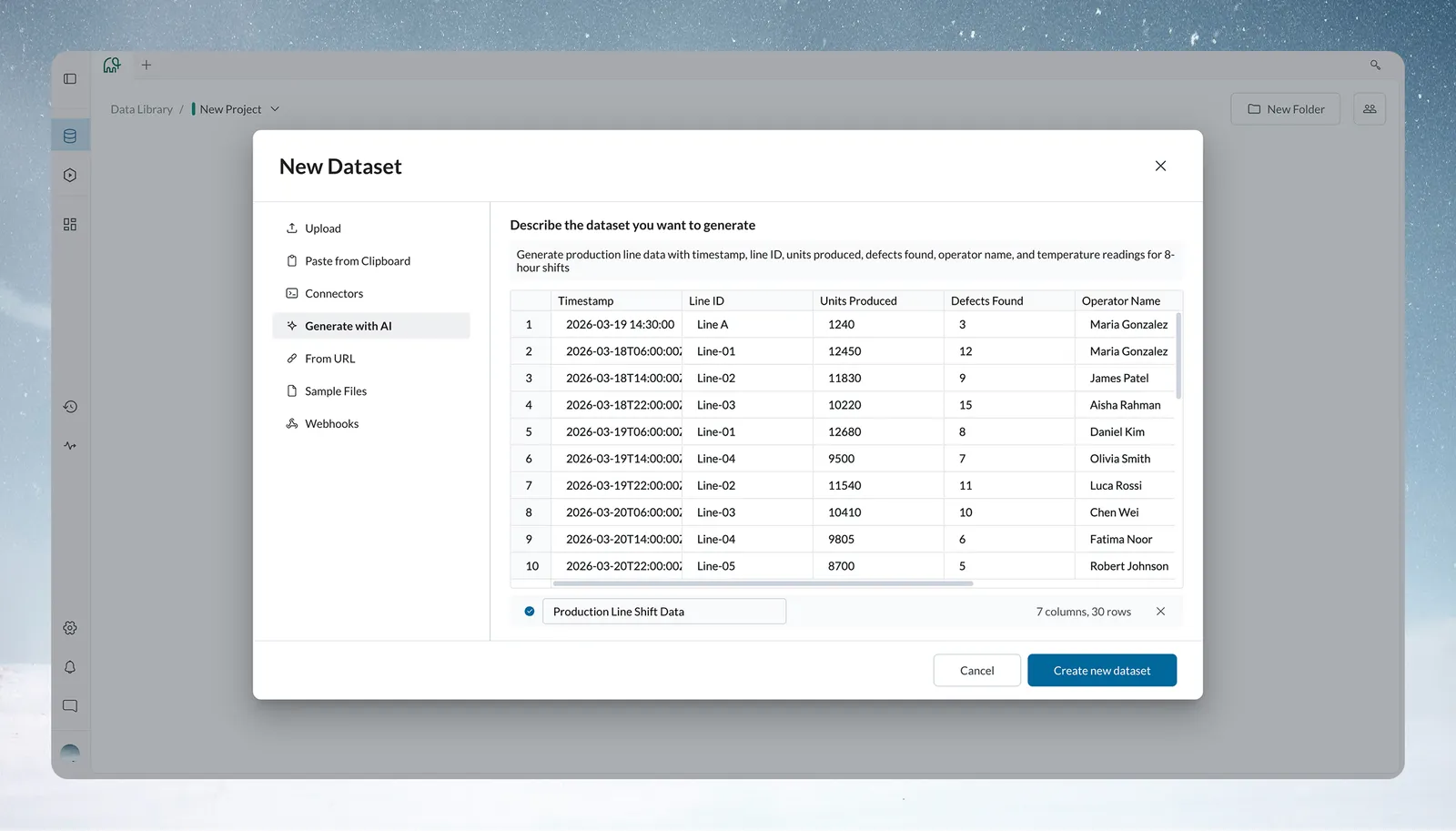
- Review Preview: Validate the suggested dataset name (you can edit it), column structure, and sample records. The preview is read-only. Select the X button in the preview bar to discard it.
- Finalize: Click Create new dataset to proceed, or, to adjust the result, click the collapsed prompt to edit it (this discards the preview), then click Generate again.
The new dataset appears in the Data Library.
What happens behind the scenes
The AI analyzes your prompt to determine:
- Column names and data types
- Realistic value distributions (proper date ranges, sensible price ranges)
- Data relationships (defects correlate with temperature, sales peak during holidays)
- Industry patterns (financial quarters, manufacturing shifts, healthcare appointment types)
Writing effective prompts
Manufacturing prompt example
Prompt:
Generate production line data with timestamp, line ID, units produced,
defects found, operator name, and temperature readings for 8-hour shifts
Generated Result:
- 30 rows
- Temperature readings: Average, Minimum, and Maximum values per shift (°C)
- Shift Duration: 8 hours per record
- Operators: Realistic names rotating across records
- Temperature: 20–26°C with natural variation across shifts
- Structured production summary at shift level
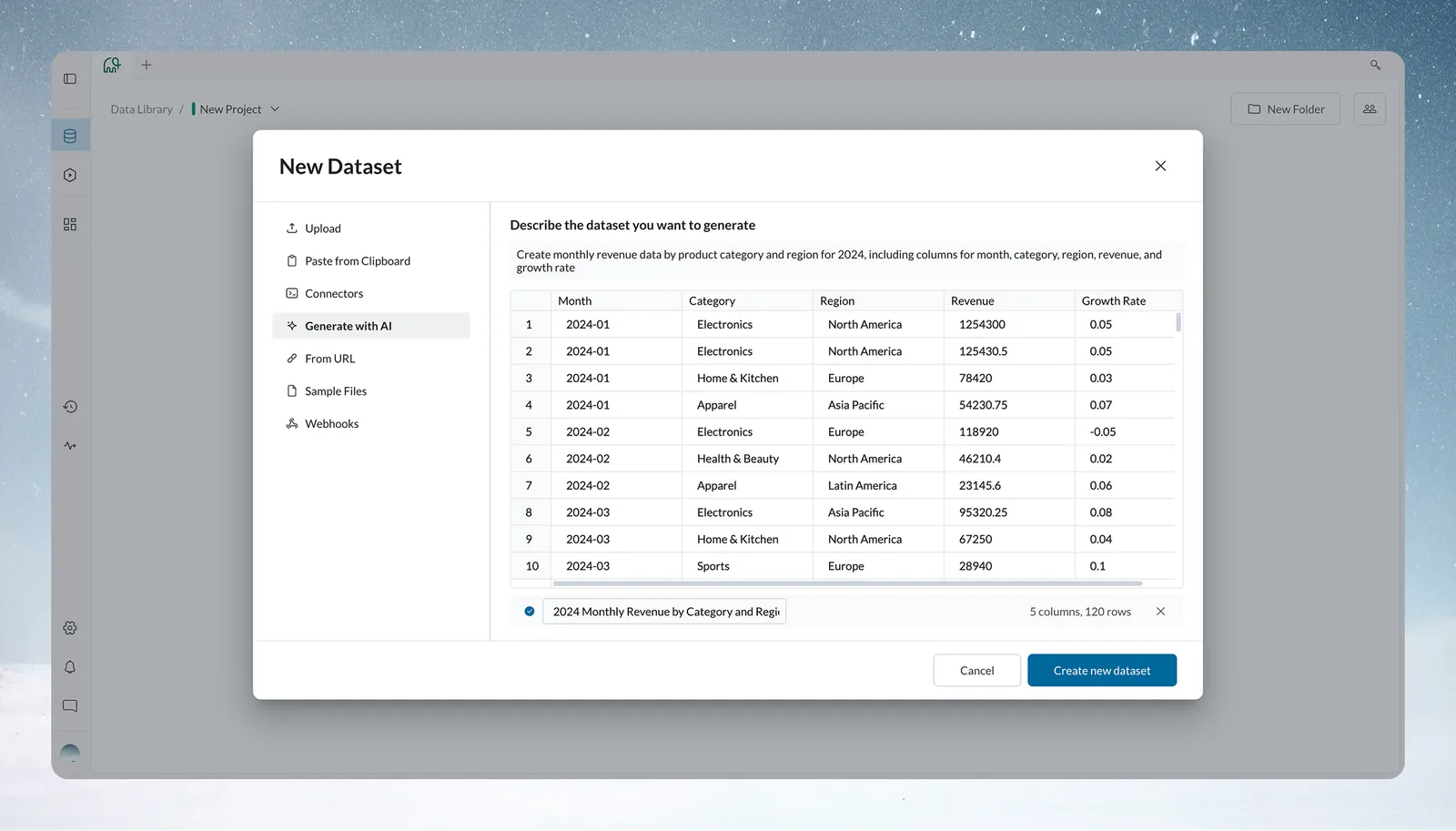
Financial services prompt example
Prompt:
Create monthly revenue data by product category and region for 2024,
including columns for month, category, region, revenue, and growth rate
Generated Result:
- 120 rows (AI-generated sample size)
- Columns: Month, Category, Region, Revenue, Growth Rate
- Monthly records for 2024 in YYYY-MM format
- Revenue: Realistic numeric values with decimal precision
- Growth Rate: Decimal values (e.g., -0.05 to 0.05) showing positive and negative variation
- Categories and regions generated dynamically based on prompt context
Healthcare prompt example
Prompt:
Generate patient appointment data including appointment ID, patient demographics,
appointment type, provider name, insurance type, and appointment date/time
Generated Result:
- Appointment IDs: Sequential format (APT-2024-0001)
- Demographics: Realistic age distribution, gender balance
- Types: Physical, Specialist, Lab Work, Follow-up
- Providers: Dr. names with appropriate specialties
- Insurance: Medicare, Blue Cross, Aetna, Self-Pay
- Scheduling: Business hours, realistic appointment intervals
E-commerce prompt example
Prompt:
Create customer transaction data with order ID, customer name, product,
quantity, price, order date, and shipping address for online retail
Generated Result:
- Order IDs: ORD-20240001 format
- Customers: Realistic names (no actual people)
- Products: Electronics, clothing, home goods with appropriate pricing
- Quantities: 1-5 items typical for consumer orders
- Prices: $15-$300 with product category correlation
- Dates: Recent months with weekend/holiday patterns
- Addresses: Realistic US addresses (no real locations)
Prompt best practices
Be specific about columns
Vague: "Generate sales data"
Specific: "Generate sales data with date, salesperson, product, quantity, unit price, total amount, and customer region"
Include data types and constraints
Generic: "Include dates and amounts"
Detailed: "Include order dates from January-March 2024, dollar amounts between $100-$5000"
Mention relationships
Independent: "Add temperature and defect columns"
Correlated: "Add temperature readings and defect counts, where defects increase when temperature exceeds 80°F"
Specify business rules
No context: "Include employee data"
Business logic: "Include employee data with ID, department, hire date, salary - where IT department salaries are 20% higher"
Tip: Start with a broad prompt to get the basic structure, then regenerate with more specific constraints.
What Generate with AI can and cannot do
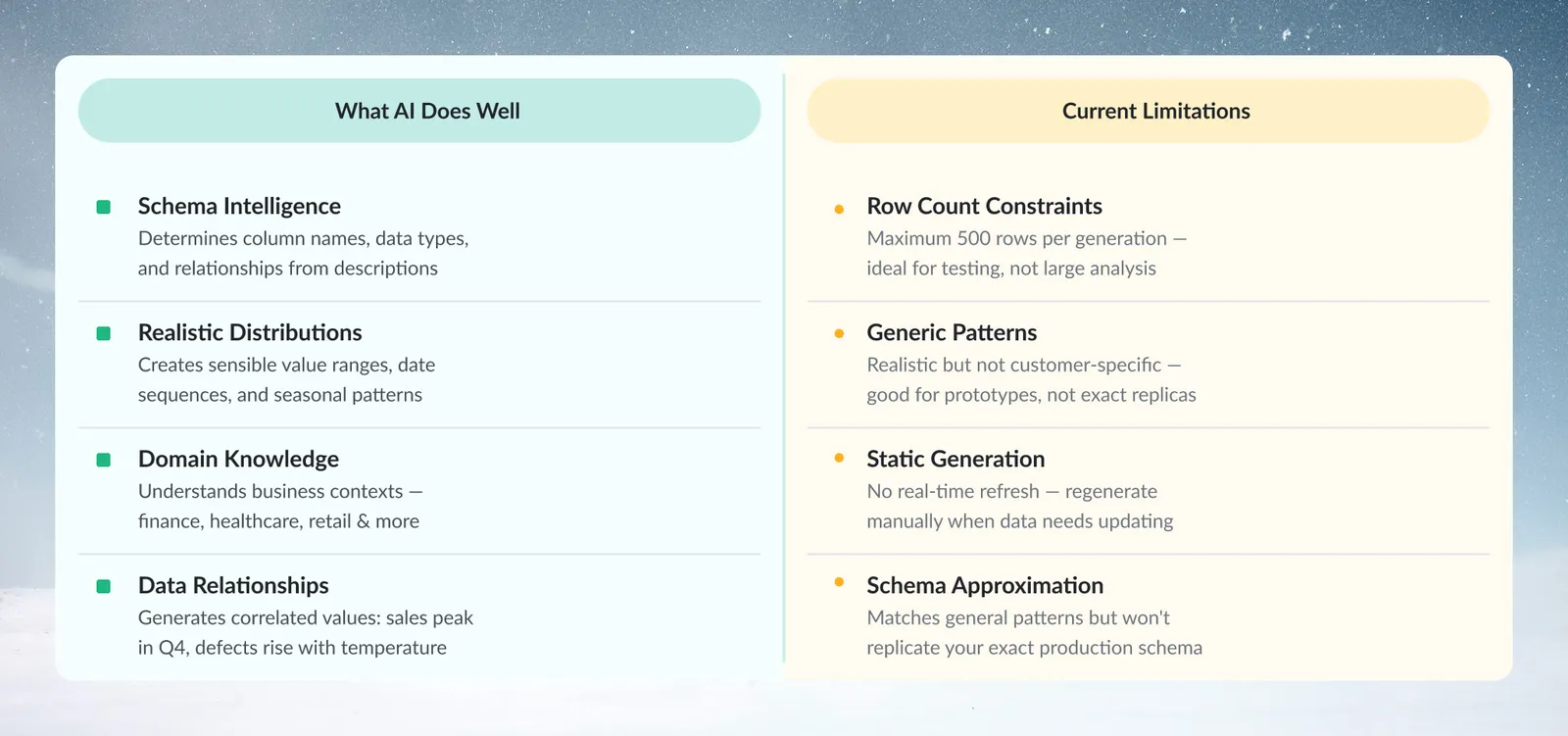
What AI does well
Schema Intelligence: Determines appropriate column names, data types, and relationships from natural language descriptions.
Realistic Distributions: Creates sensible value ranges, proper date sequences, and industry-appropriate patterns.
Domain Knowledge: Understands business contexts like manufacturing shifts, financial quarters, healthcare workflows, and retail seasonality.
Data Relationships: Generates correlated values (sales peak in December, defects increase with temperature, appointment types match provider specialties).
Current limitations
Row Count Constraints: With User defined, the maximum is 500 rows per generation (see limits and quotas), which suits testing, not analysis
Generic Patterns: Creates realistic but not customer-specific distributions (good for prototypes, not exact replicas)
Static Generation: No real-time refresh capability (regenerate manually if dataset needs updates)
Schema Approximation: Matches general patterns but won't perfectly replicate your production schema structure
Iterative refinement process
First generation review
After initial generation, check:
- Do column names match your expectations?
- Are data types appropriate (dates as dates, numbers as numbers)?
- Do value ranges make business sense?
- Are there realistic relationships between columns?
Refinement strategies
More Specific Constraints:
Original: "Generate customer data"
Refined: "Generate customer data with ages 18-75, email addresses,
phone numbers, and purchase amounts between $25-$500"
Add Business Logic:
Original: "Include sales rep and revenue"
Refined: "Include sales rep and revenue, where senior reps
(5+ years experience) have 30% higher average deals"
Include Edge Cases:
Original: "Generate order data"
Refined: "Generate order data including some cancelled orders (10%),
partial refunds, and missing shipping addresses for pickup orders"
When to regenerate vs. accept
Regenerate if:
- Column names don't match expected schema
- Value ranges seem unrealistic for your industry
- Missing important relationships between data points
- Need more specific business logic
Accept if:
- Schema structure is close enough for testing
- Value ranges are reasonable approximations
- Data relationships make basic business sense
- Goal is pipeline testing, not data analysis
Replace generated data with real data
The replace pattern
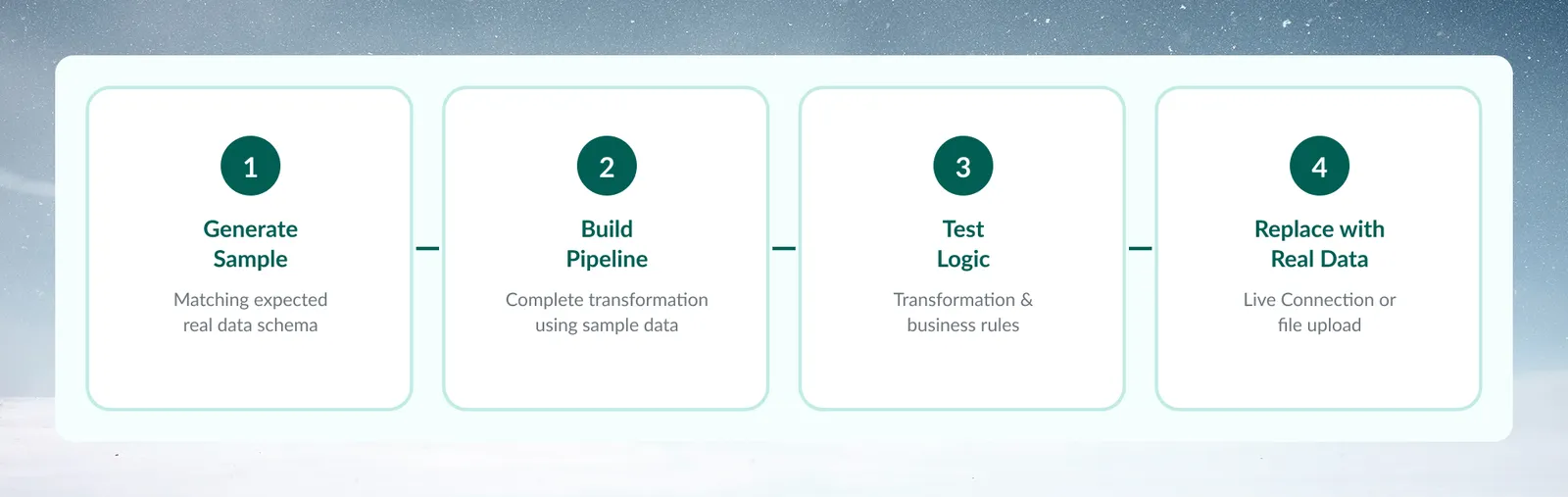
AI-generated datasets serve as placeholders in a "generate → build → replace" workflow:
- Generate sample data matching expected real data schema
- Build complete transformation pipeline using sample data
- Test all transformation logic and business rules
- Validate output format and dashboard compatibility
- Replace with a connector or file upload when real data is available
Schema consistency tips
Column Names: Use exact names you expect in production data
Good prompt: "Include columns named customer_id, order_date,
product_sku, quantity, unit_price"
Data Types: Be explicit about formats
Good prompt: "Use YYYY-MM-DD date format, decimal prices
with 2 decimal places, integer quantities"
Relationships: Mirror expected production relationships
Good prompt: "Each customer should have 1-5 orders,
each order should have 1-3 line items"
Troubleshoot Generate with AI
Generated data doesn't match expectations
Problem: Column names or data types aren't what you expected
Solution: Be more explicit in your next prompt about exact column names and data formats
Values seem unrealistic
Problem: Prices too high/low, dates in wrong ranges, unrealistic patterns
Solution: Add specific constraints: "prices between $X-$Y", "dates in 2024 only", "include seasonal patterns"
Missing relationships
Problem: Data columns should be related but appear independent
Solution: Explicitly describe relationships: "higher prices should correlate with luxury categories"
Need more complex schema
Problem: Simple generation doesn't match your complex production schema
Solution: Focus on core columns needed for testing, add complexity gradually through refinement
Tip: Use generated data as a starting point, not a final solution. Generate the basic structure first, then enhance it with real data patterns as they become available.
Next steps
Once you have your AI-generated dataset:
- Explore the data using Explore Cards to understand patterns
- Build transformation pipelines to practice your logic
- Create prototype dashboards for stakeholder feedback
- Document your workflows using the sample data as examples
- Plan real data integration to replace sample data when ready