Combine two columns into one or split a column in two
Combine Columns & Text merges columns and fixed text into one column, and Split Into Multiple Columns breaks a text column into several at a delimiter. Both are in Column Management in Describe your transformation, and both are pipeline tasks that re-run on every refresh.
Combine two or more columns into one
Combine Columns & Text merges values from several columns, and any fixed text, into one column. Mix columns and text in any order. A text column's 3-dot menu has the same thing as Combine with another column.
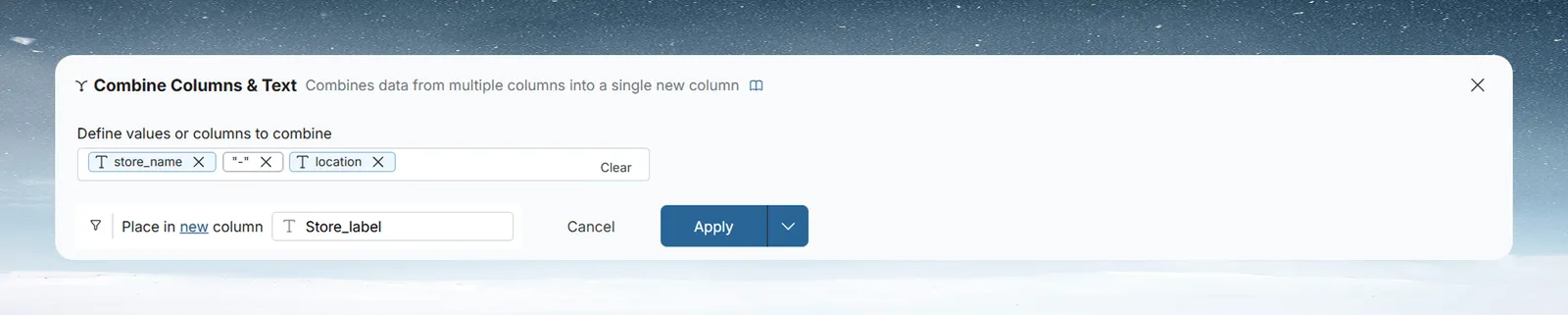
- Click in Define values or columns to combine and start typing.
- To add a column, pick it from the suggestions (they show type icons). It becomes a column chip.
- To add fixed text, such as a separator " - " or a prefix "ID:", type it and choose Add... " - " from the list. It becomes a text chip.
- Optional: click Add Condition to combine only for some rows. Describe the condition and click Generate, or build it with the Where column and operator dropdowns. Click Apply Condition.
- In Place in, choose New Column and type a name, or Existing Column.
- Click Apply.
Click the X on a chip to remove it, or Clear to remove everything.
For example, to make "Chic Boutique - Miami" from store_name and location, add the store_name chip, type " - " and add it as text, then add the location chip. Name the output store_label.
Split one column into several by a delimiter
Split Into Multiple Columns divides a text column into several new text columns at a delimiter. The source column stays as it is. A text column's 3-dot menu has it as Split this column.
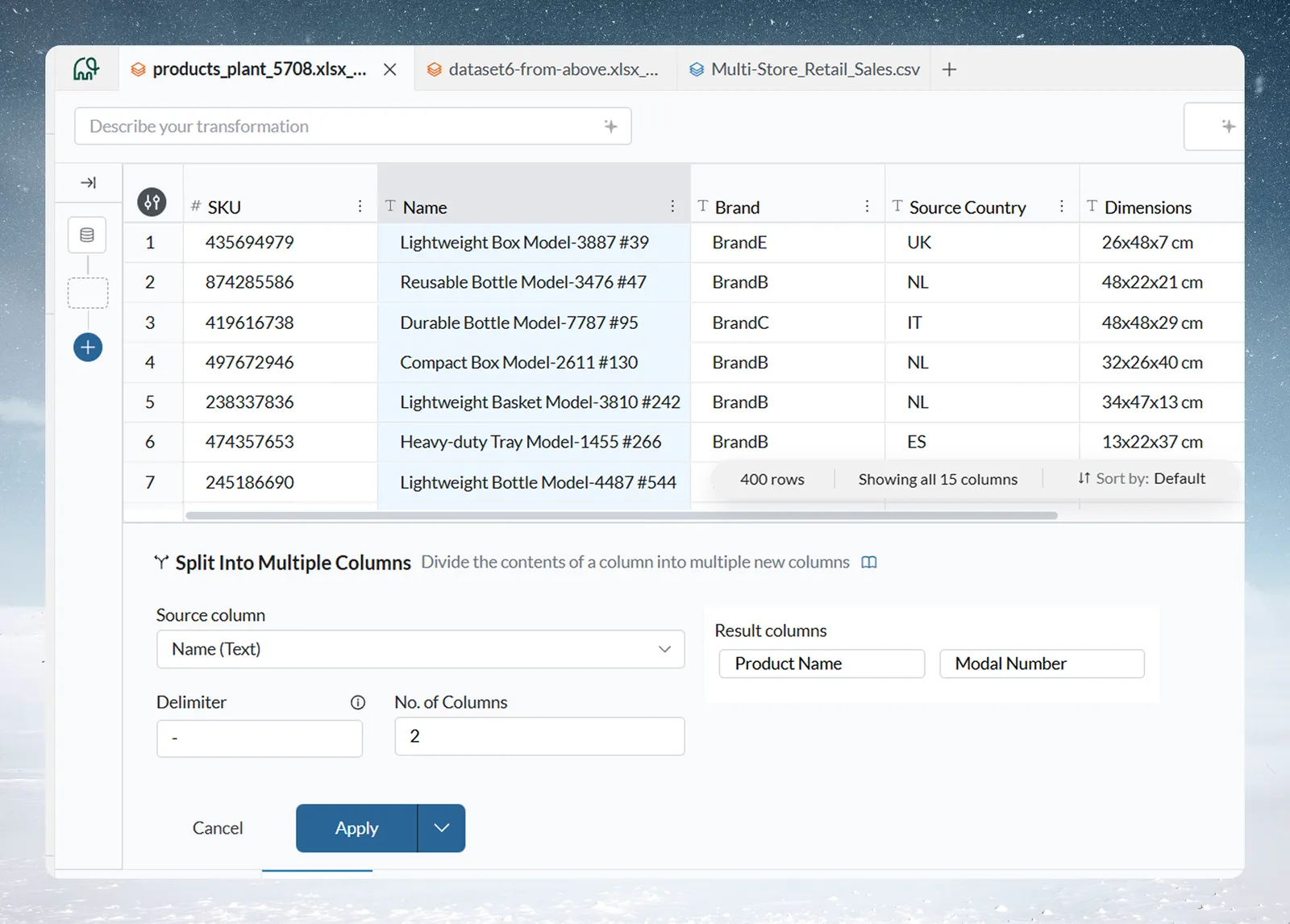
| Option | What it does |
|---|---|
| Source column | The text column to split. Only Text columns are listed. |
| Delimiter | The character or characters to split on, such as a comma, space, hyphen or pipe. The info icon shows an example: "UK, USA, France" split on a comma gives 3 columns. |
| No. of Columns | How many new columns to create, from 2 to 50. A number outside that range is set to the nearest limit. |
| Result columns | One name box per new column. Names start as "New column 1", "New column 2" and so on, skipping names in use. Each must be unique ("A column with same name already exists. Try another value"). |
When a value has a different number of parts than you have columns:
- More parts than columns: the last column gets all the remaining parts, joined with the delimiter.
- Fewer parts than columns: the extra columns are blank for that row.
For example, a name column holds "Lightweight Box Model-3887-B". Set Delimiter to - and No. of Columns to 2, and name the columns product and model. product gets "Lightweight Box Model" and model gets "3887-B", because the last column keeps the remaining parts.
Limits and troubleshooting for combine and split
| Limit | Value |
|---|---|
| New columns from one Split Into Multiple Columns task | 2 to 50 |
| Message or symptom | Cause | Fix |
|---|---|---|
| The last split column holds several parts | The value has more parts than columns | Raise No. of Columns |
| Split columns are blank for some rows | Those values have fewer parts | Expected: extra columns stay blank |
| A column isn't offered in Split | It isn't a Text column | Convert it to Text first |
Related
- Add, split, copy and delete columns: add, copy and remove columns.
- Work with text and JSON: extract part of a text value instead of splitting it.
- Calculate with formulas: fill a new column with a calculation.
Something wrong? support@mammoth.io