Send pipeline output to another dataset
Send to Dataset sends this View's processed rows to a new or existing dataset, for reporting or more work. Several Views can send to one dataset to stack their rows. Open it from Describe your transformation, then Unify › Send to Dataset.
Send rows to a dataset step by step
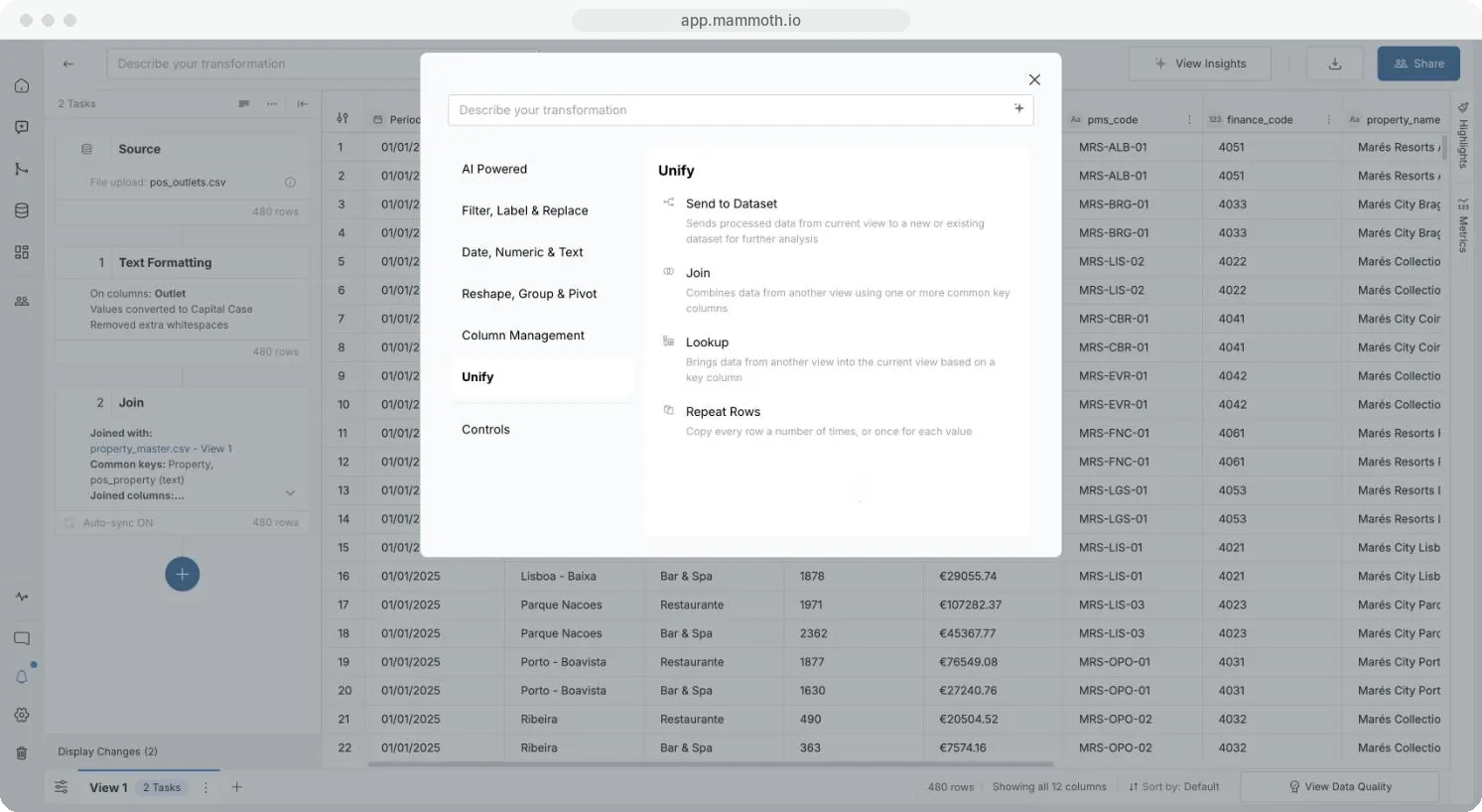
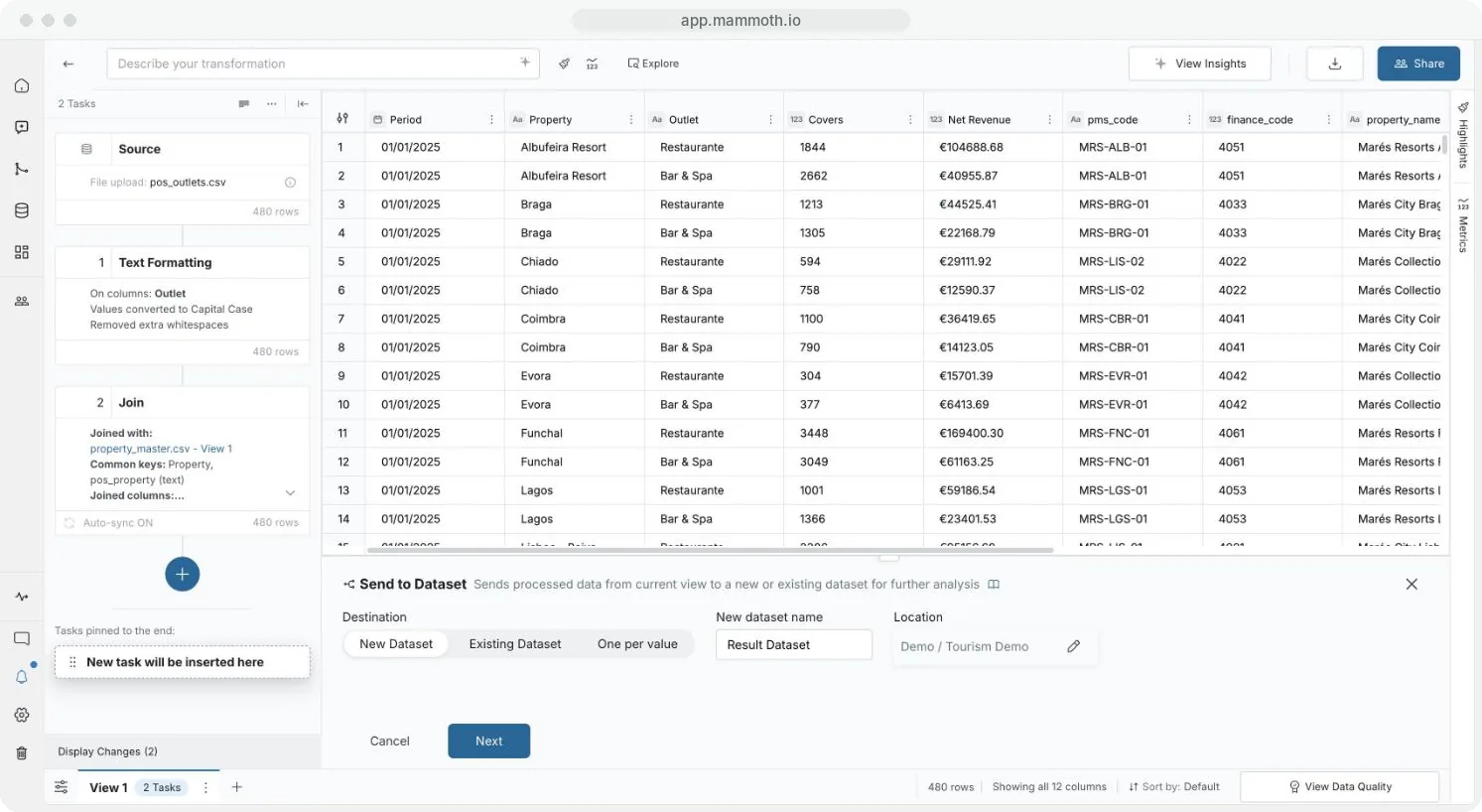
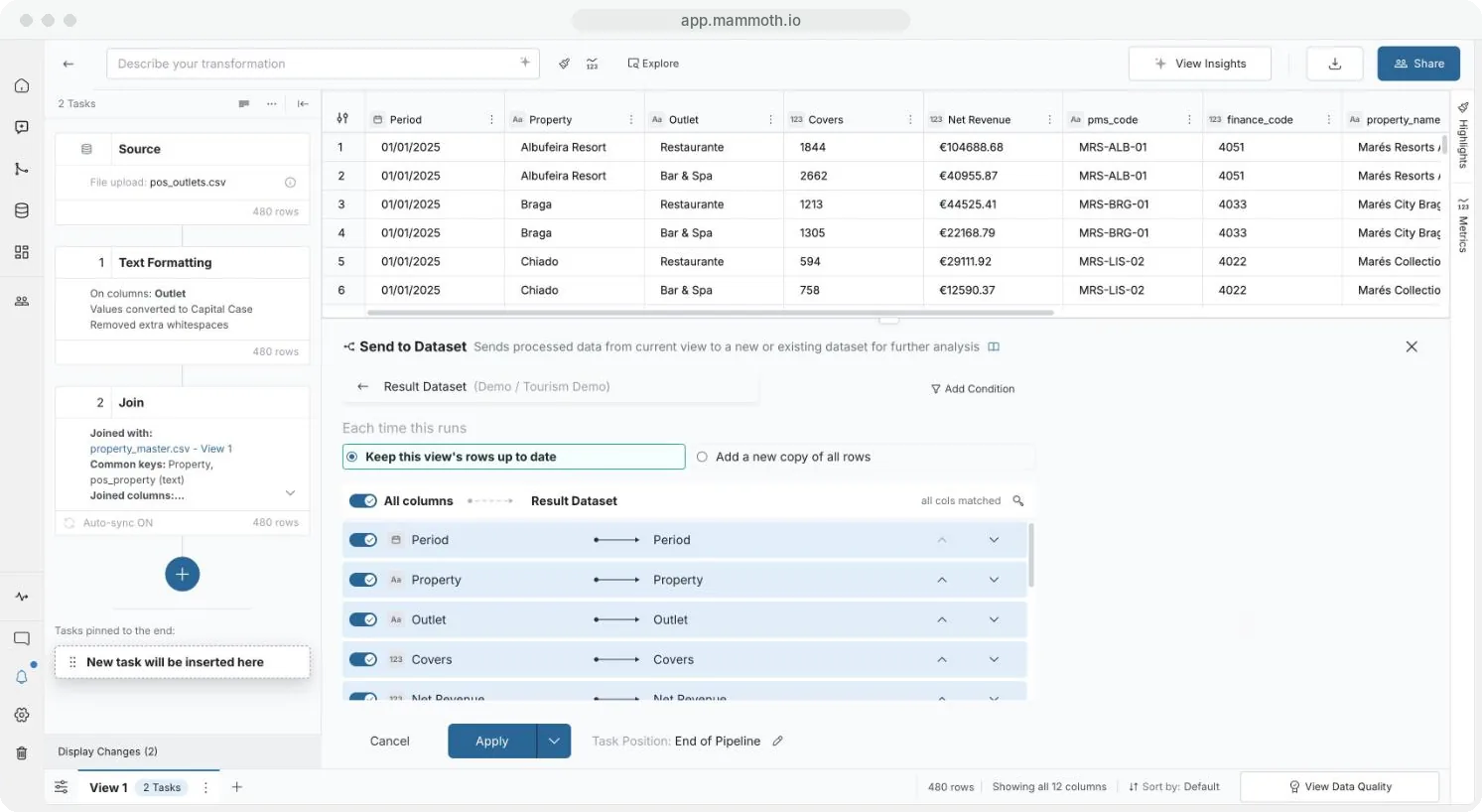
Step 1 of 5: Open Send to Dataset
Column mapping options
| Option | What it does |
|---|---|
| All columns | Switches every column on or off at once. Then switch single columns back on or off. For a new dataset, every column starts on. |
| Column rows | Switch a row off to leave that column out. For a new dataset, the up and down arrows set the column order. For an existing dataset, pick the destination column from the list, or Create a new column. |
| Hide already-mapped columns from selection menu | Existing dataset only, on by default: the list leaves out columns already mapped. |
| Include hidden columns | Also sends columns hidden in this View. Shown only when the View has hidden columns. |
| Add Condition | Sends only the rows that meet a condition |
Keep rows up to date or add a copy each run
| Each time this runs | What happens | Use it for |
|---|---|---|
| Keep this view's rows up to date (default) | Replaces the rows this View sent last time. Rows from other Views stay. | A destination that always holds the latest output |
| Add a new copy of all rows | Keeps every earlier run, so the dataset and its totals grow | History, such as a weekly snapshot of sales |
When other Views also send to the dataset, a note names them, for example "Also fed by 2 other views: North sales, South sales." It lists up to four, then "and 3 more". With Keep this view's rows up to date, each View replaces only its own rows, so several Views can share a destination safely.
Mammoth remembers the location, update method and task position you last used, and starts there.
Switching an existing task from Add a new copy of all rows to Keep this view's rows up to date warns: "The next run also removes the copies this view added on earlier runs."
Related
- Pause sends while you edit: hold Send to Dataset while you change the pipeline.
- Join two datasets on a shared column: add columns instead of rows.
- Combine datasets: stack files in the Data Library.
Something wrong? support@mammoth.io