Write SQL by hand and reuse SQL snippets
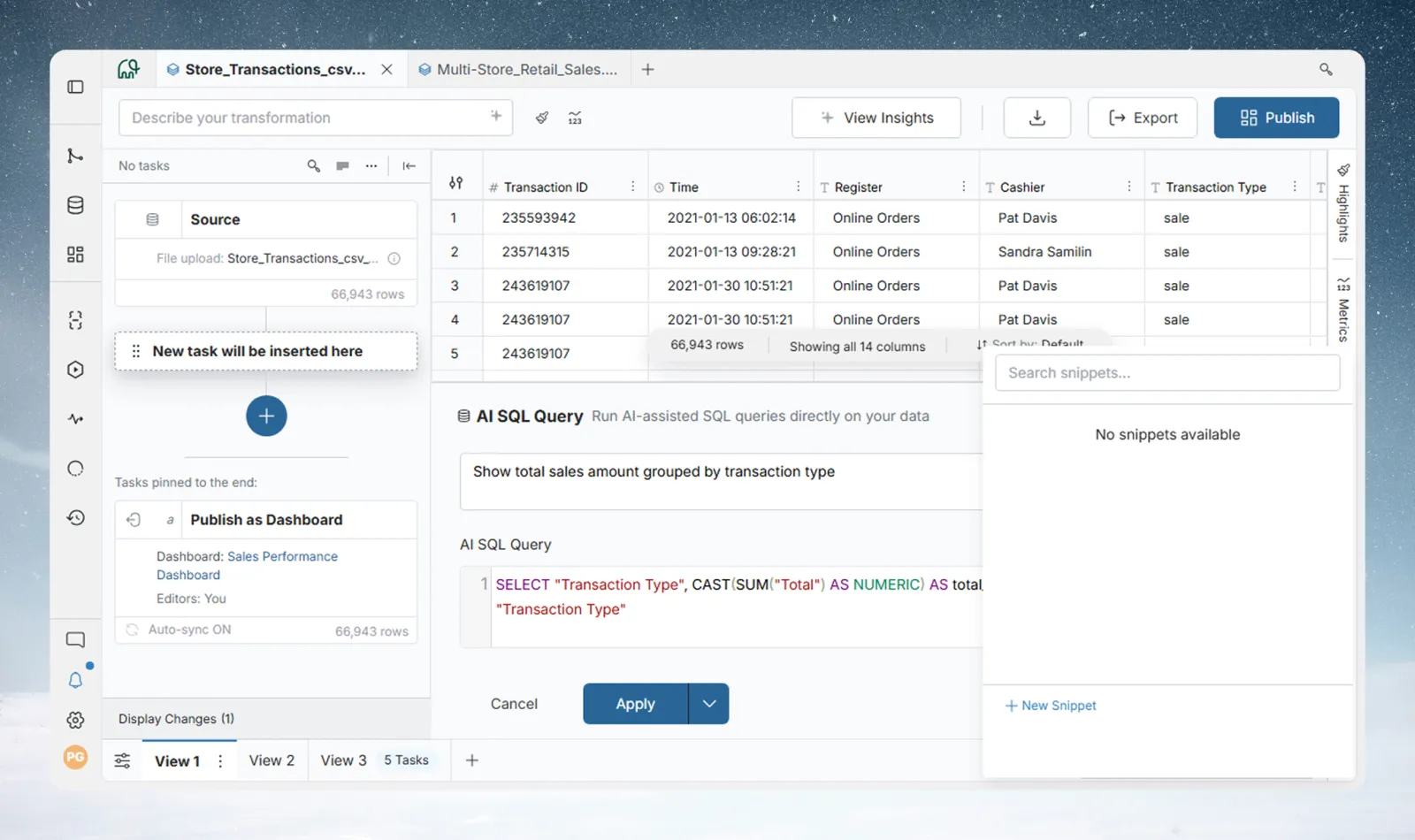
You can skip the prompt in Ask in plain words and type the query yourself in The SQL it will run. Snippets let your team save a standard calculation or filter once and insert it into any query. For generating SQL from a request, see Ask your data in plain words.
Write a SQL query yourself
- Open Ask in plain words and leave the prompt box empty.
- Click Show the SQL.
- Type or paste SQL in The SQL it will run.
- Click Apply.
Use this when you know the query you want, or to adapt a query from another tool. When you open a task you wrote by hand, the SQL is already shown.
SQL dialect: queries are DuckDB SQL. Put column names with spaces or special characters in double quotes. The View name is the table name.
Reuse SQL with snippets
A snippet is a saved piece of SQL, such as a standard calculation or filter your team uses often. Click Show the SQL, then Insert Snippet. Save common logic as snippets so the team uses the same logic.
Create a SQL snippet
- Click New Snippet in the snippets panel.
- Enter a name and the SQL in the value field. The name must start with a letter or
_and use only letters, digits and_. A description is optional. - Click Create Snippet.
Snippets can't reference other snippets.
Insert a snippet into a query
| Option | What it inserts |
|---|---|
| Reference | The token {{snippet_name}}. It stays linked: Mammoth uses the snippet's current content when the query runs. |
| Paste value | The snippet's text, frozen, with no link back to the snippet |
If a snippet used by a saved query task changes, Mammoth marks that task as stale. Rerun the pipeline to use the new content. See Parameters and snippets.
Related
- Ask your data in plain words: generate and check the query.
- Parameters and snippets: manage snippets and parameters.
- How the pipeline works: task order, Draft mode and previews.
Something wrong? support@mammoth.io