Upload several files or a whole folder to Mammoth
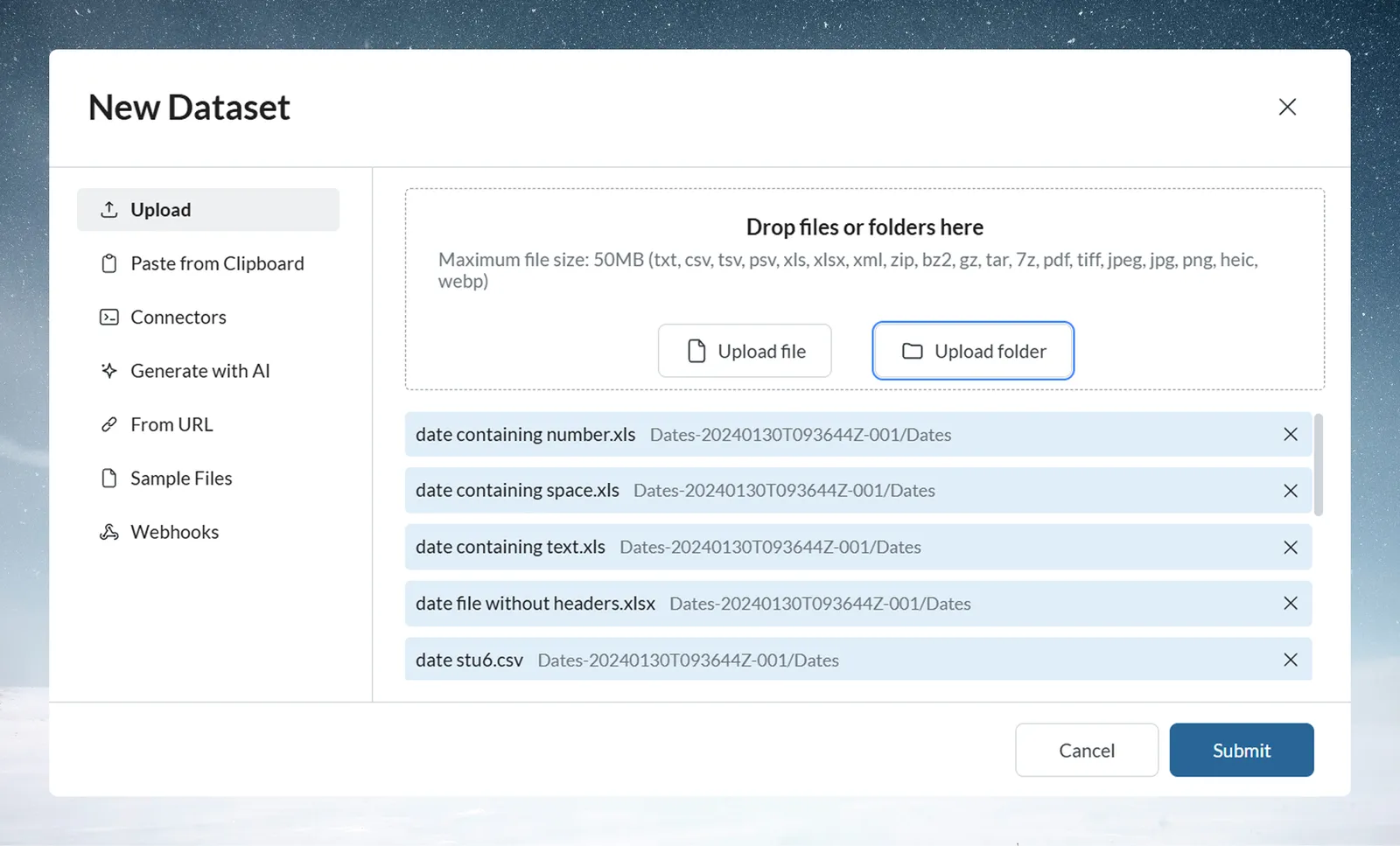
You can upload many files in one go: in the Data Library, click New dataset, keep Upload selected, then pick several files or click Upload folder, and click Submit. Each file becomes its own dataset. For a single file and the supported formats, see Upload CSV, Excel and other files.
Upload several files at once
Select several files in the same dialog, up to 1,000 files per upload. Each file becomes its own dataset and is sent as its own upload; Mammoth sends them in groups of 50, with a 30-second pause between groups. A file Mammoth can't accept is left out, and a message names it and says it "was not added: its file type is not supported, or it is too large."
Upload a whole folder
- Click New dataset, then Upload.
- Click Upload folder and select the folder.
- Click Submit.
Each file in the folder becomes its own dataset. Mammoth recreates the folder, and any subfolders, as folders in your Data Library. Only supported file types are added, and the whole folder must be under 50 MB, because it is uploaded as a single request.
Upload into a folder that has automation rules
When you upload from inside a Data Library folder with folder automation rules, a Where these files go box under the file list shows which dataset a rule sends each group of files to.
- The first matching rule wins. A file that matches more than one rule says, for example, "Also matches Monthly sales, but Sales by region comes first."
- A file no rule takes shows Stays here ("No rule takes it, so it becomes its own dataset here.").
- When a rule takes any file, the box adds "Added files leave this folder once they're in their dataset."
Combine many files into one dataset
| Symptom | Cause | Fix |
|---|---|---|
| Several files made several datasets, but you wanted one | Each uploaded file becomes its own dataset, including files in Upload folder | Use Add data on an existing dataset to add later files to it, or set up Data Consolidation. Make sure the files share the same columns and aren't empty. |
Related
- Upload CSV, Excel and other files: formats, limits and upload errors.
- Folders and folder rules: set up the rules that route uploaded files.
- Add or replace data in a dataset: add later files to one dataset.
- Combine incoming data: add new files to a dataset on their own.
Something wrong? support@mammoth.io