Repeat rows for a list of values or a date range
All plans · Project Editor or Project Admin · Updated 8 Nov 2026
Repeat Rows copies every row a number of times, or once for each value you list. Use it to build one row per month for each customer, spread a budget over a date range, or pair every row with a set of labels. Open it from Describe your transformation, then Unify › Repeat Rows.
Repeat rows step by step
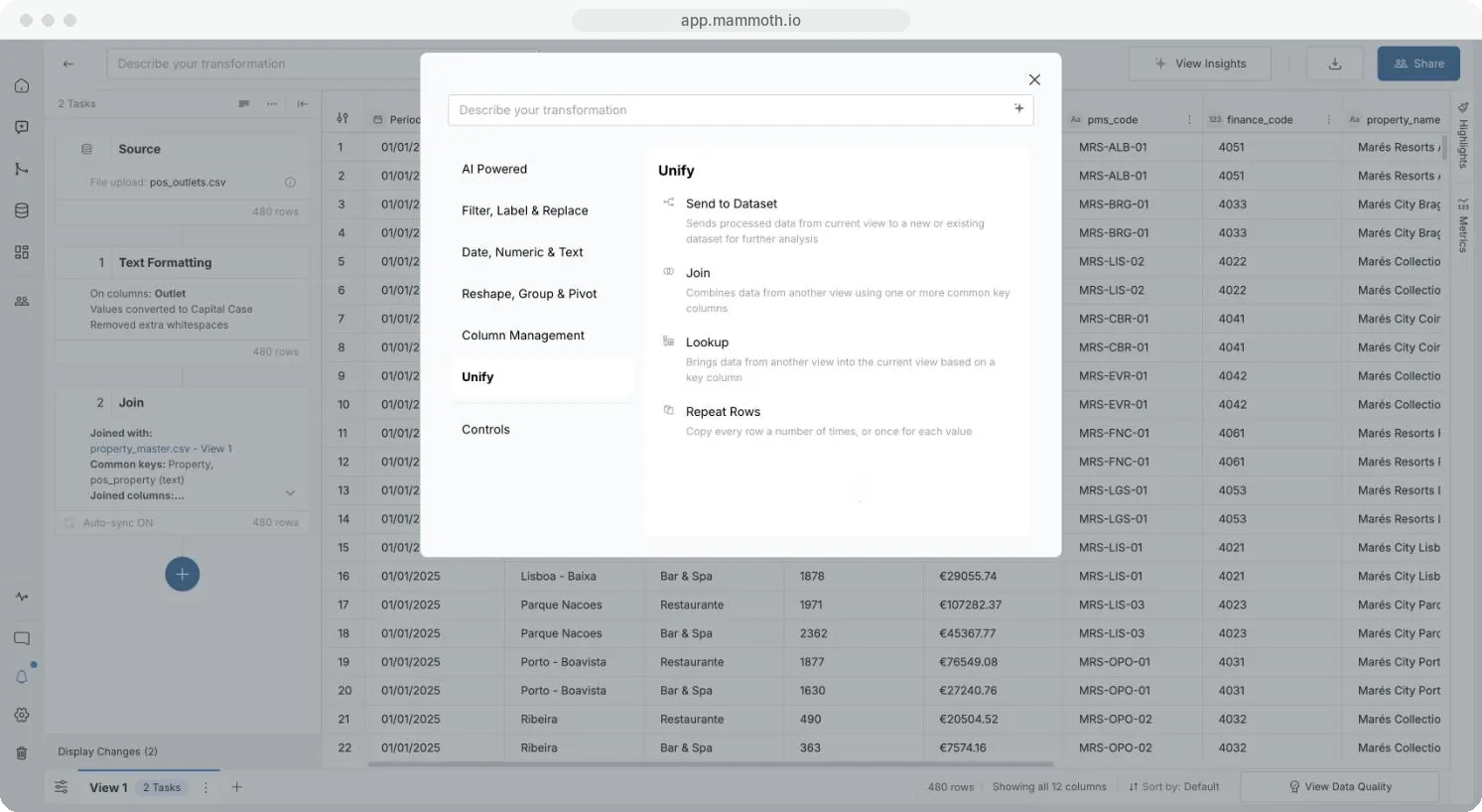
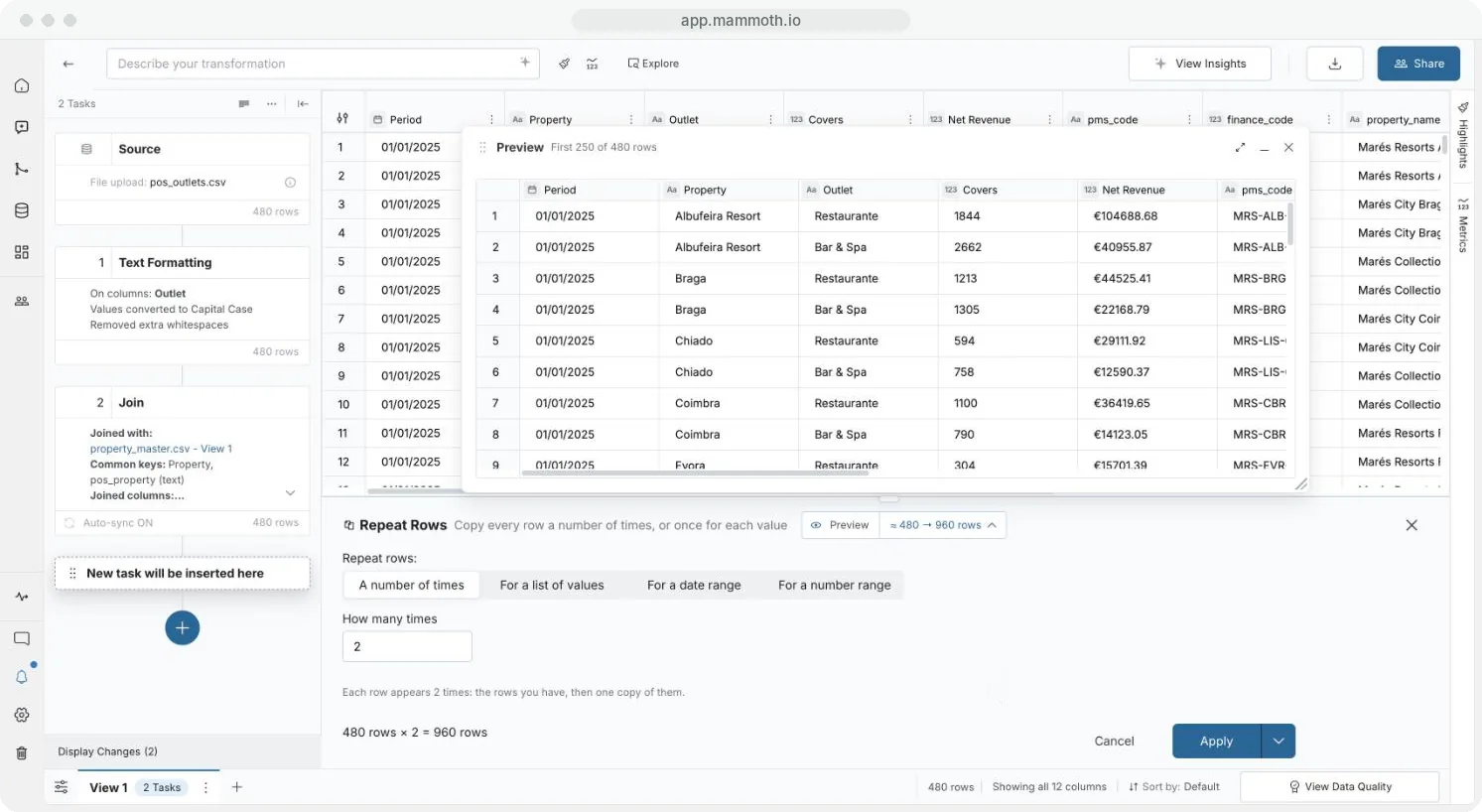
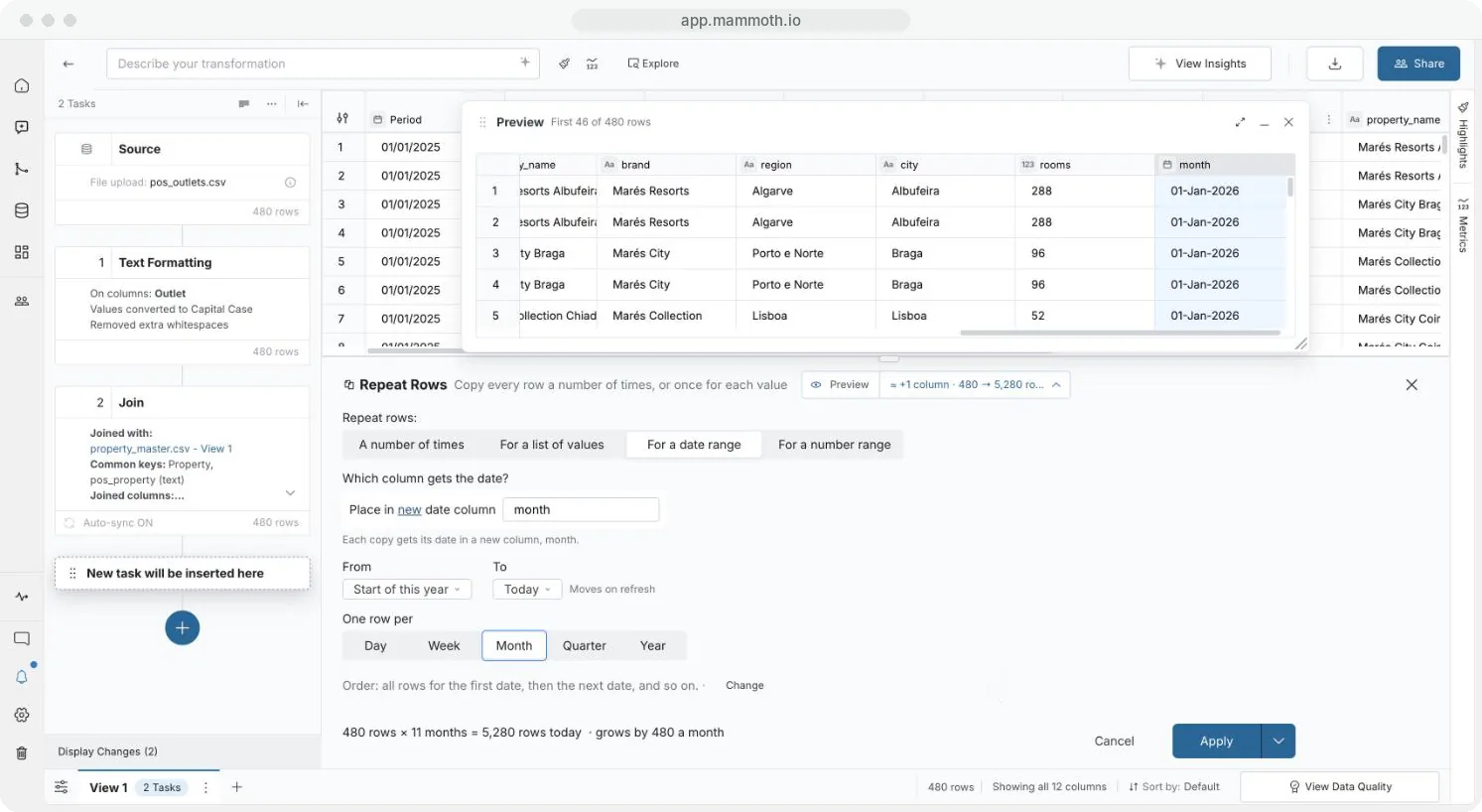
Step 1 of 5: Open Repeat Rows
Modes
| Mode | You set |
|---|---|
| A number of times | How many times each row appears, from 2 to 10,000. The panel reads it back, for example "Each row appears 3 times: the rows you have, then 2 copies of them." |
| For a list of values | The Values, typed or pasted, up to 1,000. Each row is copied once per value. The column must be Text or Number. A value listed twice turns Apply off: "Listed more than once". |
| For a date range | From (a Fixed date, the Start of this year or the Earliest date in a column), To (a Fixed date or Today) and One row per (Day, Week, Month, Quarter or Year), into a Date column. A range ending Today moves forward on each refresh. |
| For a number range | From, To and Step (above 0), up to 10,000 numbers, into a Number column |
Choose the row order
For a list or range, the panel shows the order, for example "Order: all rows for the first date, then the next date, and so on." Click Change for "Order: each row with its copies, row by row."
When Apply is off
"Big result: check the settings before you apply." is a warning only. Apply turns off when:
- the result would pass the row limit ("Above … rows, Apply is off. Use fewer values or a smaller range.")
- a range makes more values than allowed
- To is before From, or for a number range Step isn't above 0
- a value is listed twice, or a value isn't a number in a Number column
- How many times is not a whole number from 2 to 10,000
Related
- Work with dates and financial years: shift and bucket the dates you created.
- Group, pivot and unpivot: summarise the repeated rows.
- Join two datasets on a shared column: add details to each row.
Was this page helpful?
Something wrong? support@mammoth.io