Share an executive dashboard with your board
Managers can build a dashboard, doc or slide deck from a view the team prepared, instead of asking them for presentation material, from Dashboards > Create, and share it with people who have no Mammoth account. The Share panel's Access menu decides who can open the link.
Build the dashboard from your team's view
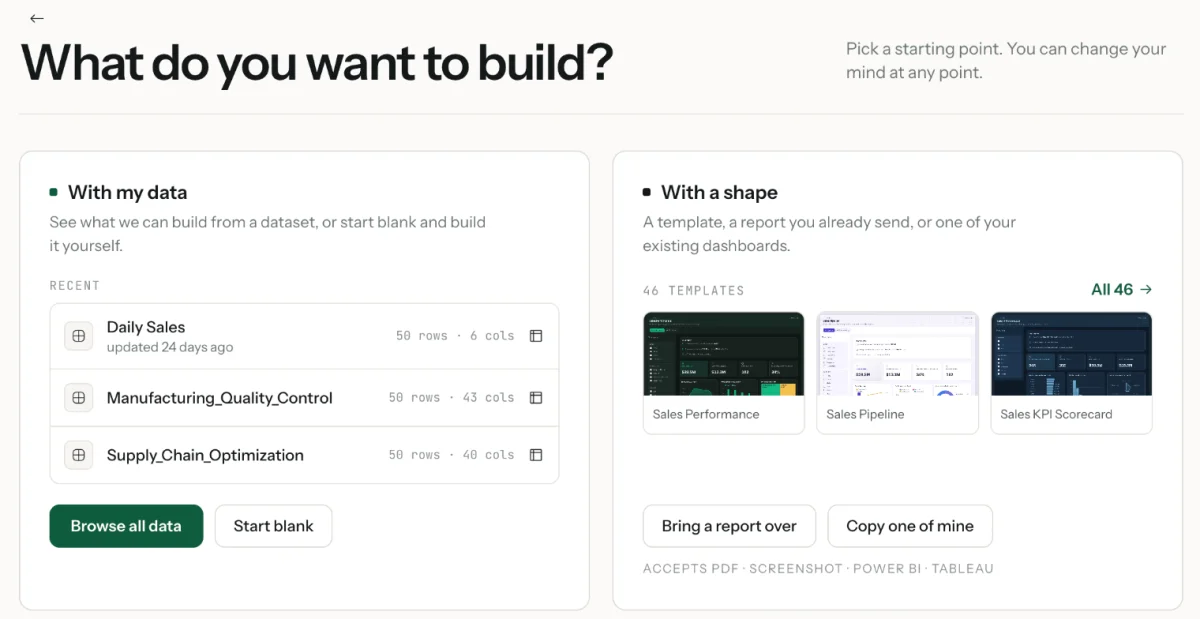
- Click Dashboards in the left sidebar, then Create, to open What do you want to build?
- Pick the lane: With my data builds from a dataset (or starts blank); With a shape starts from a template, a report you already send, or one of your existing dashboards.
- Choose the team's prepared data, and review the starting points Mammoth suggests from your columns and dates, or describe what you want.
- Pick a format: Dashboard, Slides, Doc, Q&A or Explore.
- Refine it, publish it, then share it.
Choose who can open the link
In the Share panel, Access sets who can open the published link. By default, everyone in the dashboard's project has access.
| Access | Sign-in | Suited to |
|---|---|---|
| Anyone with the link and password | None, but a password of 8 to 128 characters | Board members, partners and clients without Mammoth accounts, when the link alone is too open |
| Anyone with the link | None | Public reporting and content fine for anyone to see |
| Sign-in required | Everyone in the project, plus people outside it you invite by email, signs in to Mammoth | Internal dashboards and department KPIs |
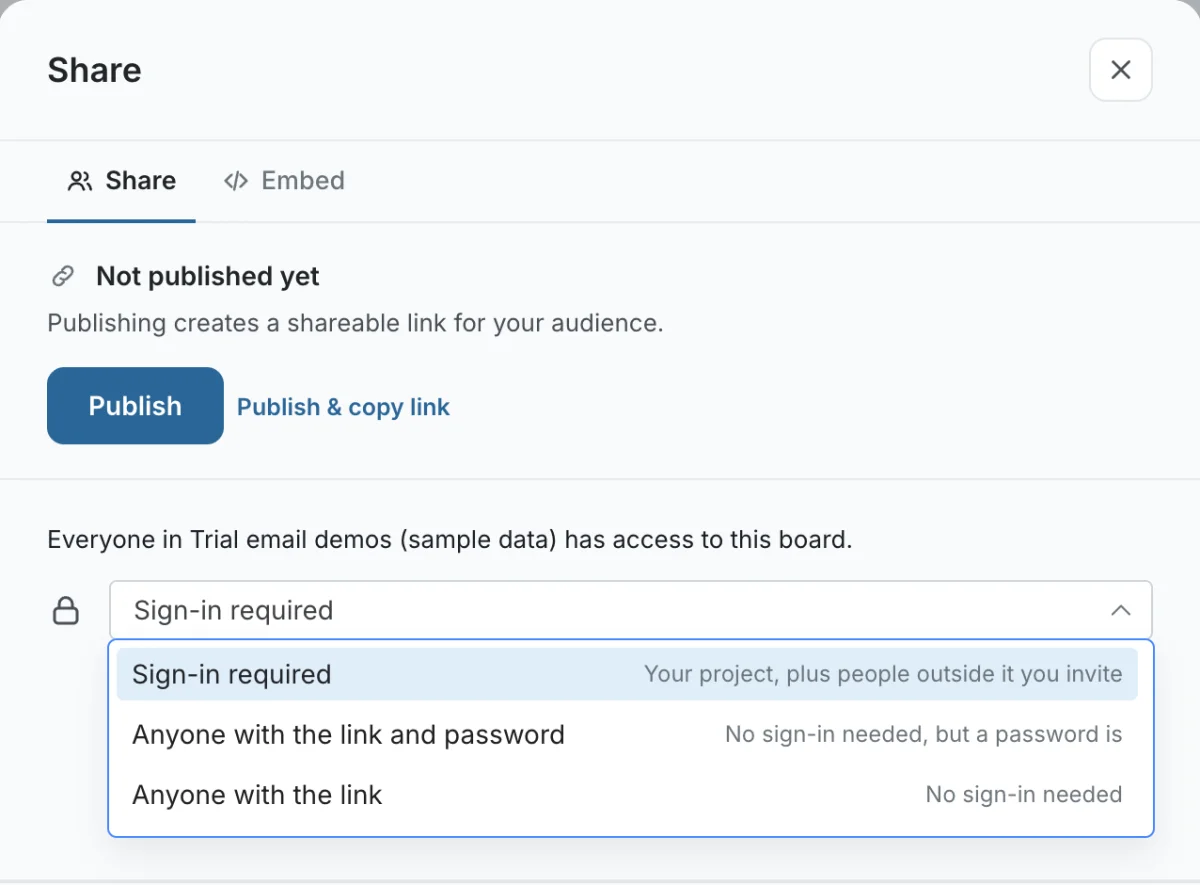
For board packs, use Anyone with the link and password and send the password separately. Only Sign-in required lets you invite viewers, use row-level security and send email updates. Data updates when the view's data updates; turn on email updates to tell readers. See Publish and share a dashboard and Email updates.
Related
- Mammoth for managers: the rest of the manager plan.
- Publish and share a dashboard: access, passwords and row-level security.
- Email updates: tell readers when data changes.
Was this page helpful?
Something wrong? support@mammoth.io