Run SQL, window functions and multi-joins
Ask in plain words runs DuckDB SQL on a view, Window Function adds rankings and running totals without SQL, and chained Join tasks combine four or more sources. All three are pipeline tasks you add in a view. This page is part of Mammoth for technical users.
Check SQL support with an advanced Ask in plain words query
Ask in plain words (Transform menu > AI Powered) runs a DuckDB SQL SELECT on the view. The view's name is the table name. Adapt the view and column names to your data:
-- Your Test: Complex analytical query
WITH monthly_revenue AS (
  SELECT
    CAST(DATE_TRUNC('month', "order_date") AS TIMESTAMPTZ) AS month_ts,
    "customer_id",
    CAST(SUM("order_amount") AS NUMERIC) AS revenue_sum,
    CAST(ROW_NUMBER() OVER (
      PARTITION BY "customer_id"
      ORDER BY DATE_TRUNC('month', "order_date")
    ) AS NUMERIC) AS customer_month_num
  FROM "View 1"
  WHERE "order_status" ILIKE 'completed'
  GROUP BY DATE_TRUNC('month', "order_date"), "customer_id"
),
cohort_retention AS (
  SELECT
    CAST(month_ts AS TIMESTAMPTZ) AS cohort_month,
    CAST(customer_month_num AS NUMERIC) AS customer_month,
    CAST(COUNT(DISTINCT "customer_id") AS NUMERIC) AS customers_count,
    CAST(SUM(revenue_sum) AS NUMERIC) AS cohort_revenue
  FROM monthly_revenue
  GROUP BY month_ts, customer_month_num
)
SELECT * FROM cohort_retention
ORDER BY cohort_month, customer_month
The preview shows the result, and Apply adds it as a task. A query must be one SELECT statement that reads only this view; CTEs and window functions are fine.
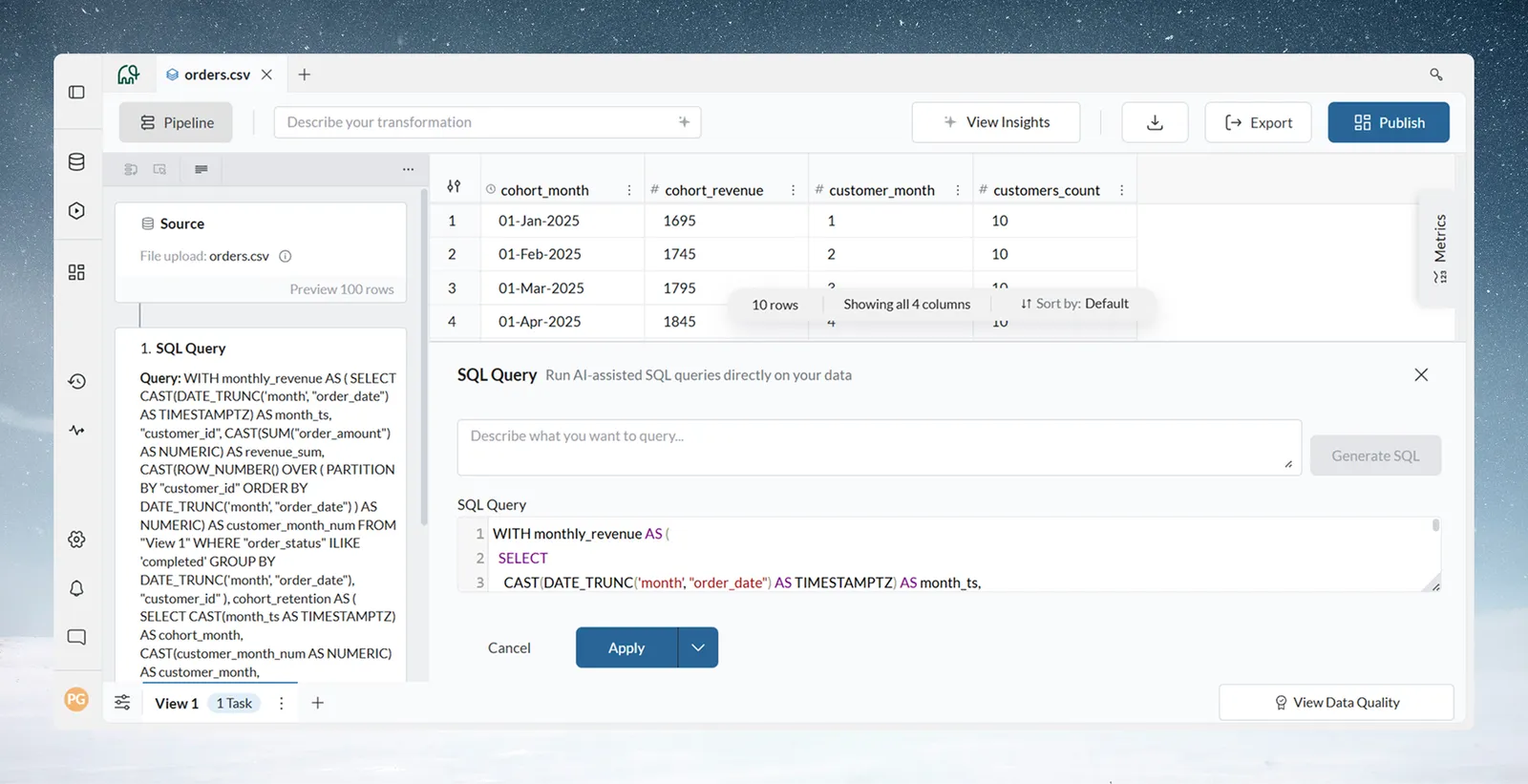
To draft a query with AI, describe it in the prompt box ("Describe what you want to query..."), click Generate, and review it. Mammoth tests it and shows "Understood as:" with how it read your request. To use another view's columns, add a Join task above the query first (here the view is named Orders):
-- Use case: analytical queries beyond the point-and-click functions
SELECT
    "segment",
    DATE_TRUNC('quarter', "order_date") AS quarter,
    COUNT(DISTINCT "customer_id") AS active_customers,
    SUM("revenue") AS total_revenue,
    AVG("order_value") AS avg_order_value,
    MEDIAN("order_value") AS median_order
FROM "Orders"
WHERE "order_status" = 'completed'
GROUP BY 1, 2
HAVING SUM("revenue") > 10000
ORDER BY quarter DESC, total_revenue DESC
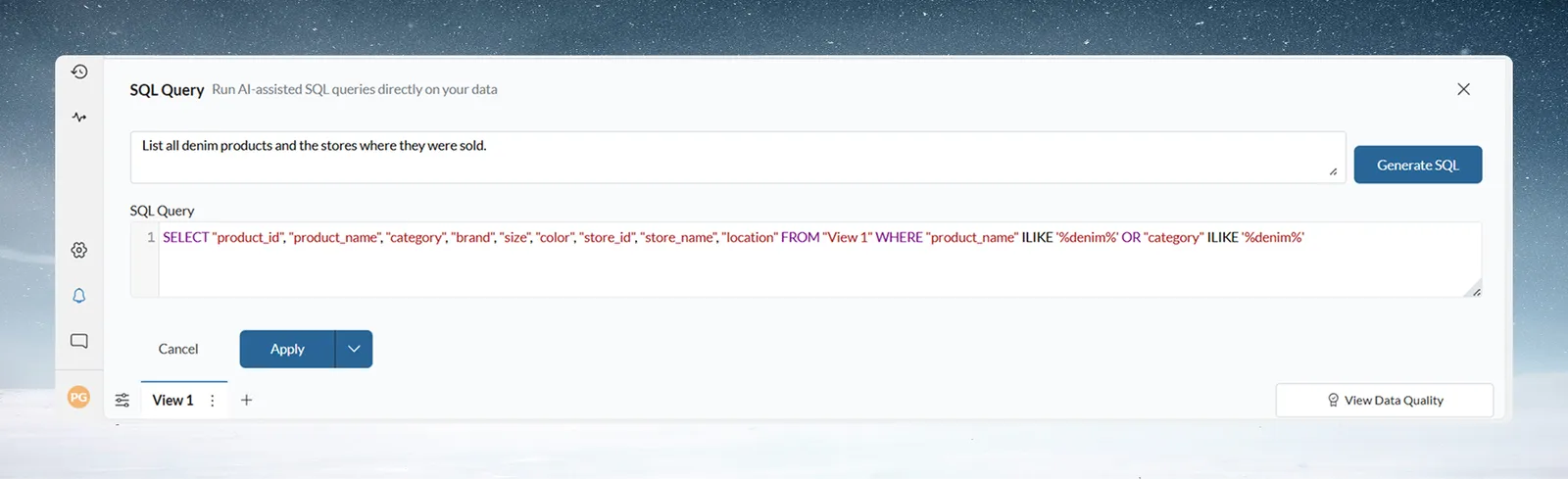
See Write SQL with AI.
Rank and total rows with Window Function
Window Function applies ranking, running-total and row-to-row (Lead and Lag) calculations without SQL. You choose the function (for example Row number, Rank, Dense rank, Sum, Lead or Lag), Group by (the partition), Add Sort (the order) and Place in a new or existing column. It has no frame setting, so a moving average over the last few rows still needs SQL.
-- Ranking within groups: equivalent SQL logic
ROW_NUMBER() OVER (
    PARTITION BY customer_id
    ORDER BY order_date
)
-- Running total (Sum with Type set to Accumulate): equivalent SQL logic
SUM(order_value) OVER (
    PARTITION BY customer_id
    ORDER BY order_date
)
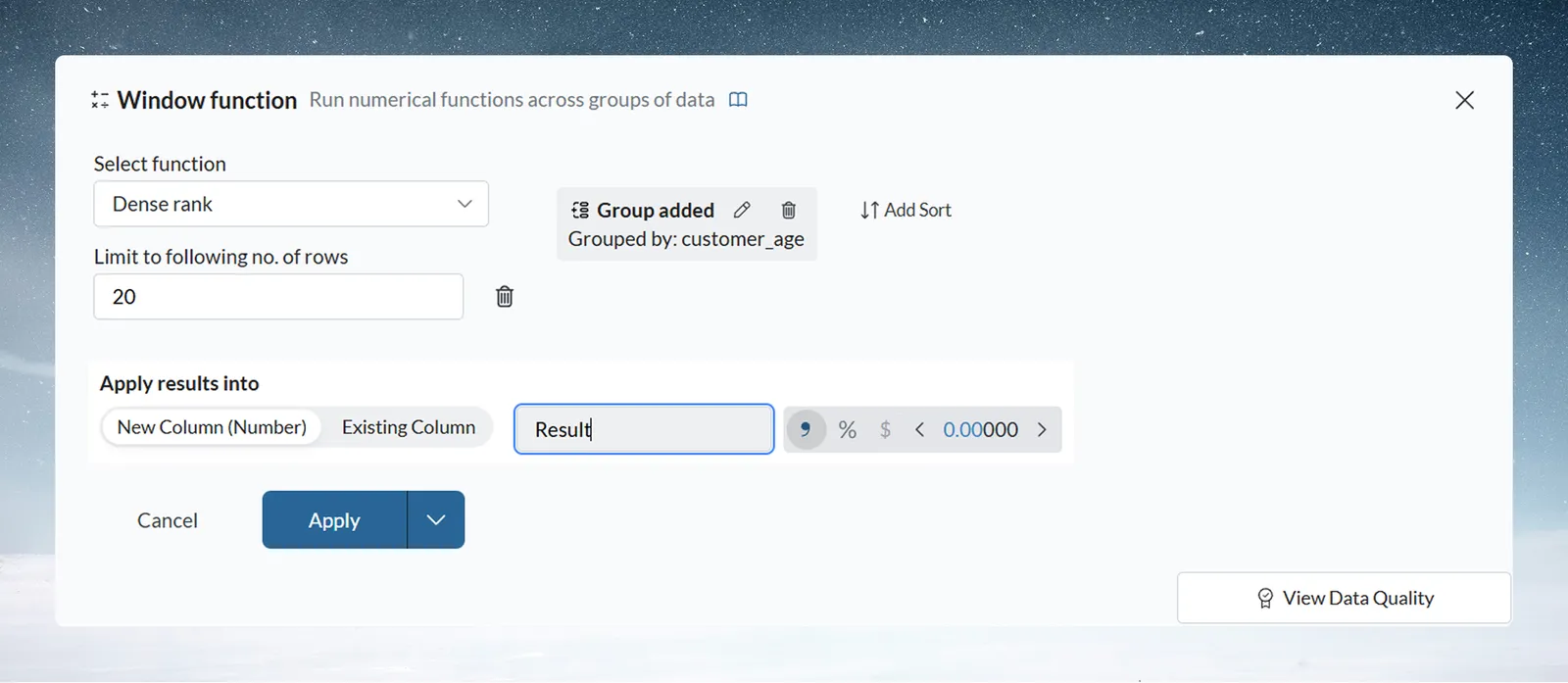
Window Function gives visible logic others can review; Ask in plain words gives full flexibility. See Add a running total, rank or moving comparison.
Join four or more sources
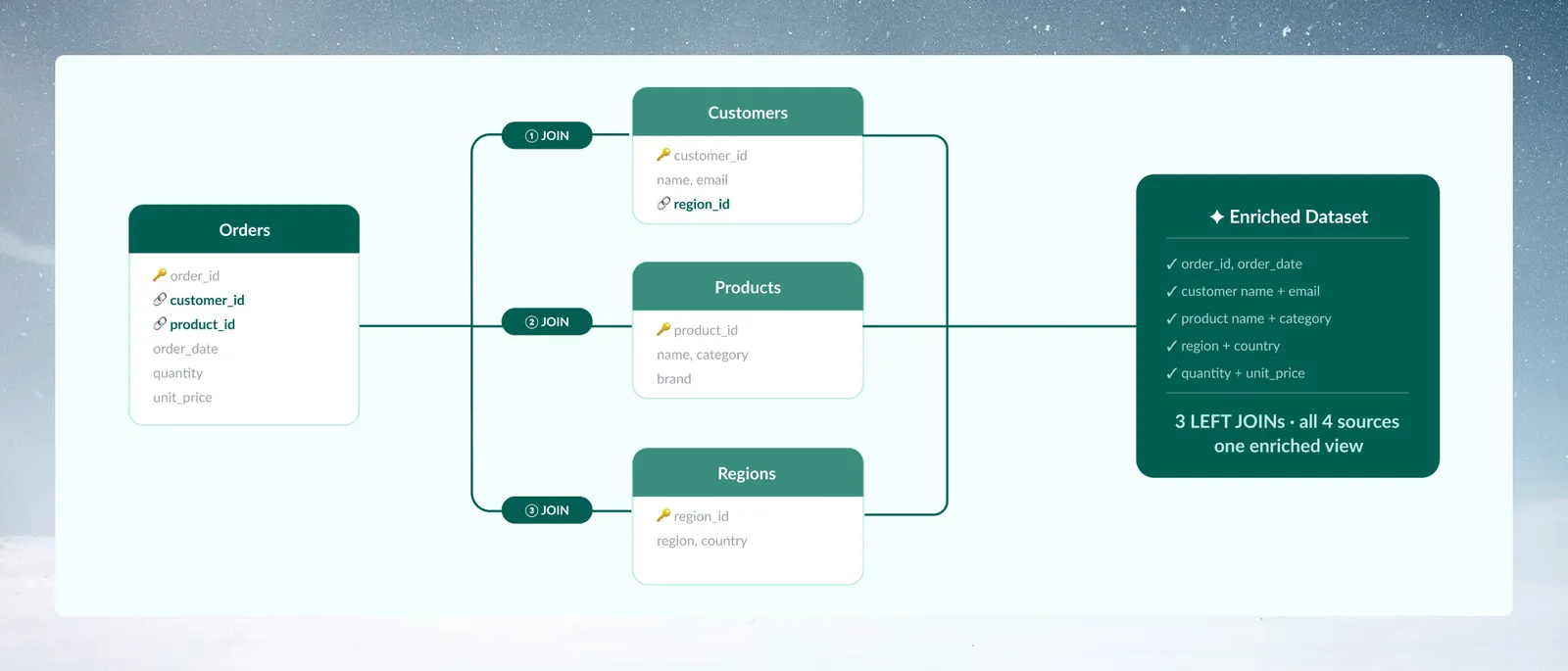
- Join Orders to Customers (left join on customer_id).
- Join the result to Products (left join on product_id).
- Join the result to Regions (left join on customer.region_id).
Each Join reads a view in the same project. Ask in plain words can't join other views, so join first, then use SQL. See Join two datasets on a shared column.
Related
- Write SQL with AI: every Ask in plain words rule and limit.
- Join two datasets on a shared column: join types and keys.
- Pipeline templates: package this logic for business users.
Something wrong? support@mammoth.io