Look up a value from another dataset (like VLOOKUP)
All plans · Project Editor or Project Admin · Updated 8 Nov 2026
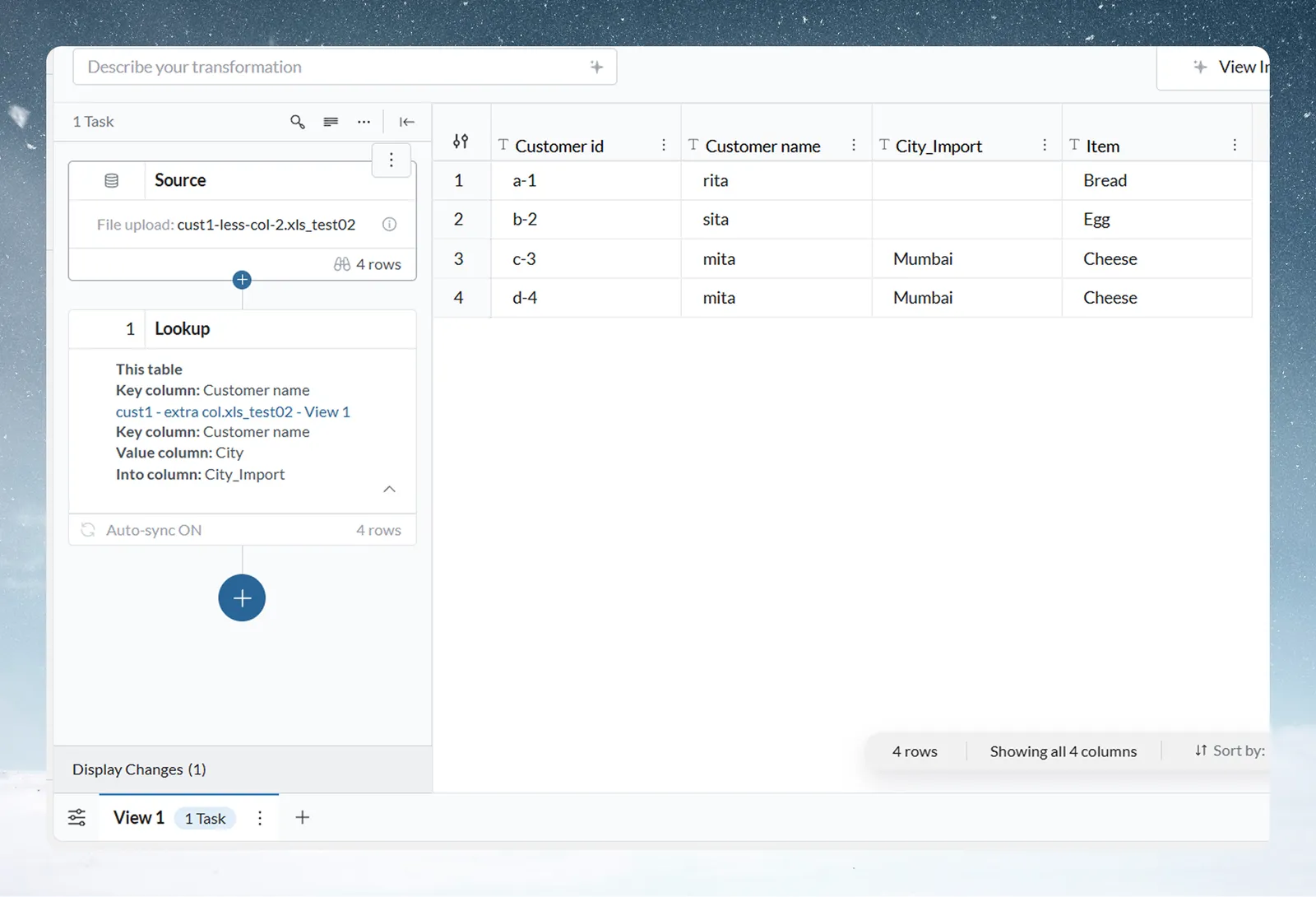
Lookup fetches one value from another View (the foreign View) by matching a key, and writes it to a column, like VLOOKUP in Excel. Every row in your View stays and no rows are added. Open it from Describe your transformation, then Unify › Lookup.
Look up a value step by step
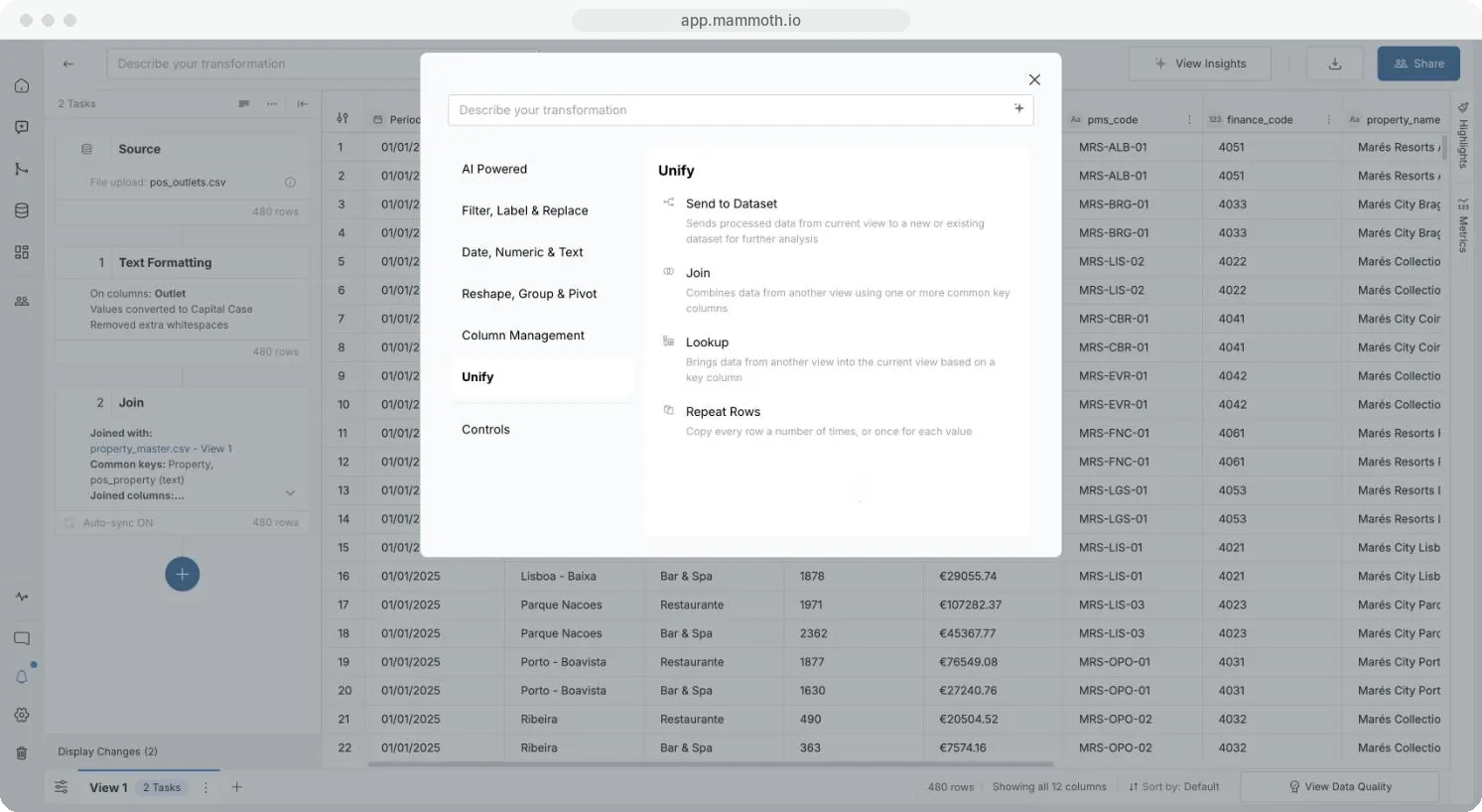
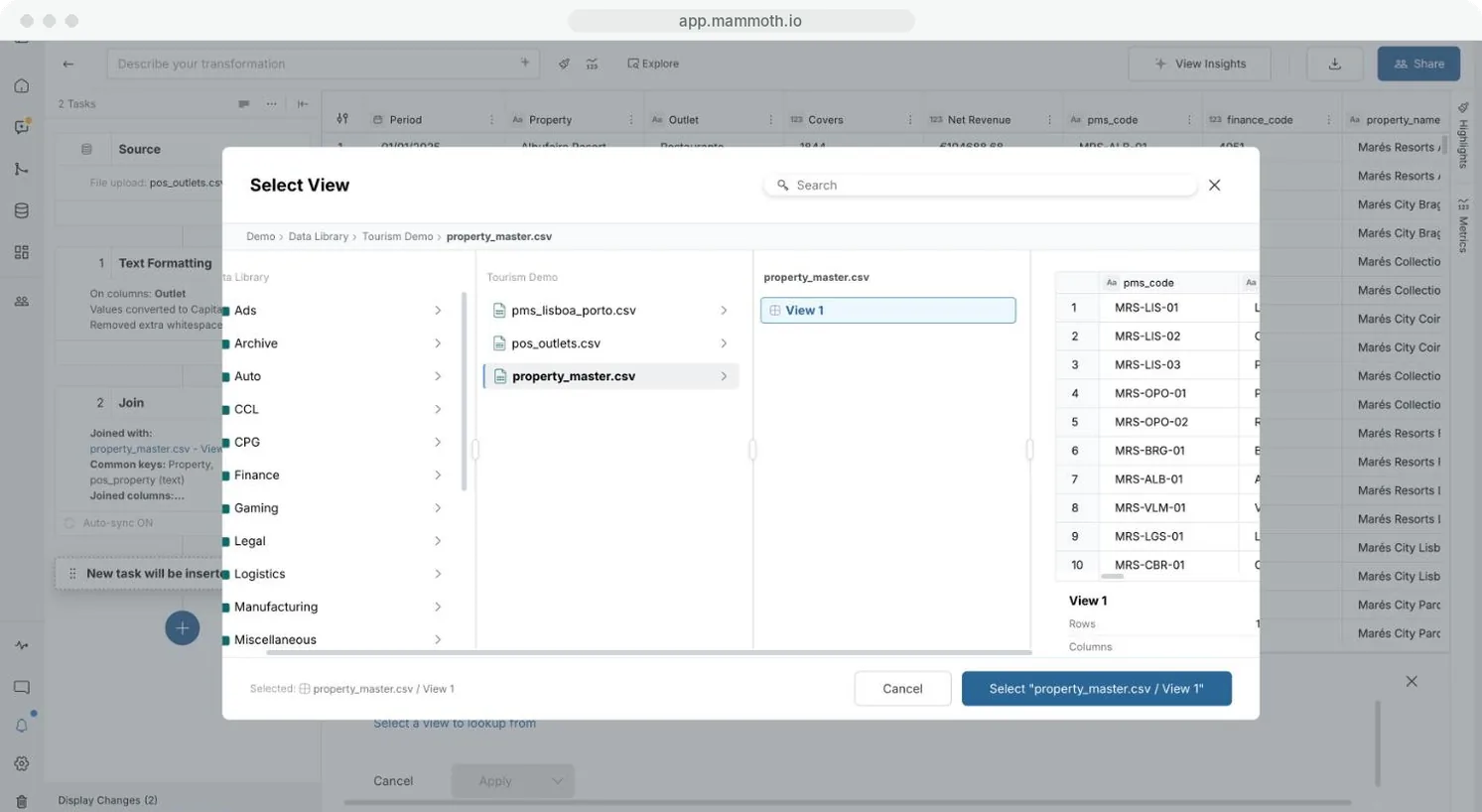
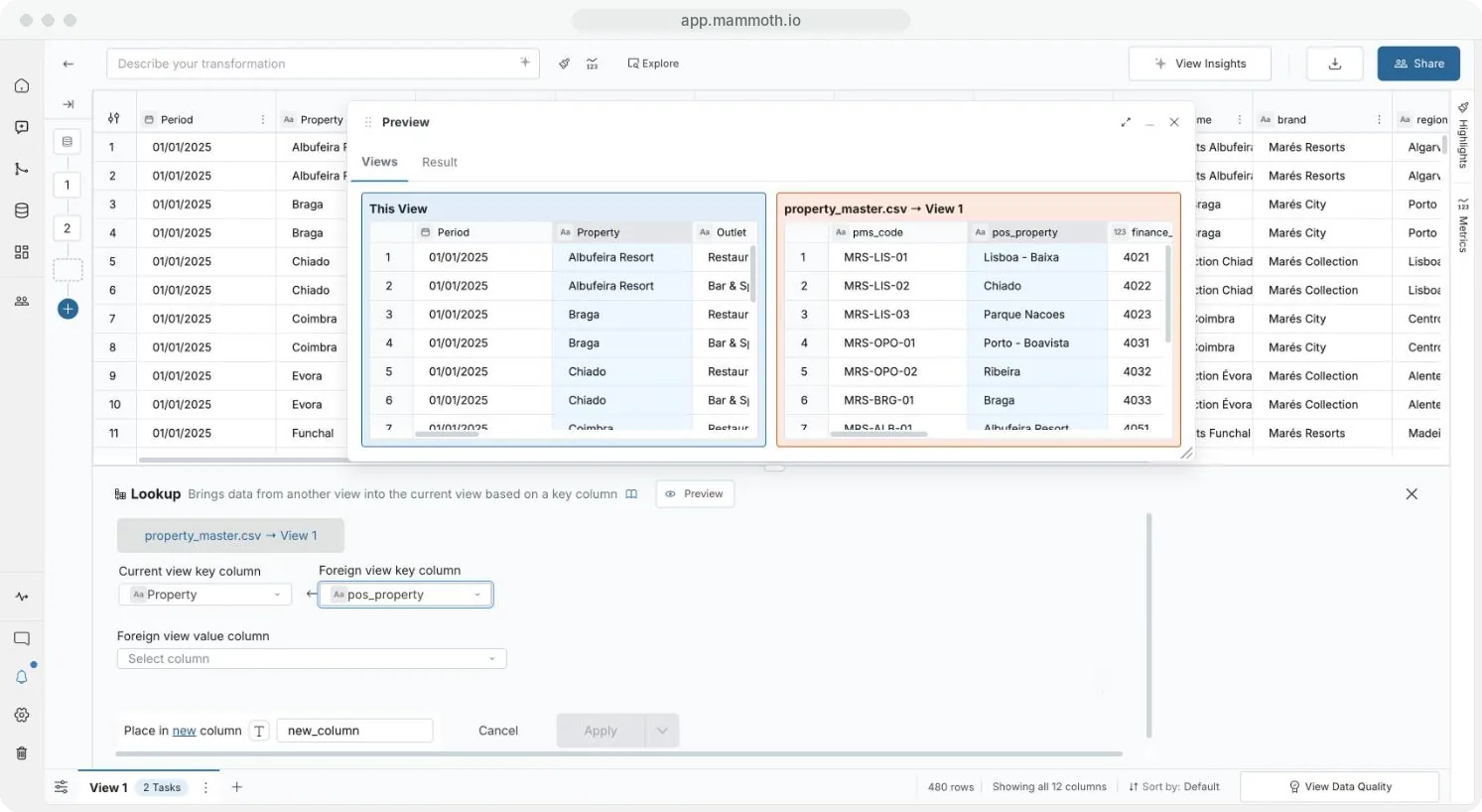
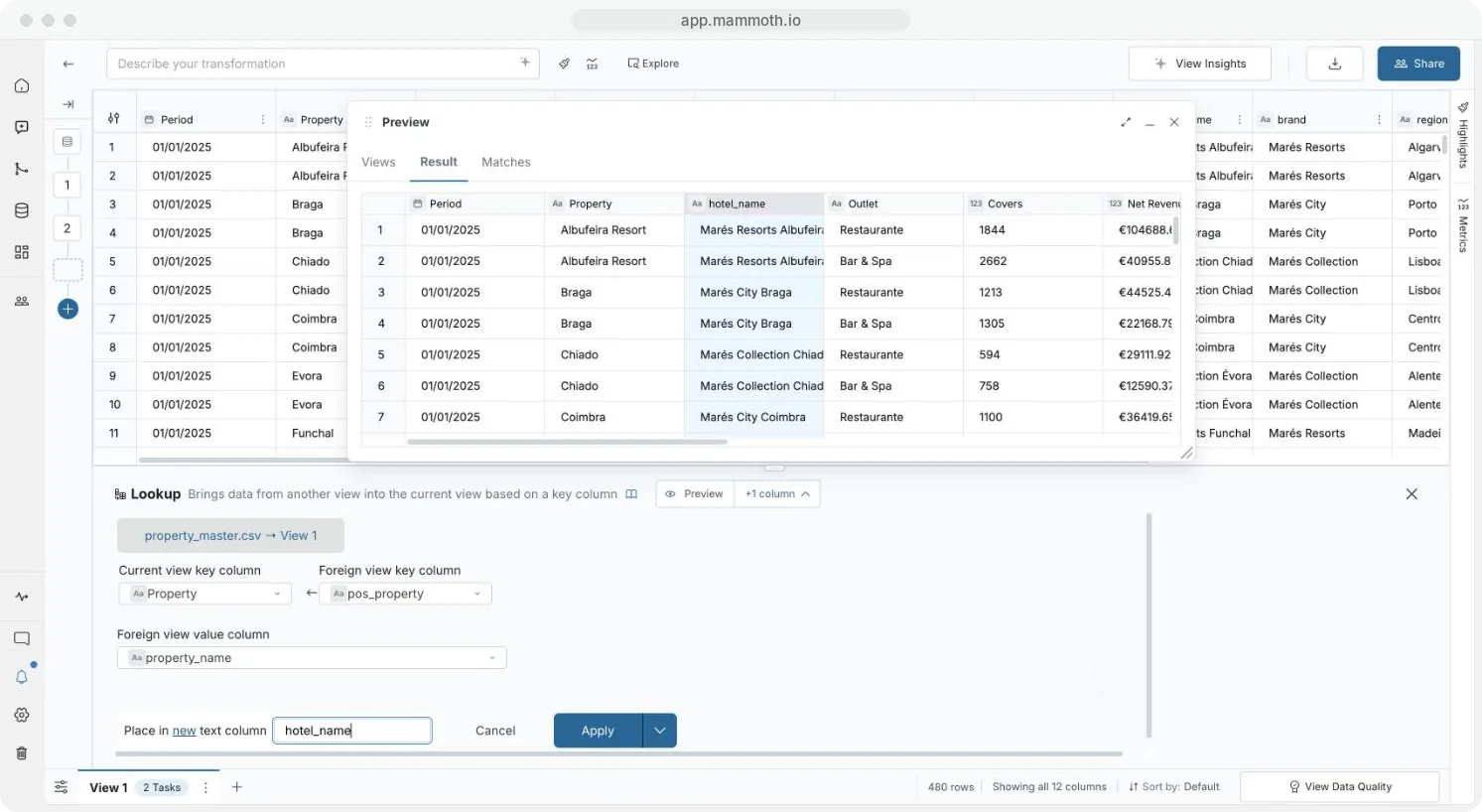
Step 1 of 6: Open Lookup
Join or Lookup?
| Join | Lookup | |
|---|---|---|
| Brings in | Any number of columns | One value column |
| Rows with no match | Depends on the join type | Always kept, with a blank value |
| Repeated keys in the other View | Can multiply rows | Never add rows: one match is used |
Need several columns, or control over which rows stay? Use Join.
Missing and repeated keys
- A row with no match gets a blank value.
- If the foreign key repeats, Lookup takes the first matching row in the other View. Preview › Matches counts the keys with more than one value. To pick which row wins, run Remove Duplicate Rows on the other View first, or use Join.
- If a saved Lookup's key columns change type later, Lookup shows the same key warnings as Join. An ID against a non-ID, or different currencies, can show at any time. Warnings never block Apply.
Example: add student names to marks
Mark Sheet has Student ID and Total Marks. Students has ID and Name. Look up with Student ID as the current key, ID as the foreign key and Name as the value, into a new column Name:
| Student ID | Total Marks | Name |
|---|---|---|
| 2 | 239 | Bob |
| 1 | 232 | Alice |
| 4 | 200 | Diana |
Student 3 (Chuck) has no marks, so no row is added for him.
Related
- Join two datasets on a shared column: bring in several columns.
- Remove duplicates and check data: make foreign keys unique.
- Convert text to dates and numbers: fix a key type mismatch.
Was this page helpful?
Something wrong? support@mammoth.io