Datasets and batches in Mammoth: Combine or Replace
A dataset is your data imported into a Mammoth project, and each load of data into it is a batch. The dataset's Update Method decides whether new data is added beside the old (Combine) or replaces it (Replace). For how datasets fit with views and pipelines, see Core ideas.
Dataset: your imported data
A Dataset is your data, imported into Mammoth. A CSV upload, database query or API response all become datasets with columns and types, a source, and one or more batches, and you work on them the same way. Mammoth reads column types on import; change one later with a Convert Column Type task.
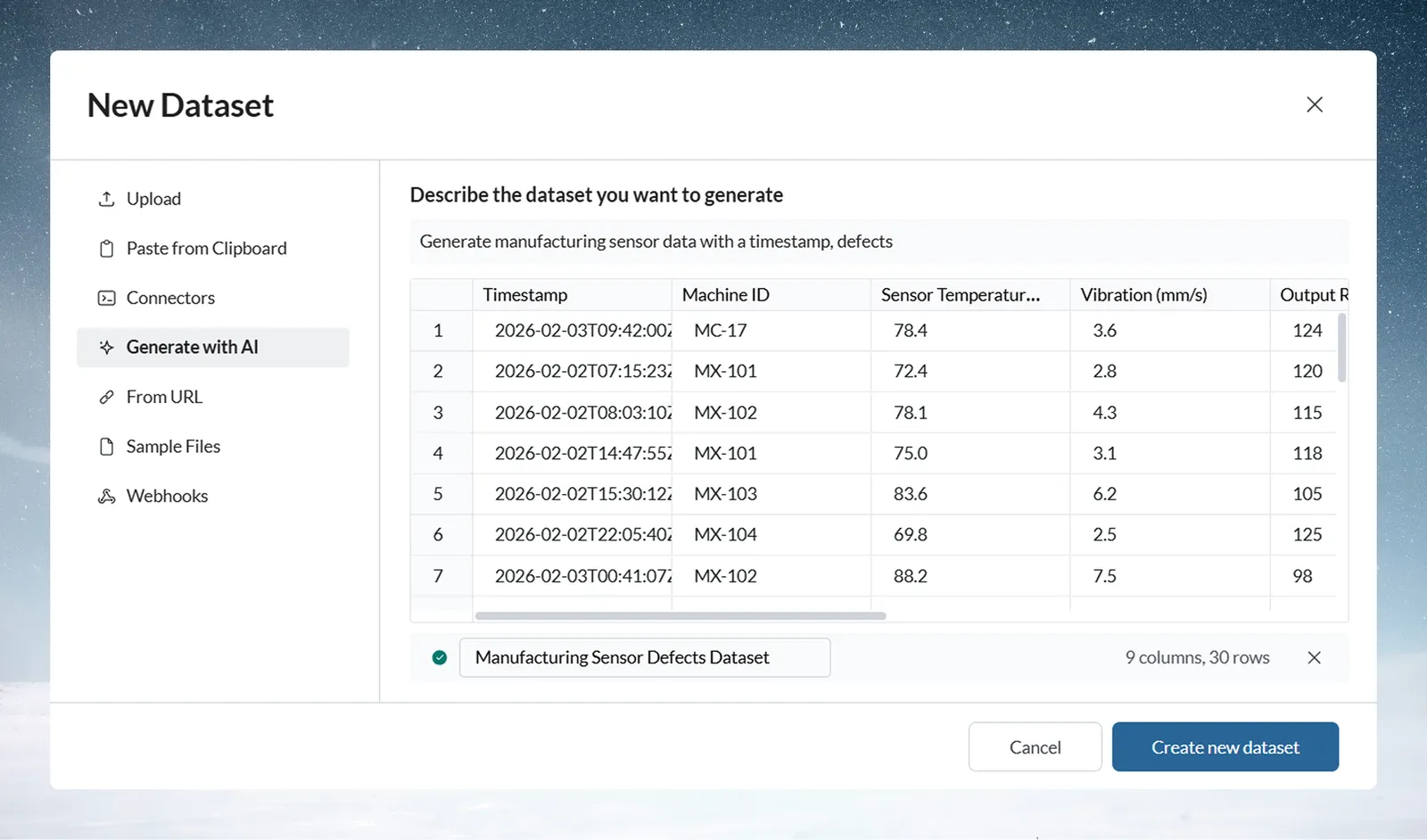
Click New dataset in the Data Library to create one by file upload, paste, a connector, a URL, a webhook, a sample file, or by generating data with AI (Choose how to bring data in). You can then add or replace its data, combine it with other datasets, open it in views, and export the results.
Batch: each load of new data
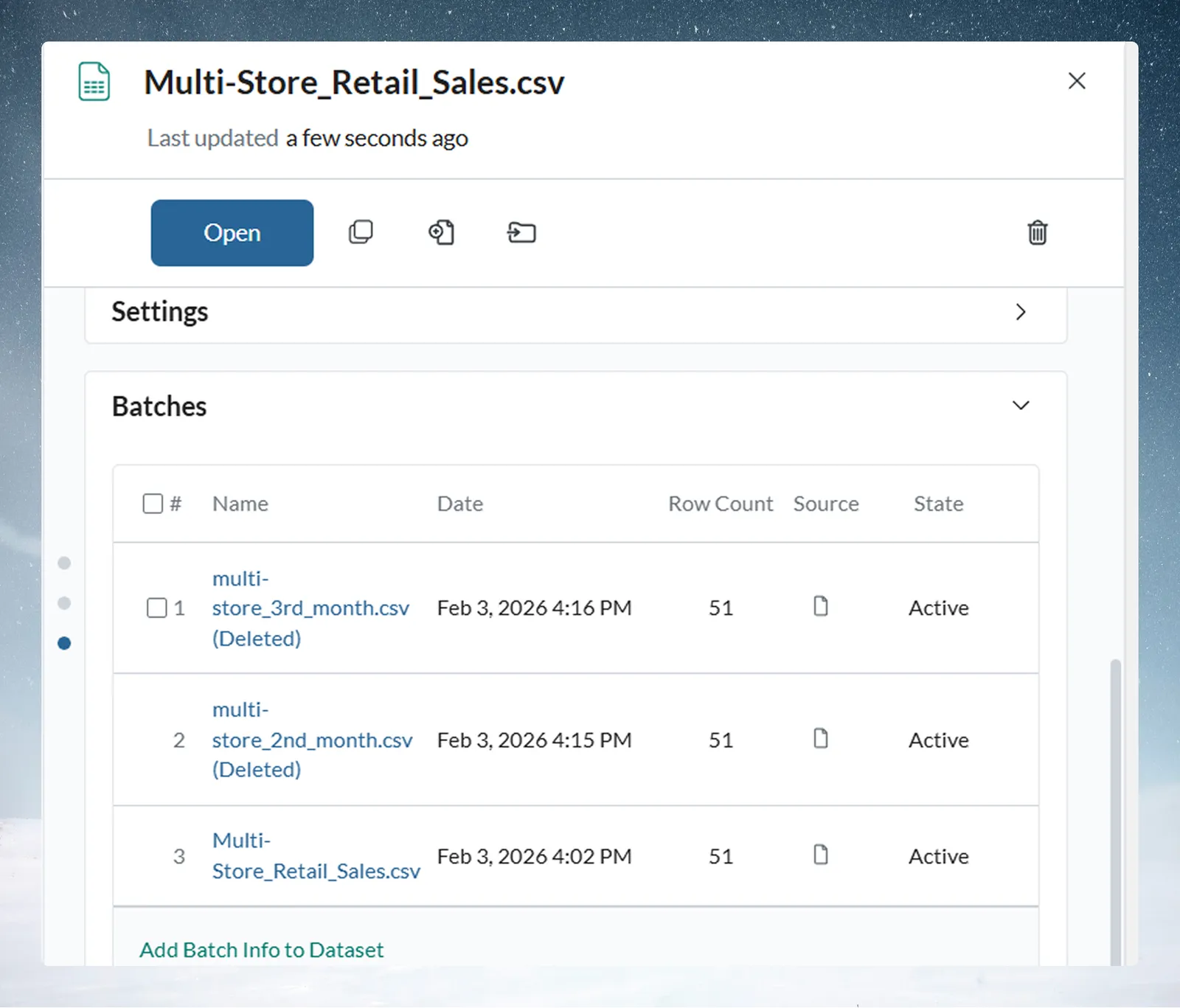
Each time data is added to a dataset, Mammoth records it as a Batch. The dataset's panel lists its batches, each with its source, row count and state (Active, Suspended or Pending Delete). The Activity Log records batch changes.
Combine or Replace new data
A dataset's Update Method decides what happens to new data:
| Update Method | What happens | Use it for |
|---|---|---|
| Combine | The new data becomes another batch beside the existing ones, and the dataset grows. | History that builds up over time, such as monthly sales or daily transactions |
| Replace | The previous batches are deleted and the new data becomes the only batch. | Reports that need only the latest data, such as a daily inventory snapshot |
Monthly files in Combine mode give one batch per month; a table fully reloaded with Replace always has one batch. You can also Suspend a batch, which leaves it out of every view without deleting it, or Delete it, which can't be undone. See Batches: see and fix what arrived.
Related
- Views, pipelines and tasks: where you work on a dataset.
- Add or replace data: load new data into an existing dataset.
- Workspaces and projects: where datasets live and who sees them.
Something wrong? support@mammoth.io