Apply several pipeline tasks at once with Draft mode
Draft mode queues the tasks you add or change and runs them together when you click Apply now. Turn it on from More Pipeline options (...) at the top of the Pipeline panel. Use it to test logic across many tasks or on large datasets.
Draft mode versus applying at once
| Mode | Behaviour | Best for |
|---|---|---|
| Immediate (Draft mode off, the default) | The task applies and the grid updates at once. The label reads "Tasks will be applied instantly". | Single tasks, small datasets, quick exploration |
| Draft mode | Tasks are queued and applied as a batch when you click Apply now | Testing logic with many tasks, large datasets |
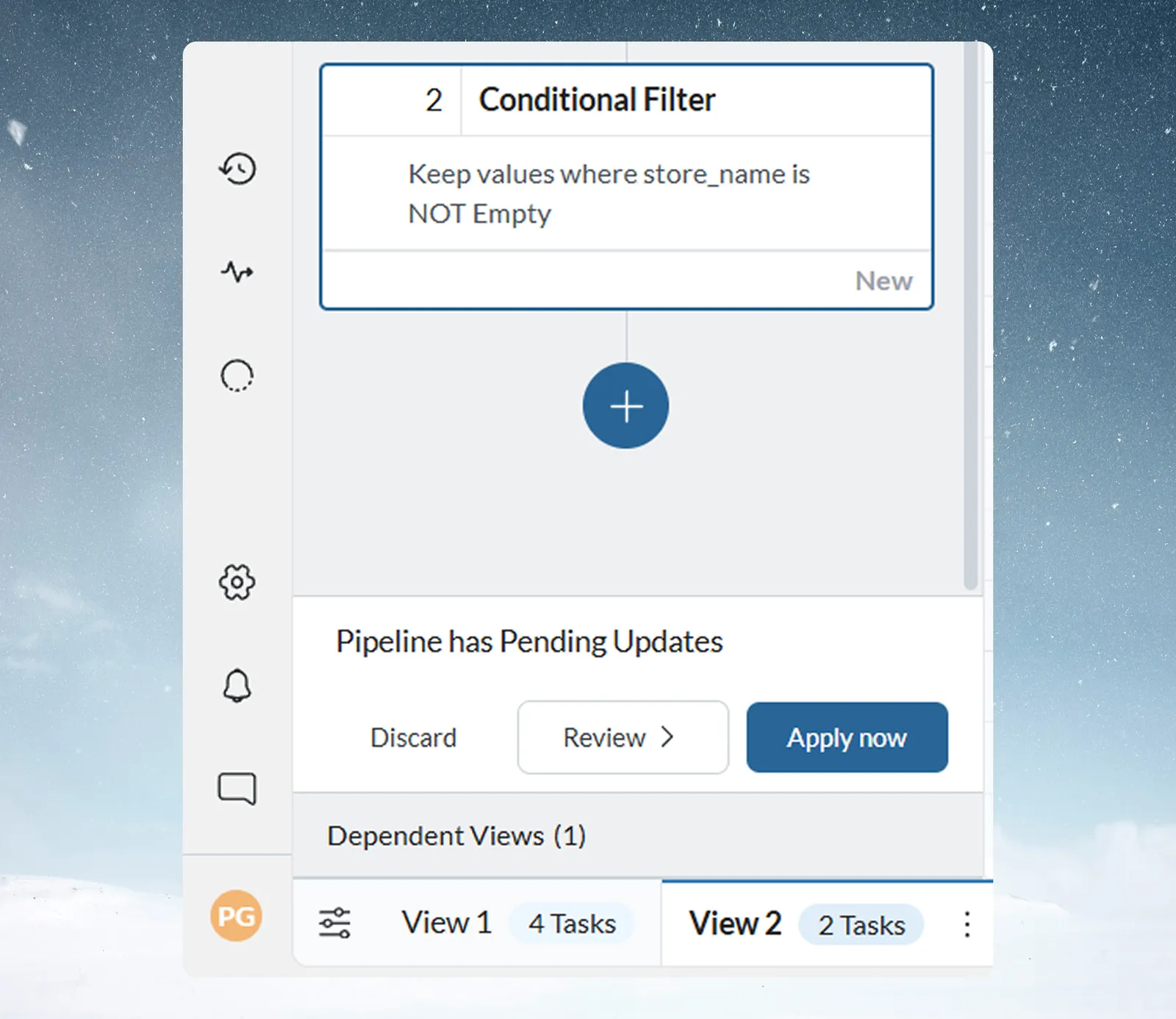
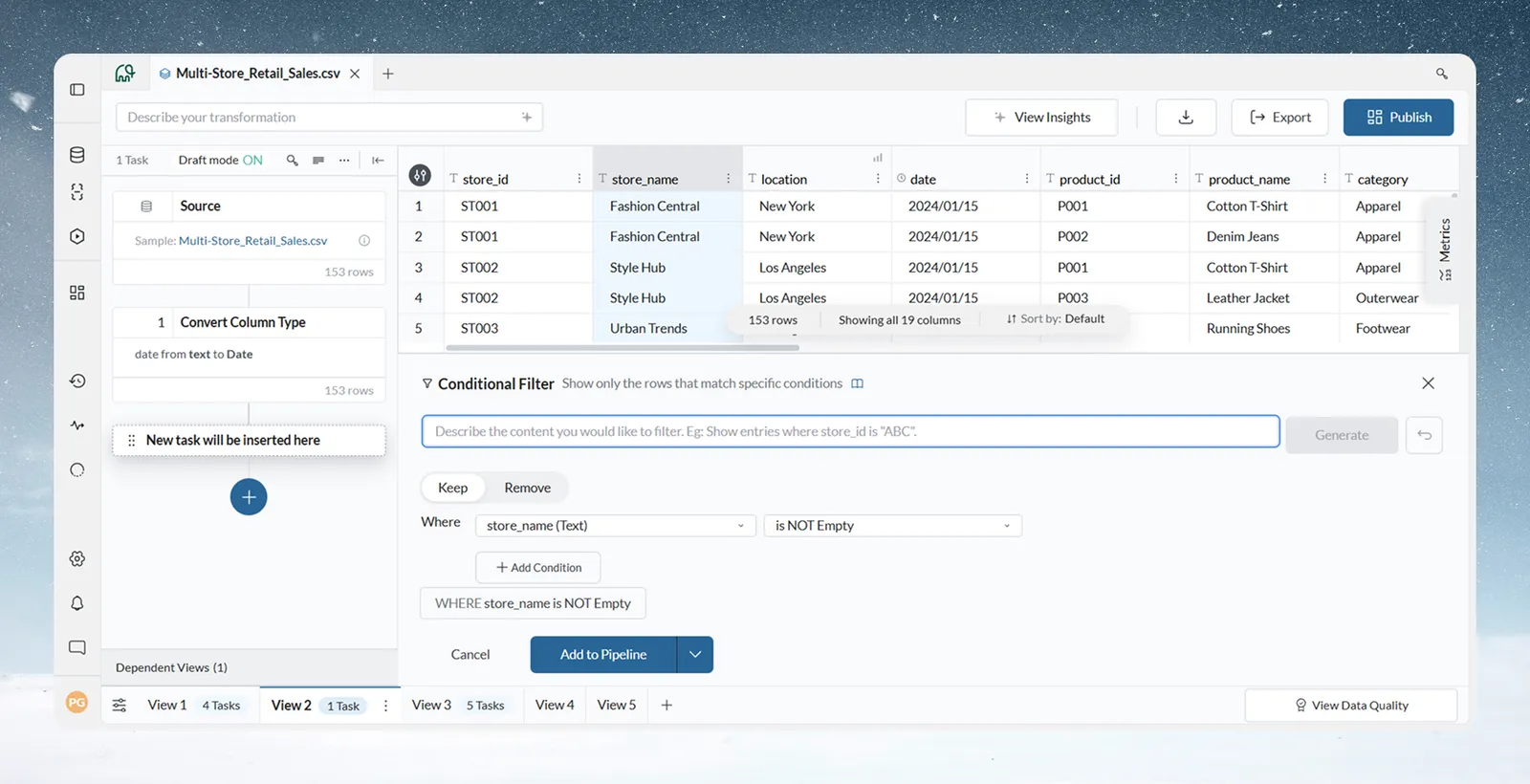
With Draft mode on, the header shows Draft mode ON and queued tasks don't run. The function panel's split button defaults to Add to Pipeline. The grid keeps showing the state from the pipeline's last actual run.
Review, apply or discard pending changes
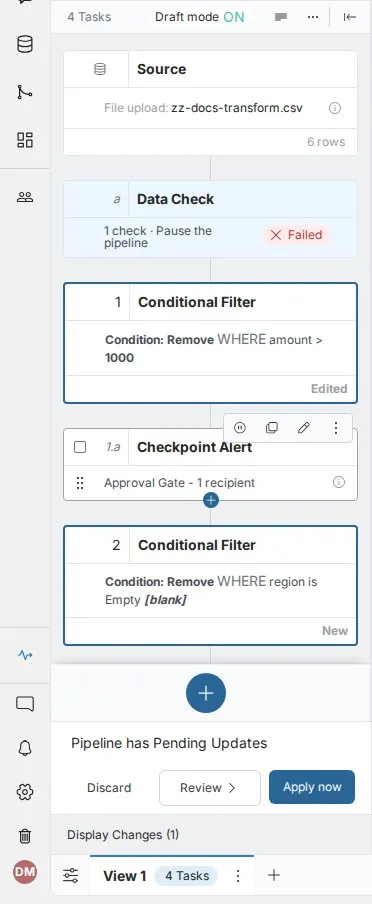
When changes are queued, a bar at the bottom of the panel reads "Pipeline has Pending Updates":
| Option | What it does |
|---|---|
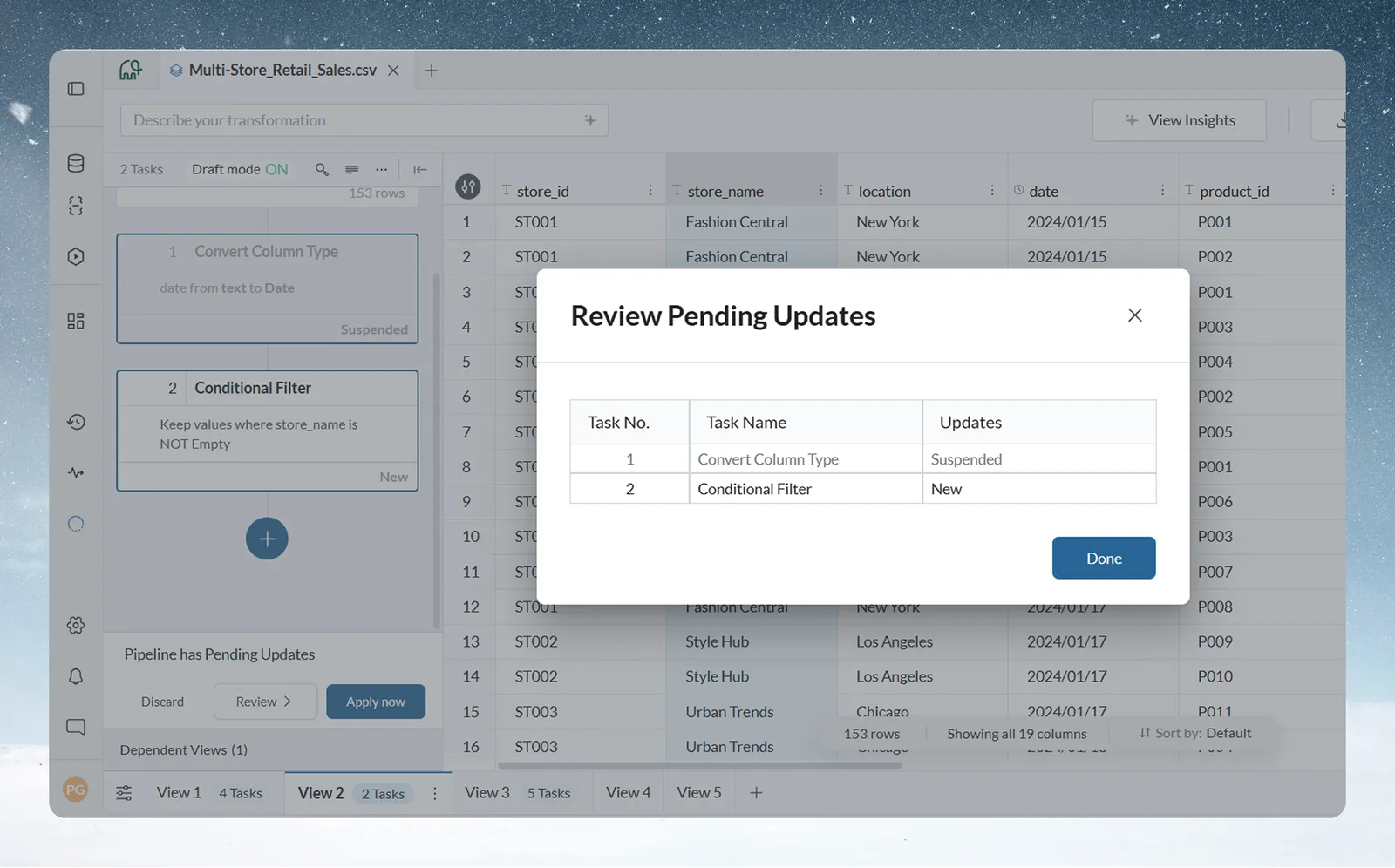
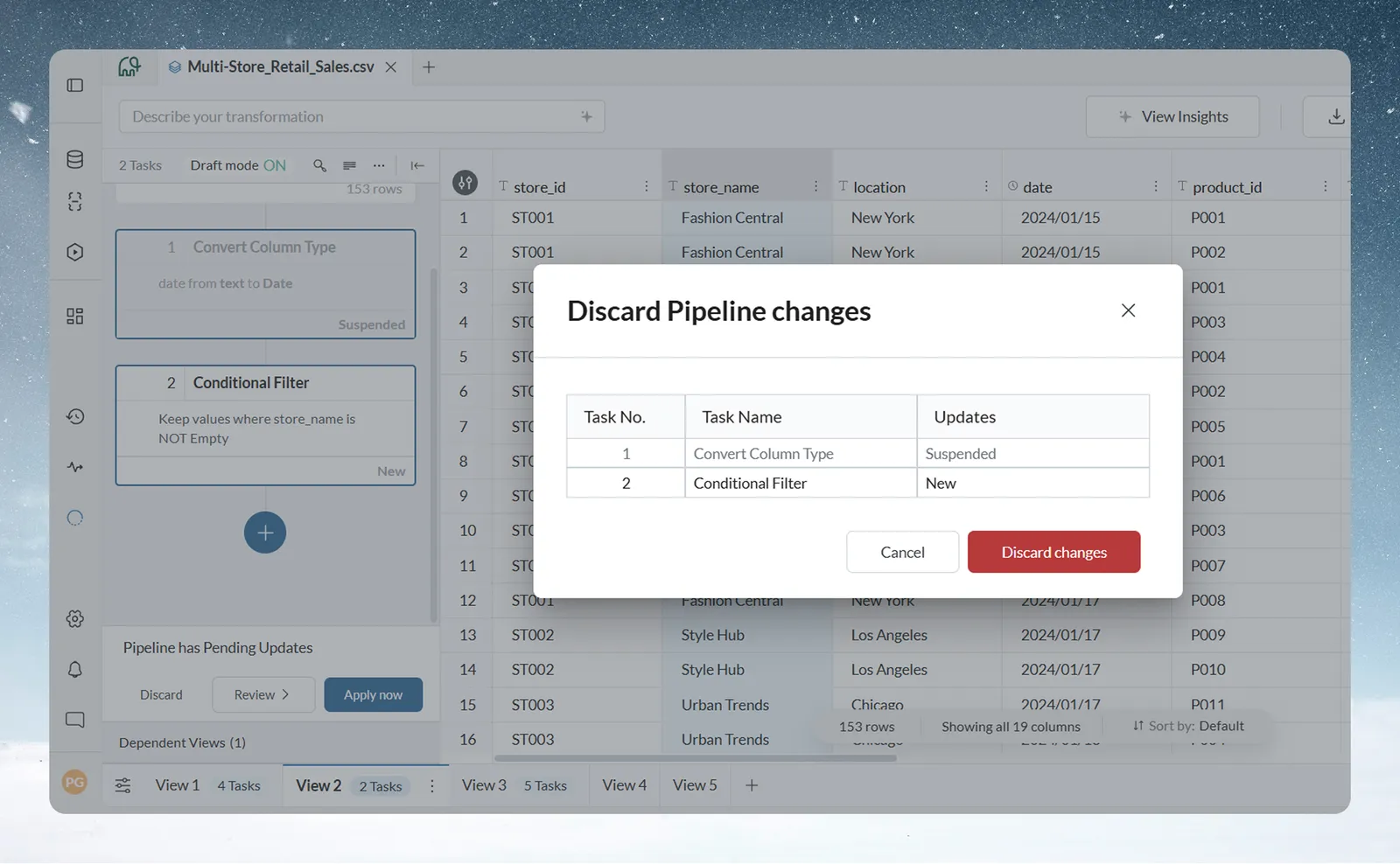
| Discard | Removes all pending changes and reverts the pipeline to its last run state. A dialog lists the changes first, with each task's details and status. |
| Review | Lists every pending change by task number, task name and type of update: New, Edited, Removed, Reordered or Suspended. |
| Apply now | Runs all pending tasks together in one run. |
When Draft mode is blocked or shared
- The Draft mode toggle is disabled while the pipeline is in an error state, and Apply now stays disabled until the failing tasks are fixed (Fix a failing step).
- If another user already has unpublished changes, an "Adding to another user's draft" warning says your task joins their draft and won't go live until it is published. Choose Add anyway to continue.
Related
- How a Mammoth pipeline works: add a task and order tasks for speed.
- Edit, reorder and copy pipeline tasks: the changes Draft mode queues.
- Pause sends while you edit: hold dashboards and exports while you change the pipeline.
Was this page helpful?
Something wrong? support@mammoth.io