Copy a dataset with Clone dataset
Clone dataset makes a new, independent dataset that starts as an exact copy of the original, with its own name, batches and Views. Changes to either one never affect the other. It sits in the dataset panel's icon strip and in each row's ⋯ menu under Data in the left sidebar; you need access to the dataset to clone it.
Clone a dataset to experiment with its pipeline without touching the version your team relies on, keep a snapshot as a reference copy, or build a variant that starts from the same raw data.
Make a copy of a dataset
-
In the Data Library, click the dataset. Its panel opens on the right.
-
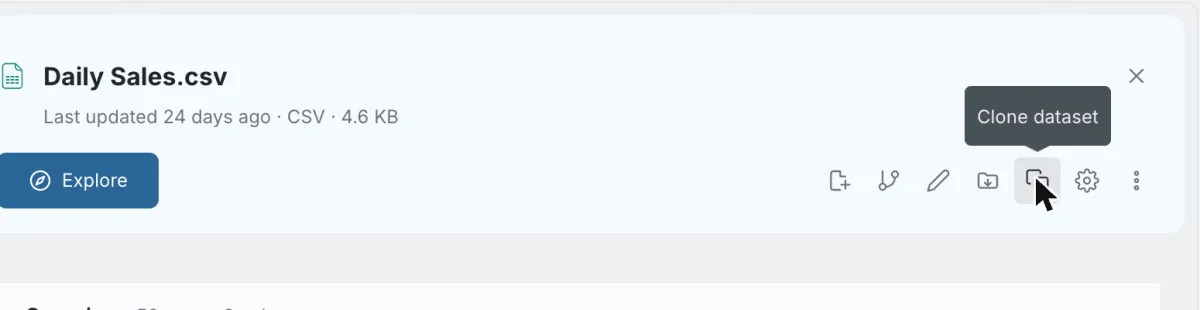
Click the Clone dataset icon (the copy icon) in the panel's icon strip, or choose Clone dataset in the dataset's ⋮ menu.
-
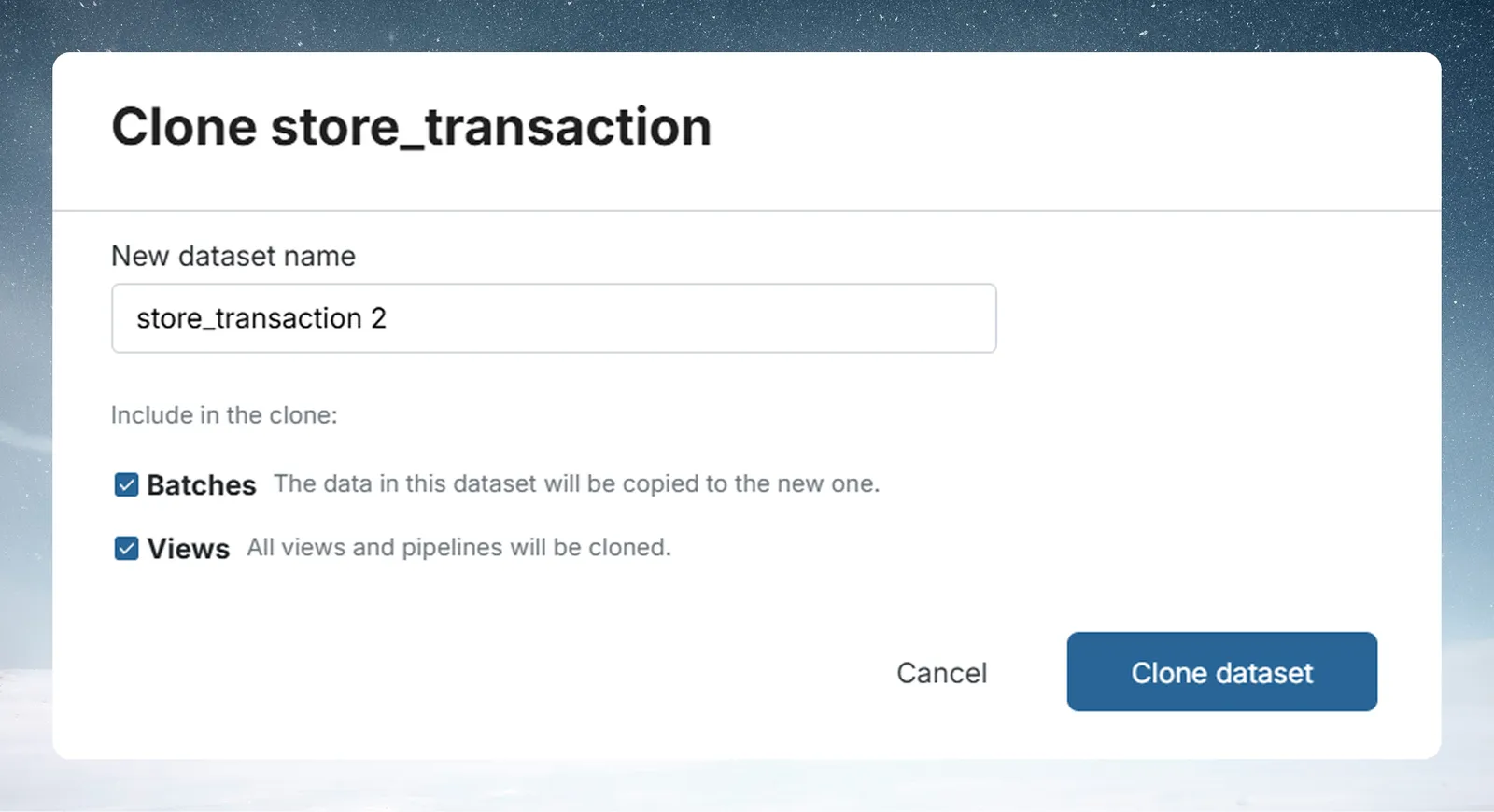
In the Clone dataset dialog, edit the name if you like. It is pre-filled with the dataset's name followed by 2, for example
store_transaction 2. -
Under Include in the clone, choose what to copy (see below).
-
Click Clone dataset. The button is disabled while the name is empty.
| Option | Default | What it does |
|---|---|---|
| Batches | On | Copies all rows from every batch. Untick it for an empty dataset with the same columns. |
| Views | On | Copies Views and their pipelines, each independent of the source View. With more than one View, choose Clone all views or Clone selected views; the selected list shows each View's task count. |
Why a new clone shows 0 bytes
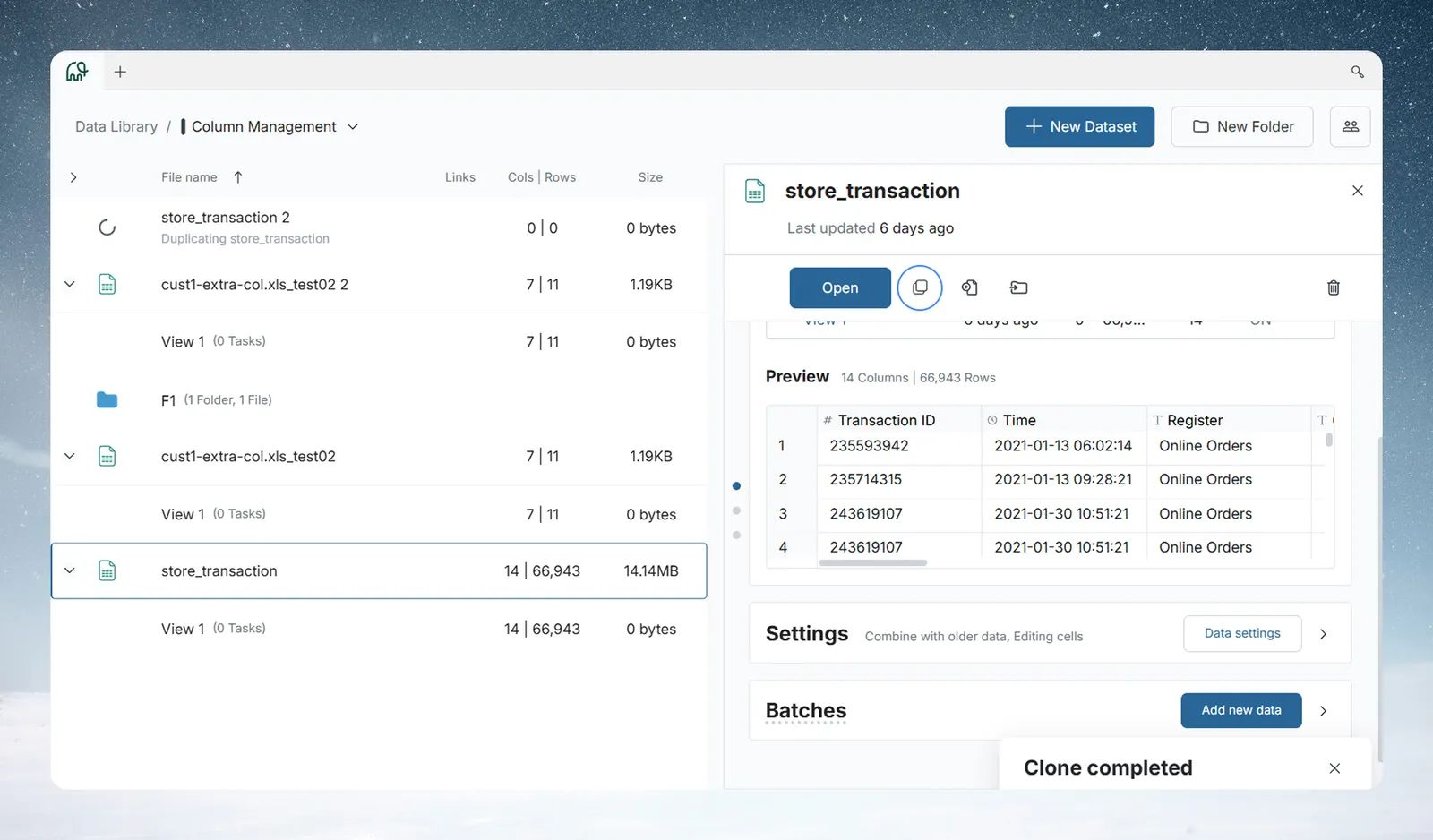
The dialog closes at once and the clone appears in the list straight away. It shows 0 bytes at first: Mammoth creates the dataset record at once, and a background job copies the data, usually within seconds to a few minutes depending on size. Once the copy completes, the size updates and the row and column counts match the source.
A "Clone completed" message appears at the bottom of the screen when the job finishes. If the size hasn't updated after a moment, refresh the page.
What a clone includes
| Item | Copied? | Notes |
|---|---|---|
| Column schema | Yes | All column names and data types |
| Row data | Yes (default) | All batches, in their original order (append history). Untick Batches to skip |
| Display properties | Yes | Column display settings carry over |
| Views and pipelines | Yes (default) | Each View is a fully independent copy. Untick Views to skip |
| Folder location | Same folder | A clone made in the app appears in the source's folder; move it afterwards if needed. A clone made into another project through the API lands at that project's root. |
If the source has Views whose rules reference metrics, the cloned Views may not behave correctly. This is a known limitation: review cloned View pipelines before relying on them.
Clone a dataset into another project with the API
The clone dialog can't pick another project. Through the API, send a create-dataset request with ds_creation_type: "clone" and a dataset_spec (the dialog sends the same request).
Field in dataset_spec | What it does |
|---|---|
source_ds_id | The dataset to copy |
ds_name | Name of the clone. If omitted, the source name followed by copy, for example store_transaction copy (the " 2" suffix is added by the app). Pass one for a predictable name. |
clone_dataview_ids | IDs of the Views to copy. Defaults to none. |
exclude_data | true skips the batches. Defaults to false. |
target_project_id | Optional. Clones into another project of the same workspace. Defaults to the source's own project. |
With target_project_id, the target project must be in the same workspace, and you need permission to create datasets there and to read the source. The clone lands at the project root. If the source was already copied into that project, the request returns the existing copy.
Troubleshooting
| Symptom | Cause | Fix |
|---|---|---|
| The clone shows 0 bytes | The background copy is still running. | Wait for "Clone completed", or refresh after a moment. |
| "You cannot create datasets in the target project, or it is not in this workspace" | The API clone's target_project_id is in another workspace, or you can't create datasets there. | Use a project in the same workspace where you can create datasets. |
| "You do not have permission to read the dataset being copied" | You can't read the source dataset. | Ask for access to the source dataset. |
Related
- Move datasets and folders: move a clone to another folder.
- The dataset panel: the icon strip with Clone dataset.
- Views: create, rename and delete: duplicate one View instead of the whole dataset.
- Add or replace data: add data to the clone.
Something wrong? support@mammoth.io