Review your team's work in the Mammoth Activity Log
The Activity Log, under Monitor in the left sidebar, records what your team does in Mammoth: who created, changed or ran what, and when. Every Workspace Owner and Workspace Member can open it; how far back it goes depends on your plan.
Open the Activity Log and read an entry
Open Monitor in the left sidebar, then the Activity Log tab. Use the Project and Workspace buttons to switch scope. Every Workspace Owner and Workspace Member can open it.
Actions are recorded automatically in these categories: Dataset, Pipeline, View, Automation, Connector, Project, Folder, Workspace, Data Retention, Dashboard and Parameter (for example adding data, editing tasks, running automations, inviting users, changing roles, renaming projects). Each entry shows Date, Events, Details, Object, Category and Author. The range defaults to Last 30 days.
For how far back it goes on each plan, see Export the Activity Log; to read entries, see Activity log.
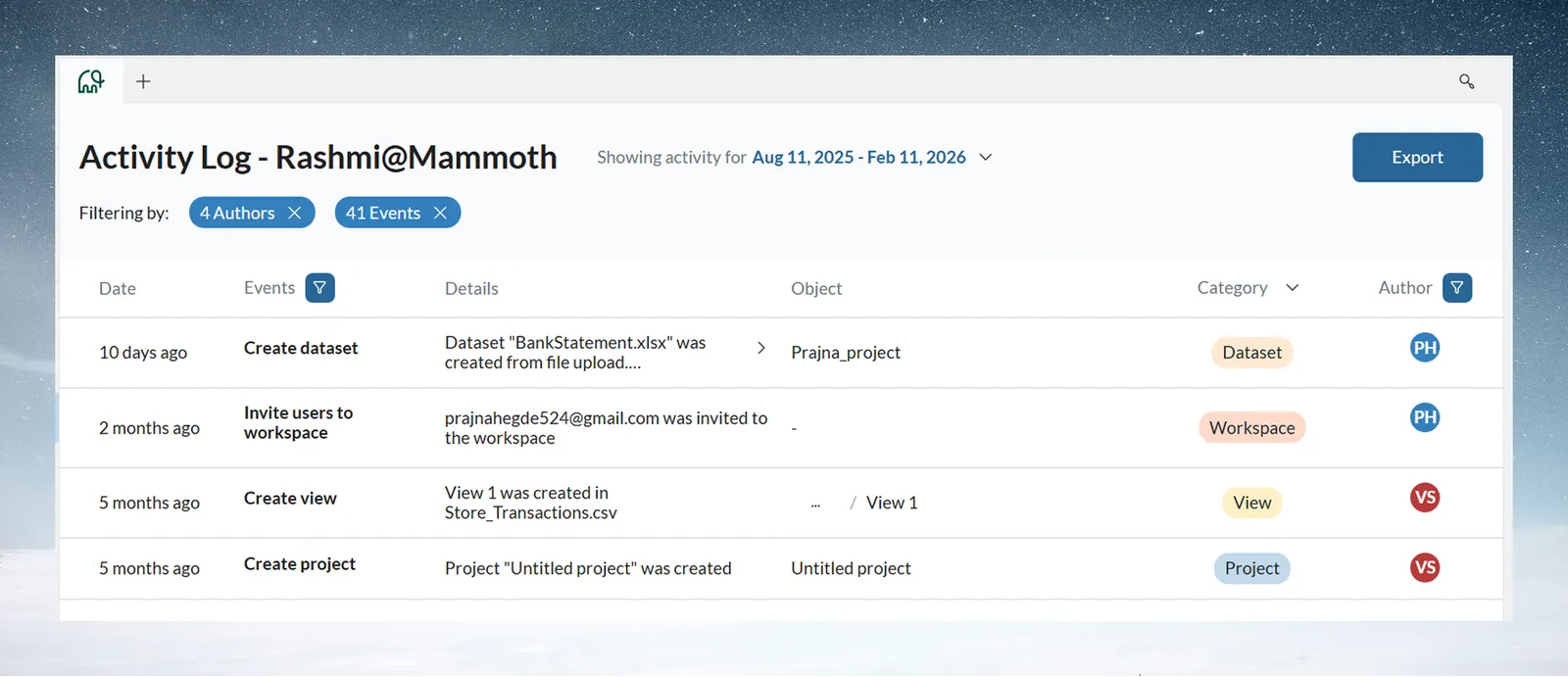
The log shows what happened, not data contents: an Add tasks to pipeline event with the view and the teammate, but not revenue values or rows.
| Pattern in the log | Suggests |
|---|---|
| The same file uploaded by hand every week | A connector and Dataset Refresh (or, for files, a Data Consolidation automation) |
| Heavy Excel exports, few dashboards | Dashboard training |
| Similar pipelines rebuilt from scratch | A reference template and a short training session |
| Pipeline creation in the first weeks, steady activity from most of the team | Adoption is working |
Other signs of success: several people use reference workflows, naming is consistent, recurring reports come from Mammoth, and team members build stakeholder dashboards on their own. Ask in one-to-ones which workflows they have automated.
When a team member leaves
Work stays in the project, not with the person: pipelines, datasets and shared dashboards keep working.
- In the Activity Log, filter Author to that person to see their key contributions.
- Decide who maintains each workflow, and hand off complex pipelines.
- A Workspace Owner removes them in Workspace Settings > User Management. Make sure each project still has a Project Admin.
Related
- Filter the Activity Log: by event, category, author or date.
- Export the Activity Log: CSV, XLSX or a dataset, and history by plan.
- Mammoth for managers: the rest of the manager plan.
- Invite your team: add and remove people.
Something wrong? support@mammoth.io